
• Which the release of FS2020 we see an explosition of activity on the forun and of course we are very happy to see this. But having all questions about FS2020 in one forum becomes a bit messy. So therefore we would like to ask you all to use the following guidelines when posting your questions:

    • Tag FS2020 specific questions with the MSFS2020 tag.
    • Questions about making 3D assets can be posted in the 3D asset design forum. Either post them in the subforum of the modelling tool you use or in the general forum if they are general.
    • Questions about aircraft design can be posted in the Aircraft design forum
    • Questions about airport design can be posted in the FS2020 airport design forum. Once airport development tools have been updated for FS2020 you can post tool speciifc questions in the subforums of those tools as well of course.
    • Questions about terrain design can be posted in the FS2020 terrain design forum.
    • Questions about SimConnect can be posted in the SimConnect forum.

    Any other question that is not specific to an aspect of development or tool can be posted in the General chat forum.

    By following these guidelines we make sure that the forums remain easy to read for everybody and also that the right people can find your post to answer it.

FSX sbuilderx will not exclude default landclass when using a blendmask...

Messages
489
Country
us-ohio
Or so it would seem that the exclude feature to create CVX files to get rid of default landclass under photoreal is not working correctly with blendmasks. I am doing the blends with photoshop channels- degrees of grey, and some of my many experiments leave the default landclass either:

a. gone and replaced by the photoreal of the sandbars, etc... the underwater image, but no moving waves on the surface.

b. still visable but underwater

c. sitting on the surface, still under the photoreal, with no water on it.

Im using a combination of all 3 colors only as variations of greys and whites, saved as .BMP and run through resample. of course on a masked image and only on the water.

Its absolutely a great result everywhere that the default landclass doesnt poke out from under, but the only satisfactory way to fix it so far is to just blend the photo up to the coast, without having a nice 3D water effect showing.

heres the idea.
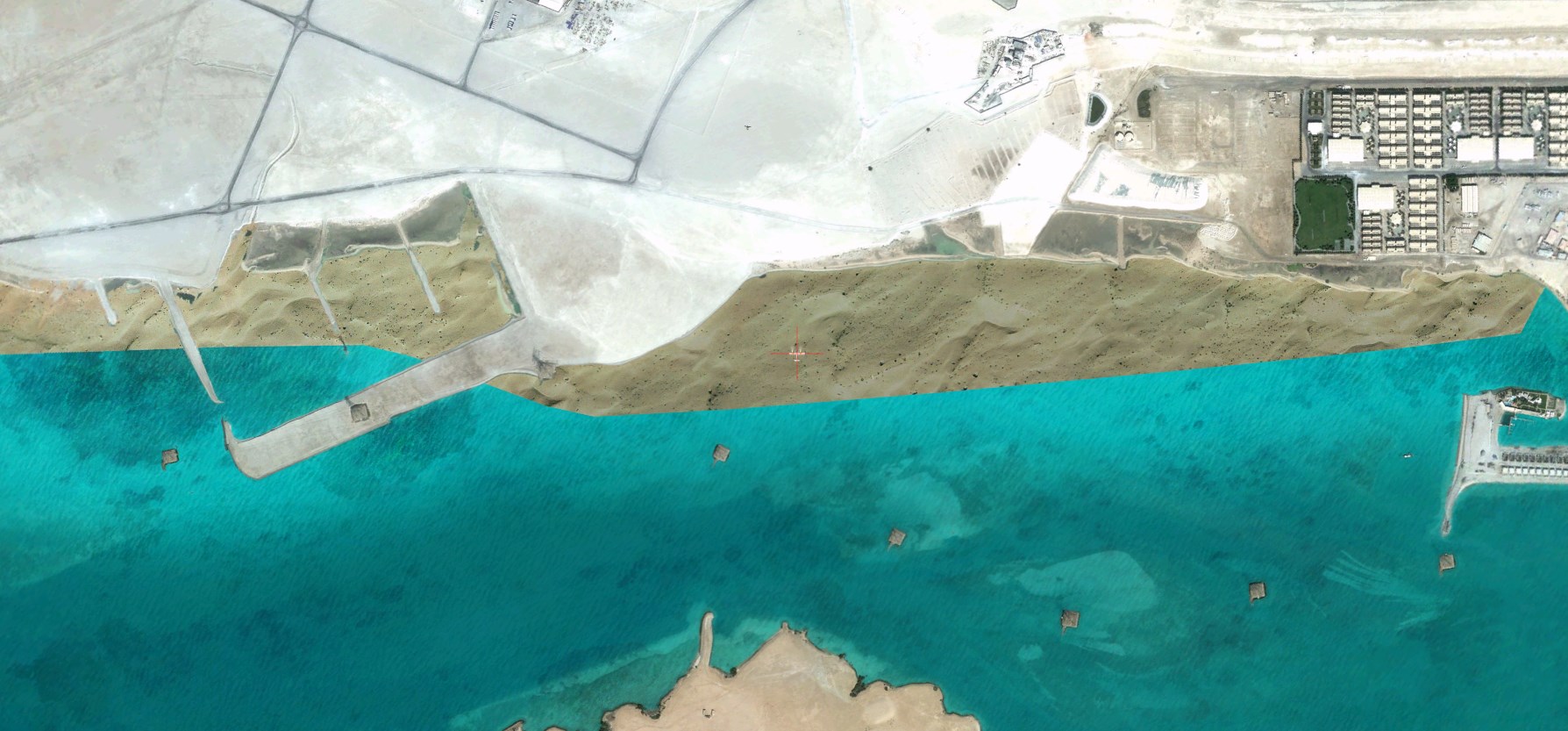
landclass issue 1.jpg


Here's basically what everything else looks like, and I think its a great way to do the blend.
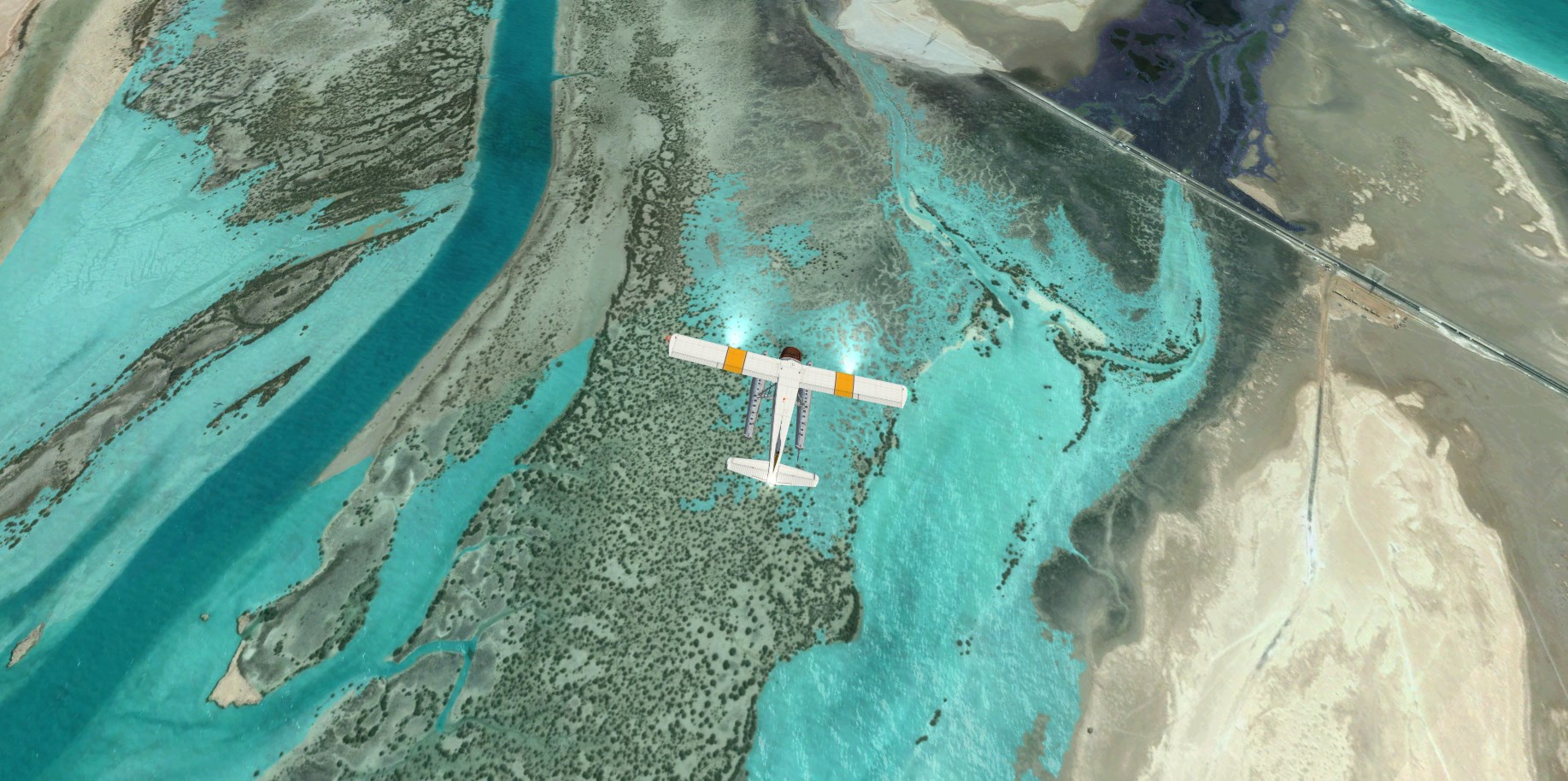
landclass issue OK.jpg


You get a real nice tropical water color out of it.

Just gotta be a way to get rid of the default LC

Thanks! (and by the way I really appreciate everyone's reply, be it what it is!)
 
Hello:

The answer may be revealed in your INF file used with FS SDK Resample.

Normally separate sources (ex: 1 additional gray scale 8-bit TIF file or 2 alpha channels along with the 'visible' RGB aerial image channels in a TIF or TGA file) are used in a "multi-source" INF ...to define the water and blend mask data areas.


If you attach or post text from an example INF for one of your photo tiles, someone here may be better able to advise you. ;-)

GaryGB
 
Last edited:
I am making the watermask and the Blendmask out of 1 .bmp and only processing 2 .bmp total with my inf file.
The answer to this problem was in the mix of colors I used for the actual blendmask, and after about 50 different trial versions, I finally came up with the perfect "magic" solution, and now everything is working correctly.
Thanks for looking!
 
Indeed, technically that approach can also work, but may require more trial-and-error depending on one's objectives. ;)


FYI: There are previously posted tutorials of such a work-flow as you seem to describe:

http://www.fsdeveloper.com/forum/threads/geotiff-blending.431787/

http://www.fsdeveloper.com/forum/threads/are-blend-masks-working-properly-in-p3dv2.433786/


Generally speaking, the '8-bit gray scale equivalent' which results from use of color masking certainly may work with less complications to control display of top and underlying water texture layers. :whiteflag

However, with land texture layers, if one sets blend transparency beyond a certain threshold value, one will begin to allow not only the 'visible image' to show through to the top, but also any associated underlying autogen if the texture is land class or FS SDK Resample photo-real imagery (...which is actually a special form of 'land class' as well). :alert:


Hmmm... One might wonder if there isn't a "magical" blend mask channel color / gray scale setting which allows multiple layers of autogen annotated textures to show through to the top in FS at run time ? :scratchch :yikes:

http://www.fsdeveloper.com/forum/threads/terrain_max_autogen_trees_per_cell.434273/


Glad to see you now have a method working better for your project ! :)

GaryGB
 
Last edited:
Back
Top