• Which the release of FS2020 we see an explosition of activity on the forun and of course we are very happy to see this. But having all questions about FS2020 in one forum becomes a bit messy. So therefore we would like to ask you all to use the following guidelines when posting your questions:

    • Tag FS2020 specific questions with the MSFS2020 tag.
    • Questions about making 3D assets can be posted in the 3D asset design forum. Either post them in the subforum of the modelling tool you use or in the general forum if they are general.
    • Questions about aircraft design can be posted in the Aircraft design forum
    • Questions about airport design can be posted in the FS2020 airport design forum. Once airport development tools have been updated for FS2020 you can post tool speciifc questions in the subforums of those tools as well of course.
    • Questions about terrain design can be posted in the FS2020 terrain design forum.
    • Questions about SimConnect can be posted in the SimConnect forum.

    Any other question that is not specific to an aspect of development or tool can be posted in the General chat forum.

    By following these guidelines we make sure that the forums remain easy to read for everybody and also that the right people can find your post to answer it.

FS2004 Scasm under Windows 7?

Messages
916
Country
germany
Hi everybody,

just almost finished (hoped so) my reinstallation of my programmes on my new PC. One of the last should have been Sbuilder, but while starting, I got the wellknown runtime error 76. Searching for a while, I learned that "SCASM" is needed. But it seems to be a 32bit application. So my question: Is there any possibility to get it run under Windows 7? Running the scasm.exe told me to add a line into DOS :confused: ....
I built several important polygons for a scenery under Windows XP and would like to get them back.

Any ideas? Thanks all in advance....
 
Yes SCASM runs very well by me.

WIN7 64bit Ultimate

Where have you SBuilder installed?

Your Path is what?

If you like to make a bgl with SCASM.exe you only move the Yourfilename.sca on the SCASM.exe.

Yourfilename.sca is a Editor file with Extension sca and in this is the Scasm Code - like this:

Code:
; ----------------------------------------
Header( 1  S36:43:26.42 S36:58:26.43 E174:53:07.19 E174:38:07.19 )
LatRange(  S36:58:26.43  S36:43:26.42 )
; since SCASM does not support multiple latitude ranges
; the range has been set to the minimum/maximum latitude.
; LatRange information in the BGL file is given as comment.
; If you want to use band separation, you must edit
; the source file manually.

; Insert the "Set( FSVers 0x800 )" instruction at the beginning
; of the file, if you want to use the FS2002 instructions
; for the facilities section
mif( [$Version < 285] )
   Error( You need at least SCASM version 2.85 to compile this code )
mifend

; ----------------------------------------
; Procedural scenery
; ----------------------------------------


; LatRange(  S36:58:38.41  S36:43:42.77 )
; ----------------------------------------
; ----------------------------------------
; Object # 1, offset: 0x000A size: 110 bytes (0x006E) 
;; Lat: 0FFC183B3h Lon: 07C4626FFh
; ----------------------------------------
Area( 5 S36:50:56.50 E174:45:37.29 30 )
	LayerCall( :L000020 24 )
	Jump( : )
:L000020
	Smoothing( 1 )
	Runway(  S36:50:56.47 E174:45:37.29
		Alt    27.0
		Heading 109.4
		Length     328 ; in feet
		Width      328 ; in feet
		Markers  00
		Id       9 
		Lights   0
		Surface  FF
		Threshold 0
		ThrOffN    0
		ThrOffF    0
		ExtN       0
		ExtF       0
	)
	Smoothing( 0 )
	Return
EndA

; sorted list of objects
;  S36:50:56.50  E174:45:37.29 Object # 1

; ----------------------------------------
; Miscellaneous section
; ----------------------------------------


; LatRange(  S36:58:38.41  S36:43:42.77 )
; ----------------------------------------
Area16N
	Flatten( 27.0
		 S36:50:48.20  E174:45:29.84 ; vertex 1
		 S36:50:49.14  E174:45:43.75 ; vertex 2
		 S36:51:02.81  E174:45:44.11 ; vertex 3
		 S36:51:03.01  E174:45:29.32 ; vertex 4
	)
End16

; ----------------------------------------
; end of SCASM source
 
Last edited:
For sbuilder I think you just need to dump the latest scasm.exe into the sbuilder Tools subfolder and you're good.

scott s.
.
 
32 bit applications like SCASM run fine in Windows 7. I also use SCASM in my own tools without problems.
 
I also have the same problem with SCASM.

"SCASM is a Win32 console application and needs command line parameters. Please open a console window (DOS box) to enter a command line or use SCASM through a front end application".

I try to use it with ModelconverterX and its CTD everytime SCASM has to be involved.
What to do?
 
turned out to be problems with my .bgl files that made that error.
so if the bgl-files are alright i guess scasm works fine on 64 bit win7.
 
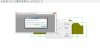
I tryed to compile a file (scasm.exe v.2.96 --> Windows 7 ultimate 64X) and I notice an error (please see the file uploaded). Some help?
 

Attachments

  • Erro Sbulder.jpg
    Erro Sbulder.jpg
    134.8 KB · Views: 738
[EDITED]

I tryed to compile a file (scasm.exe v.2.96 --> Windows 7 ultimate 64X) and I notice an error (please see the file uploaded). Some help?

Hello:

You may wish to also post this question in the official support forum for SBuilder for FS9 at PTSIM:

http://www.ptsim.com/forum/viewforum.php?f=18

[END_EDIT]


FYI: The native language of the author of SBuilder is Portuguese, and he may be able to help you with both your Portuguese language based version of Windows issues, and your SCASM functionality when working with SBuilder.


Although the author is busy sailing this Summer, he does seem to check this forum and his PTSIM SBuilder forums occasionally.

Hope this helps ! :)

GaryGB
 
Last edited:
I am 12 nautical miles from my home port after 2 months in sea. I hope, that, in a couple of weeks, I will be able to look to some of the problems left on the 314 release. Regards!
 
Thank you Jon and Dick for the welcome. I just had my first night sleep in firm ground since June, 10 and I spent this morning playing with my 3 dogs. Sorry for this out of topic comment.

Regards, Luis
 
Thank you Jon and Dick for the welcome. I just had my first night sleep in firm ground since June, 10 and I spent this morning playing with my 3 dogs. Sorry for this out of topic comment.

Regards, Luis
No need to apologize Luis :)
 
Back
Top