• Which the release of FS2020 we see an explosition of activity on the forun and of course we are very happy to see this. But having all questions about FS2020 in one forum becomes a bit messy. So therefore we would like to ask you all to use the following guidelines when posting your questions:

    • Tag FS2020 specific questions with the MSFS2020 tag.
    • Questions about making 3D assets can be posted in the 3D asset design forum. Either post them in the subforum of the modelling tool you use or in the general forum if they are general.
    • Questions about aircraft design can be posted in the Aircraft design forum
    • Questions about airport design can be posted in the FS2020 airport design forum. Once airport development tools have been updated for FS2020 you can post tool speciifc questions in the subforums of those tools as well of course.
    • Questions about terrain design can be posted in the FS2020 terrain design forum.
    • Questions about SimConnect can be posted in the SimConnect forum.

    Any other question that is not specific to an aspect of development or tool can be posted in the General chat forum.

    By following these guidelines we make sure that the forums remain easy to read for everybody and also that the right people can find your post to answer it.

FSX Scenery Buildings - Flickering effect on night textures!!!

Messages
41
Country
brazil
Hi all

A relative newbie to this scenery creation business and have run into yet another issue that I cannot resolve after reading through the many posts regarding flickering of textures.

My issue is actually on buildings and is more apparent through the night textures.

The day textures are OK up close and only occasionally give a very slight flicker from a distance.

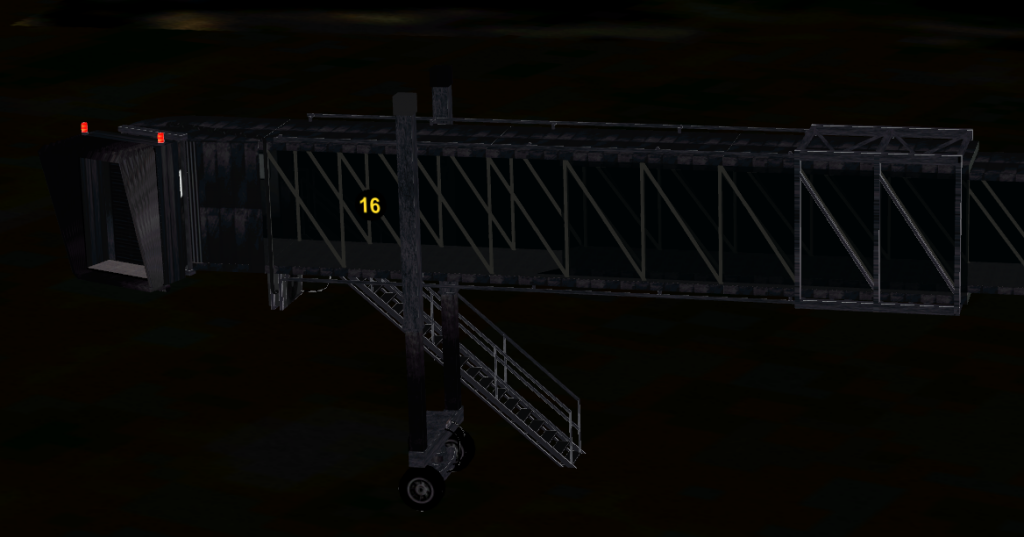
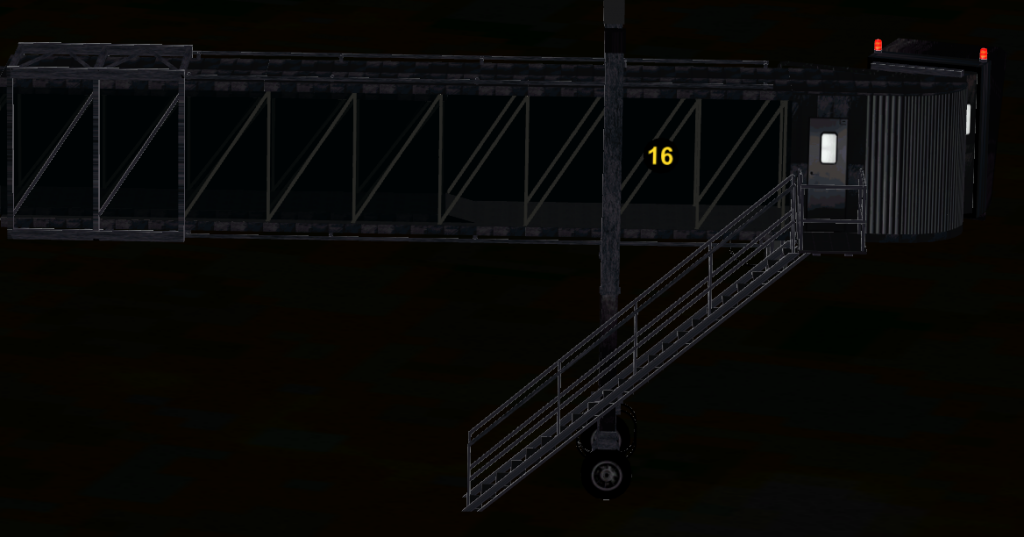
The issue is at night when the flicker is much more obvious from distance up to relatively close up. Then I noticed that there seems to be an outlining effect which is the actual cause of the flickering. My night textures are almost black with the material of all the objects being black I don't understand why I'm getting this outlining effect. It can be clearly seen on the stairs and part of the pier structures.

Can anyone guide me into how I may resolve this issue from their own personal experience or even hints of what to do. The textures are 1024x1024.

Here are some day/night images of both sides of the pier structure.


Hi,
What do you model with ?
Flickering is usually caused by two textured polygons located close one to another with normals facing the same direction. Try to either flip your normals or disable double sided material so that opposite face is kinda transparent.
 
Hi,
What do you model with ?
Flickering is usually caused by two textured polygons located close one to another with normals facing the same direction. Try to either flip your normals or disable double sided material so that opposite face is kinda transparent.

Modelling in FSDS latest version.

The majority of these are rectangular objects which have the texture placed on each polygon through the FSDS Texture panel. The textures are 8 bit bmp files.
 
Outline is usually on baked textures, if you bake the texture then your bake has to kinda overflow the island margin for about 2-3px. This can be set in your 3D editor.
I do not think that FSDS can do everything mentioned above.. Sorry..
It is just one way left here - disable double sided material and see what happens..
 
Outline is usually on baked textures, if you bake the texture then your bake has to kinda overflow the island margin for about 2-3px. This can be set in your 3D editor.
I do not think that FSDS can do everything mentioned above.. Sorry..
It is just one way left here - disable double sided material and see what happens..
Thanks again for a quick response.

My textures have a gutter which is about 5 pixels as I was aware that there could be such an issue so my actual texture is used with a 5 pixel distance to its edge. I don't know if FSDS auto bakes textures. I know there is an option to bake in ModelConverterX though I have never used it. Would the fact that I'm using 8bit bmp's being a factor?

I will look and see if the double side glass used on the pier has any bearing on the matter and post my results.
 
Would the fact that I'm using 8bit bmp's being a factor?
If you mean 8bit per channel then answer is NO. If you use 8bit color - what for ?
So it is not a factor...
 
Mipmaps? Are they enabled?

Also when you map textures, they have to be 1 or two pixels from the edge of the end of that texture bit. It will display the next pixel or two as you pan out. Instead of remapping it all, just extend the outside edge of pixels of your sheet by a couple.
 
Mipmaps? Are they enabled?

Also when you map textures, they have to be 1 or two pixels from the edge of the end of that texture bit. It will display the next pixel or two as you pan out. Instead of remapping it all, just extend the outside edge of pixels of your sheet by a couple.

Shaun

Thanks I did know about the edge of texture effect and they were 3-4 pixels wider than used but I have found that that was not quite enough and extending a darkened area to 6 pixels around that used cured the issue.

I have another which I am trying to resolve and that is of using clear material as a glass and using two objects to create both sides of the glass. I have interior structure reasonably close to this glass and i sometimes get the interior structure flashing through the glass, both day and night. Do you know if you have to leave a large gap between the glass and the structure or does the two glass parts have to have a space between them any help appreciated. At the moment the parts are duplicates with no spacing.
 
Back
Top