• Which the release of FS2020 we see an explosition of activity on the forun and of course we are very happy to see this. But having all questions about FS2020 in one forum becomes a bit messy. So therefore we would like to ask you all to use the following guidelines when posting your questions:

    • Tag FS2020 specific questions with the MSFS2020 tag.
    • Questions about making 3D assets can be posted in the 3D asset design forum. Either post them in the subforum of the modelling tool you use or in the general forum if they are general.
    • Questions about aircraft design can be posted in the Aircraft design forum
    • Questions about airport design can be posted in the FS2020 airport design forum. Once airport development tools have been updated for FS2020 you can post tool speciifc questions in the subforums of those tools as well of course.
    • Questions about terrain design can be posted in the FS2020 terrain design forum.
    • Questions about SimConnect can be posted in the SimConnect forum.

    Any other question that is not specific to an aspect of development or tool can be posted in the General chat forum.

    By following these guidelines we make sure that the forums remain easy to read for everybody and also that the right people can find your post to answer it.

MSFS20 SDK Approach lights - Sequencing speed and day/night activation

Messages
410
Country
norway
Hello.

I am now in the process of adding approach lights to my helipad project, and I need help with the following - if at all possible to do:

  1. Day/Night activation of the approach lights
    1. Alternatively activation by radio frequency
  2. Running rabbit/lead in lights speed.
  3. Reduce the size of the lead in light emittive bulb
I request some directions on how to approach the wanted goals.


1 not possible

2 light preset with light row

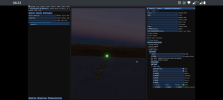
Use incremental phase, see screenshots (0.5 in screenshot)
Means light light 0 blinks immediately,
Light 1 blink after 0.5 seconds
light 2 blink after 1 seconds and so on
Duration is the amount of time in seconds the light is on (0.5. in the image)


Period is the total time of the cycle (so 2.5 seconds in screenshot means each light is on for 0.5 and off for 2 seconds, then blink again)

Period is directly related to the amount of lights you will have in the light row


3 the light preset has a radius parameters to control the size of the light
 

Attachments

  • Screenshot_20250613-063327.png
    Screenshot_20250613-063327.png
    709.8 KB · Views: 101
1 not possible

2 light preset with light row

Use incremental phase, see screenshots (0.5 in screenshot)
Means light light 0 blinks immediately,
Light 1 blink after 0.5 seconds
light 2 blink after 1 seconds and so on
Duration is the amount of time in seconds the light is on (0.5. in the image)


Period is the total time of the cycle (so 2.5 seconds in screenshot means each light is on for 0.5 and off for 2 seconds, then blink again)

Period is directly related to the amount of lights you will have in the light row


3 the light preset has a radius parameters to control the size of the light
Fantastic mamu. Thank you!
 
1 not possible

2 light preset with light row

Use incremental phase, see screenshots (0.5 in screenshot)
Means light light 0 blinks immediately,
Light 1 blink after 0.5 seconds
light 2 blink after 1 seconds and so on
Duration is the amount of time in seconds the light is on (0.5. in the image)


Period is the total time of the cycle (so 2.5 seconds in screenshot means each light is on for 0.5 and off for 2 seconds, then blink again)

Period is directly related to the amount of lights you will have in the light row


3 the light preset has a radius parameters to control the size of the light
And if I may follow up with another question. I want the ground to be lit up by the sequencing lights. How would you approach a solution to that?
 
And if I may follow up with another question. I want the ground to be lit up by the sequencing lights. How would you approach a solution to that?

The light splash is not supported by flashing lightrow
And the lightrow is the only viable option if you want something useful (be seen at distance)

Otherwise you can create a Scenery object and animate its lights, however you will loose visibility pretty soon

Combining scenery objects and light row won't work because they are not loaded at the same time so they won't be in sync
 
The light splash is not supported by flashing lightrow
And the lightrow is the only viable option if you want something useful (be seen at distance)

Otherwise you can create a Scenery object and animate its lights, however you will loose visibility pretty soon

Combining scenery objects and light row won't work because they are not loaded at the same time so they won't be in sync
Thanks for your input! :)
 
Back
Top