
• Which the release of FS2020 we see an explosition of activity on the forun and of course we are very happy to see this. But having all questions about FS2020 in one forum becomes a bit messy. So therefore we would like to ask you all to use the following guidelines when posting your questions:

    • Tag FS2020 specific questions with the MSFS2020 tag.
    • Questions about making 3D assets can be posted in the 3D asset design forum. Either post them in the subforum of the modelling tool you use or in the general forum if they are general.
    • Questions about aircraft design can be posted in the Aircraft design forum
    • Questions about airport design can be posted in the FS2020 airport design forum. Once airport development tools have been updated for FS2020 you can post tool speciifc questions in the subforums of those tools as well of course.
    • Questions about terrain design can be posted in the FS2020 terrain design forum.
    • Questions about SimConnect can be posted in the SimConnect forum.

    Any other question that is not specific to an aspect of development or tool can be posted in the General chat forum.

    By following these guidelines we make sure that the forums remain easy to read for everybody and also that the right people can find your post to answer it.

Shadows

arno

Administrator
Staff member
FSDevConf team
Resource contributor
Messages
34,328
Country
netherlands
Hi all,

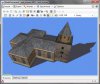
I am experimenting a bit with the display of shadows in ModelConverterX. The recent discussion started by Don about the custom shadow model triggered me to see if I can display the shadow model as well in ModelConverterX.

Attached is a screenshot of a first attempt. I am not doing the fancy self-shadowing stuff yet, just a simple shadow projection on the ground.

Do you think this would be useful for ModelConverterX to display? And if so, do you want to have control over the sun position or would one static position be fine?
 

Attachments

  • Image2012-02-11 1134.54.922.jpg
    Image2012-02-11 1134.54.922.jpg
    49 KB · Views: 440
I must say Arno, that I develop with the intent of turning off ground shadows in FSX.

For this reason, objects that I wish to have a shadow I create one on a plane (usually getting 3DSMax to do the shading, and then converting that to semitransparent alpha for a texture)

It would be a cool feature for ModelconverterX to make ground plane shadows (actually mine are more of a shallow pyramid than a plane to prevent flicker) The only issue, at least for me, is that the shadow material is shared between lots of objects to conserve drawcalls. This requires UV-mapping out an area on a texture that is already used.

Unfortunately, the most important display option for me would be the ability to turn the feature off. :(

(EDIT: although if it respected the NoShadow material property, then it might be a good check)
 
Last edited:
Hi Ian,

Turning it off will for sure be possible.

I am mainly interested now in being able to display the custom shadow model that some objects have. So for that I thought I better added some shadow display as well. Good point that I need to check the noshadow material option.
 
Please include shadows

Please do support the shadows since I think they are critical for making a static aircraft model look real and attached to the ground. I personally am statisfied with a high noon shadow. Here is an example that I did with hand painting the underlying image - something I can't do on an apron polygon
withshadows.jpg
 
I think the question there is whether we are talking about displaying a shadow in ModelconverterX, or "adding" it to the model.

I agree, the latter would be very helpful to a large number of people.

With some reprocessing, the shadows could be combined onto a single sheet if that was desired.

ModelconverterX displays my "custom shadows" just fine.
 
Last edited:
I also use custom shadows (via ground polygons within the model), and so I turn the FS shadow off using MDL Tweaker II.

ground_equip_aal.jpg
 
Hi all,

I never realised so many people put their shadows "hard coded" on ground polygons. Maybe that would be a feature to support in the future as well.

At the moment I am only working on displaying the shadows, like FS would if you don't turn them off. And I am working on adding custom shadow models (less complex geometries) to improve the shadow performance.
 
MCX generation (and optional model addition) of shadow

Arno,
Glad you got our desired concept of computing a shadow and adding it to the model via simple geometry (maybe an LOD concept??) - one fellow has suggested a shallow (maybe 0.5 feet or so) pyramid - so that Z-buffer fighting would be minimal. I like the shadow edge to be fuzzy but that is my preference. The color is important - not too black. Some might want it to be semitransparent so things on the ground would bleed through. But most important is still performance - the adding of a shadow must have a very minimal effect on frametime since many of us want to add 30-50 (or more) objects into a scene.
Thanks very much for your efforts!

Dave
 
Still prefer the adding of shadow geometry to model for static aircraft

After working with Don on SAMM 2.X, I came to realize that we are talking about two different approaches to shadows - one, the custom shadow model for FSX Shadowing enabled and the second is adding a single plane or maybe a simple shallow pyramid underneath the wheels and having an alpha texture mapped on it. I would prefer the second since I am dealing with adding many static aircraft to an airport but don't want to absorb the 10->30 percent framerate reduction with turning FSX shadowing on. Thanks for considering this!
 
Hi,

It's on the wishlist, but not sure if I will have time to implement it soon.

But from the tests I did, having a simple custom shadow model also reduces the performance hit greatly that you get from turning on shadows.
 
Back
Top