• Which the release of FS2020 we see an explosition of activity on the forun and of course we are very happy to see this. But having all questions about FS2020 in one forum becomes a bit messy. So therefore we would like to ask you all to use the following guidelines when posting your questions:

    • Tag FS2020 specific questions with the MSFS2020 tag.
    • Questions about making 3D assets can be posted in the 3D asset design forum. Either post them in the subforum of the modelling tool you use or in the general forum if they are general.
    • Questions about aircraft design can be posted in the Aircraft design forum
    • Questions about airport design can be posted in the FS2020 airport design forum. Once airport development tools have been updated for FS2020 you can post tool speciifc questions in the subforums of those tools as well of course.
    • Questions about terrain design can be posted in the FS2020 terrain design forum.
    • Questions about SimConnect can be posted in the SimConnect forum.

    Any other question that is not specific to an aspect of development or tool can be posted in the General chat forum.

    By following these guidelines we make sure that the forums remain easy to read for everybody and also that the right people can find your post to answer it.

FSX Skewed background image <fixed>

  • Thread starter Thread starter Taylor
  • Start date Start date
T

Taylor

Guest
Hi all,

I've only been working with SBX for a few weeks now so I'm doing a lot of experimenting. Recently I noticed when I compile the sat image map the north part is further west than the bottom, it lays slightly diagonal on the terrain. I believe this is due to a variation in the xDim and yDim values in my .INF file. I'm pretty sure I can fix it by simply equalizing the two, but I don't know what I did to cause it to compile that way.

Anyone know why?

Thanks.
 
Is the scenario you are describing using aerial imagery tiles downloaded by SBuilder itself ?

Or are you instead using aerial imagery tiles downloaded by a different 3rd party program or utility, then "imported" into the SBuilder workspace via ex: "Add Map > From Disk" ?

Also, how far North (or South) is your project area ?

GaryGB
 
Last edited:
Hi Gary,

Thanks for responding. The imagery tiles I'm working with were downloaded using SBX with the Google Server.dll originally. However, because I make a lot of mistakes experimenting I have saved the raw background image file in a different folder, then Add From Disk and compile when I want to start over. I've succeeded in color matching to the default terrain, adding a blend mask and am now working on nudging the map down slightly using Calibrate. I think this might have been where I went wrong, although I'm not sure.

My project area is at Lat N34 (degrees) 5.80'. Decimal - 34.0975907

It's not a conventional airport with runways and all that, it's just patch of scrub brush in a mountain region I want to add a helipad and other scenery objects to later on, so alignment isn't super critical for my purposes. But there is a small creek that follows the low part of the terrain, a ditch, which I need to be pretty close for a water mask.

Taylor
 
Hi Taylor:

When SBuilderX downloads the aerial imagery tiles, they are written to a storage sub-folder location along with a Geo-referencing file which has the same "file name" as the image tile, but instead of a BMP file extension, that Geo-referencing file has a TXT file extension.

Additionally, that Geo-referencing TXT file must always be present in the same folder as the original (and any copy of) the aerial image BMP file.

[EDITED]

The Geo-referencing TXT file contains info used by SBuilderX along with analysis of image size in rows and columns pixels, to internally calculate X,Y pixel dimensions, as well as any rotation and "warping" the image utilizes to fit into position on the Earth ...so that when output, the processed aerial image will be "projected" in the format that FS SDK Resample requires to create the custom photo-real BGL for proper display in MSFS.

[END_EDIT]

Also, pixel dimensions of the original (and any copy of) the aerial image BMP file must not be changed during any graphical editing with ex: photoshop.


So, to summarize
:

* ensure that the pixel dimensions are unchanged during editing

* place a copy of the original Geo-referencing TXT file in the same folder as any edited copy of the aerial image BMP file


During "Add Map > From Disk", selecting any edited copy of the aerial image BMP file will allow SBuilderX to:

* apply the proper Geo-referencing and "projection" to the aerial image BMP file

* write proper Geo-referencing and "projection" info into the INF file prior to compilation by FS SDK Resample into a custom photo-real BGL.


Hope this info helps "straighten" things out for your project ! :)

GaryGB
 
Last edited:
Hi Gary,

Thank you, that's very helpful info. I did keep the original .txt document created when I compiled the .bgl, I just wasn't using it since I saw it updated or created a new one every time I did another compile. That .txt file doesn't appear to contain any parameters other than Lat and Lon coordinates [GEOGRAPHIC], which have changed since I last calibrated the background image.

I've looked in all the other folders and sub-folders and can't find anything like what you're describing. It's not that big of an issue as I can just download the background image again. I'd just kind of like to know how I created the problem :scratchch

While looking around I noticed the \Tools\Shapes folder has a few files created when I last compiled - cvx_project.bgl, hpx_project.dbg, hpx_project.shp, hpx_project.shx and hpx_project.xml document. Then there is a separate SBuilderX folder that was auto-created on my desktop and only has a Scenery sub-folder in it. This folder always has copies of the latest .bgl, cvx, .obj and class map files.

I have no idea what to do with any of those files. After doing a polygon terrain exclude I renamed the cvx_project.bgl to cvx.1619.bgl (guessing that's what was intended) and placed it in the MFSX\Scenery\0202\ :yikes: LOL it resulted in a mesa looking formation rising up about 2500 MSL...pretty weird.

So yea, I have a lot more learning to do.

Taylor
 
Last edited by a moderator:
Hi Taylor:

I edited my post above in an effort to clarify that SBuilderX automatically uses the Geo-referencing file if it is physically present in the same sub-folder with the aerial imagery BMP file.

SBuilderX then uses that Geo-referencing info along with other information it reads from within the aerial imagery BMP file itself, to internally "project" the image into the proper format used when making a custom photo-real scenery BGL.

When a selected group of aerial imagery tiles are compiled to a custom photo-real scenery BGL, a individually-computed "INF" file is created automatically by SBuilderX for use by FS SDK Resample compiler.


NOTE: Any exisiting INF file will be over-written by SBuilder each time a new BGL compile operation is requested by the end user.


Also, one should not attempt to "nudge" or otherwise 'move' aerial imagery that has been downloaded by SBuilderX by editing the Geographic coordinate or other "projection" data inside the Geo-referencing TXT file and/or the INF file, as all those parameters and values are individually calculated by SBuilder for placement of the selected tiles on the ground in the MSFS 3D world at run time.

What are both Latitude and Longitude geographic coordinates for the center of your project area ? :scratchch

GaryGB
 
Last edited:
Hi Gary,

I thought you were referring to the Setup Information file only. Anyway, I didn't edit either file manually, I used Calibrate to move the background image south by perhaps 20 feet. Now, in the process of learning exactly how to do that I fiddled around with a number of other settings in SBX, which is what I believe caused the skewing.

Here's my Map Properties:
Map_Properties.png


You can see that CellXDimensionDeg and CellYDimensionDeg have different values. These are not editable in that box, and if you do try to change them in the INF file they'll just revert back the next time you compile. I seem to recall that the two were identical at some point, but that was last week and I"ll be dang if I can remember :D I do know that the image used be straight along Lat/Lon lines. Now it is canted -28 degrees.
 
I'll run a test on that area in SBuilderX later this morning to see what I can further advise for you to properly display that area in FSX. ;)

GaryGB
 
Thanks, I do appreciate the help.

I went ahead and downloaded the approximate area again using Add Map > From Background (googleserver.dll) and named it Photo02 to generate a raw image...no calibration or editing of any kind. Here is my result:
skewedimage.png


My aircraft is headed 359 degrees and positioned in the creek (now dry) I mentioned earlier, which is just a ditch. You can see the background image is slightly north of where it needs to be. But here's the thing - when I follow that ditch in slew mode on the ground it doesn't deviate any more than it should. In other words it comes out correct once calibrated.

I think the "problem" was that I assumed the tile's axes should be positioned along north/south and east/west lines. Is it possible this apparent skewing is caused by a variation between magnetic north and true north? Jeeze, my apologies if I made you go through all this because of my ignorance :oops:

Taylor
 
Last edited by a moderator:
Hi Taylor:

There is indeed a Magnetic Variation of approx. +14 degrees at the area of interest in MSFS, so in one's user aircraft gauges and/or in the {Shift}+{Z} on-screen parameters for 'Heading', one must interpret that variation relative to 'true' Geographic North. ;)

However, one need not re-calibrate the aerial imagery after the tiles are downloaded, as it is already in its correct real world location, and is "projected" correctly for use inside FSX.


When you state "the background image is slightly north of where it needs to be", is this because of a concern with better fitting / blending the downloaded aerial imagery into the default FSX scenery ? :scratchch


Also, do you use Google Earth in '3D view' to preview the area as you develop this site ?


NOTE: The default FSX scenery is "closer" to the real world than 'prior' versions of MSFS, but not as precise as what one may create with downloaded aerial imagery tiles for custom photo-real scenery, nor as as precise as what one may create with downloaded elevation data for custom terrain mesh, nor as precise as what one may create with downloaded vector data for custom road, water body, utility corridor scenery etc..


FYI: Because of where your project area is located (and because of the popularity of that site and its history), there is excellent aerial imagery and other terrain-related data freely available online for download, if you wish to enhance the surrounding region, or if you merely wish to better blend your local project area into the surrounding default scenery to your satisfaction. :idea:

BTW: Great idea for a scenery project; it would be fun to see this developed into a detailed 'hybrid' historical scenery site set into the current era ...as a freeware or payware package for others to use as well ! :)

GaryGB
 
Last edited:
Hi Gary,

I actually have a great background image that blends well and is aligned to my satisfaction.
overhead with blend.png


Are you saying there is a way for me to extract the default terrain and edit that? I'm not aware of such a method. But of course I'm very new to scenery design. And yes, I make ample use of Google Earth 3D Mode, it's how I found the location and determined the coordinates as well as elevation data.

Needless to say, being such a novice makes it difficult to plan this project without constantly have to backtrack and start over. I realize this is a pretty large endeavor that will take quite a bit of time in terms of learning how to use the various software needed, but I'm committed to it regardless. Some days I just need to step back and do something else...clear my head so to speak.

Anyway, I'm glad you like the project. It all started when I was doing a rotor craft hop with some friends on MsFlights and a guy mentioned he made a version of the Bell 47. I searched and searched for a scenery addon and found nothing. So I decided it'd be fun to do one myself. At this point I want to put some water in that creek because it is integral to the entire layout.
MASH Camp.jpg


I'll also need to add the chopper pad. There is a spot with a fairly flat mesh where I believe it should be. From there I can use ADE to setup a beacon and other stuff. I think the tents and related textures will have to be custom made and this is where I expect to be thoroughly stumped :confused:

All help and advice is much appreciated!

Taylor

Edit: Okay, so this project was actually done before by some guys over at sim-outhouse - http://www.sim-outhouse.com/sohforu...H-4077-scenery&p=821315&viewfull=1#post821315

But most everything has been removed - no links or files to download. I'm guessing they went payware with it. And by coincidence, the guy who had the idea and got everyone involved made the original post exactly two years ago today.
 
Last edited by a moderator:
Are you saying there is a way for me to extract the default terrain and edit that?

I'll also need to add the chopper pad. There is a spot with a fairly flat mesh where I believe it should be.

I'd suggest using a custom replacement terrain mesh made with higher resolution elevation source data if available.

Also, the default USA terrain mesh in FSX is from 30 Meter elevation source data and can be easily modified by use of vector aerodrome / helipad "flat" flattens and vector sloped terrain scenery flattens.

At this point I want to put some water in that creek because it is integral to the entire layout.

The default USA terrain vector water body data in FSX can now be extracted, copied, and modified by use of special utilities.

I think the tents and related textures will have to be custom made and this is where I expect to be thoroughly stumped :confused:

Between use of:

* a freeware or payware graphics utility

* the free version of Sketchup (which also can internally download Google Maps / Google Earth aerial imagery and terrain mesh)

* free downloadable textures available on the internet

...that should all be readily achievable with some rather reasonable effort. :)


Edit: Okay, so this project was actually done before by some guys over at sim-outhouse - http://www.sim-outhouse.com/sohforu...H-4077-scenery&p=821315&viewfull=1#post821315

But most everything has been removed - no links or files to download. I'm guessing they went payware with it. And by coincidence, the guy who had the idea and got everyone involved made the original post exactly five years ago today.

FYI: I was able to find the SOH scenery project in the downloads library as "M*A*S*H_4077_scenery_with_patch.zip" ...at:

http://www.sim-outhouse.com/sohforu...tid=113&keyid=&sort=d&page=1&pp=20&nameid=MNO

Ah yes, had to drill down on precise search parameters. I found three downloads.

Got more links to post here to save some searching by others ? :p


PS: I'll check to see if some elevation data higher than the FSX default might be available to the public yet. ;)

GaryGB
 
Last edited:
Yep, Gary, I downloaded and installed the MASH scenery you referenced above and am looking at it now in MSFX. It's some damn fine work. However I think those guys erred in placing it in Korea, even though that's where the "real" camp was. The one we all know and love was set in the Malibu Hills at what was then called Paramount Ranch. This version is actually using the set configuration (which is memorialized in no lesser institution that the Smithsonian Museum) of the TV series, only without the creek.

I still want to do one in Malibu State Park. I just need to reconsider my plans now.
 
Yep, Gary, I downloaded and installed the MASH scenery you referenced above and am looking at it now in MSFX. It's some damn fine work. However I think those guys erred in placing it in Korea, even though that's where the "real" camp was. The one we all know and love was set in the Malibu Hills at what was then called Paramount Ranch. This version is actually using the set configuration (which is memorialized in no lesser institution that the Smithsonian Museum) of the TV series, only without the creek.

I still want to do one in Malibu State Park. I just need to reconsider my plans now.

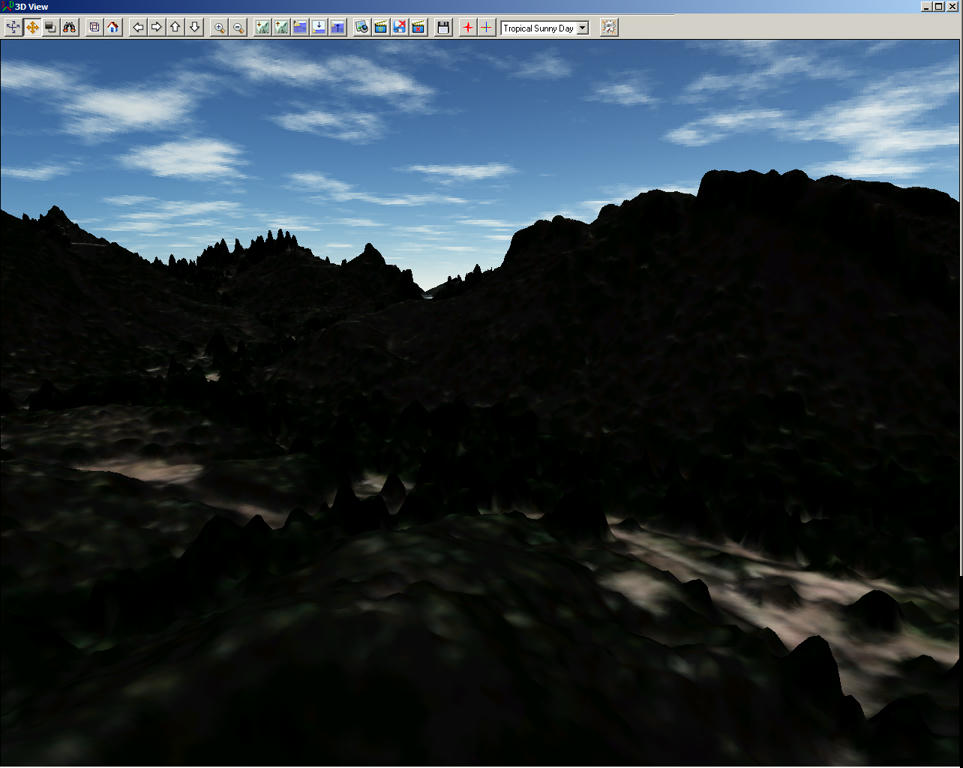
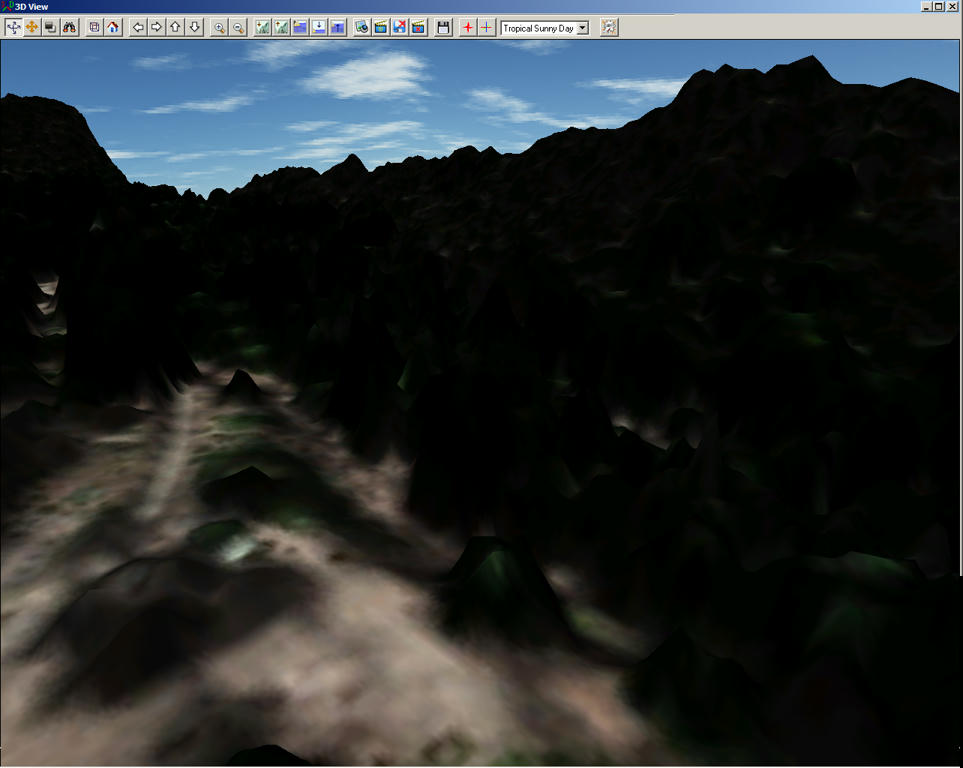
I have access to a 3 Meter LiDAR 'first-return' DSM data source which can be further processed to make a "bare Earth" high resolution terrain mesh for FSX that more accurately preserves the unique shapes of the real world mountain peaks surrounding the MASH 4077 site in Malibu State Park.

This terrain rendering is draped with the freely available 1 Meter ESRI World Imagery. :cool:

zcoggtpovcldvlu6g.jpg


3j64edpsgnyekpw6g.jpg


27542272.jpg


Feel free to let me know if/when you wish to use the BGL file (gratis, of course ...and using source data from the public domain.) ;)

GaryGB
 
Last edited:
Got more links to post here to save some searching by others ? :p

:oops: I should have explained that - of those three I mentioned, the one you linked to is a patch of the original they made (and the only one worth downloading IMO.) The third one appears to be for FS9 or something, the screen grabs show non-photoreal images.

Also, forgive me for not yet addressing the numerous and helpful points you made in your previous posts. I'm in my "stand back and look at the big picture" mode now.

Taylor
 
Hi Taylor:

Here's another opportunity to "stand back and look at the big picture". ;)

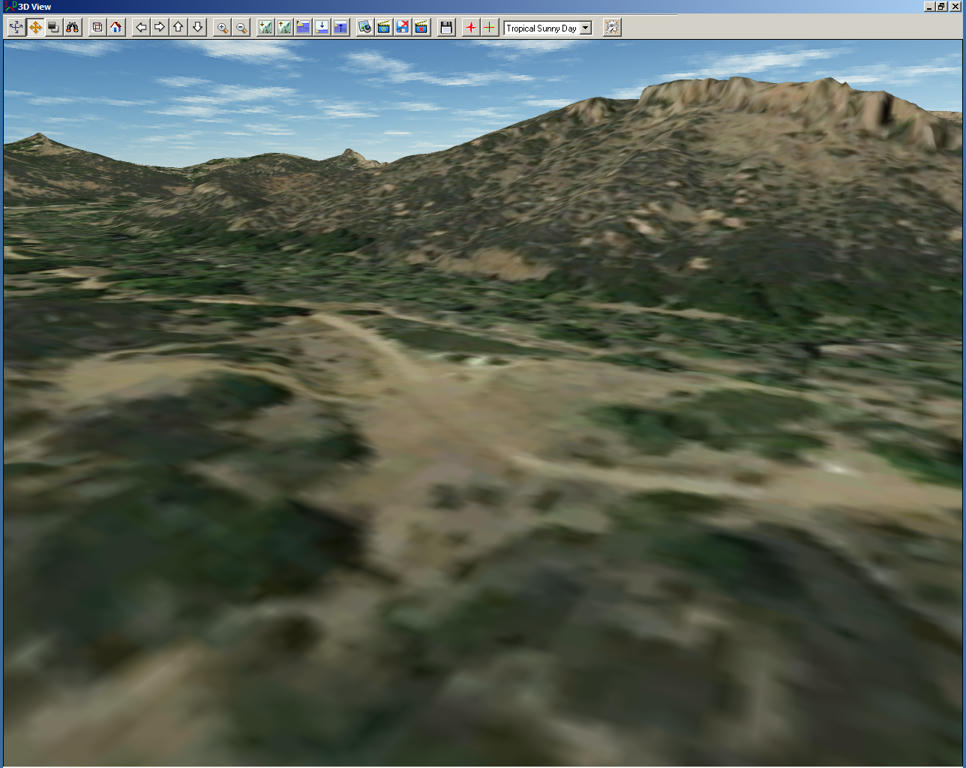
This an update to show the "bare Earth" version of the 3 Meter LiDAR data source which can be used to make a high resolution terrain mesh for FSX that more accurately preserves the unique shapes of the real world mountain peaks surrounding the MASH 4077 site in Malibu State Park.

This terrain rendering is draped with the freely available 1 Meter USGS / NAIP aerial imagery. :cool:

oz5479x9w8ezdr86g.jpg


Again, please feel free to let me know if/when you wish to use the BGL file (gratis, of course ...and using source data from the public domain.) ;)


GaryGB
 
Last edited:
Hi Gary,

Haha, you know you're dragging me kicking and screaming into learning rocket surgery, right? j/k

Yes, I definitely want that .bgl and the LiDAR source imagery app, or whatever it is you're using. TBH though, this is a lot of stuff for me to wrap my head around. Forgive me if I'm a little slow catching on.

You need an email address or something to send that file to?
 
Hi Taylor:

I'll send you more info by PM here at FSDeveloper to let you decide how to proceed with either creating your own terrain mesh, or to simply download the ready-to-use BGL I will compile ...within the next day or so. ;)

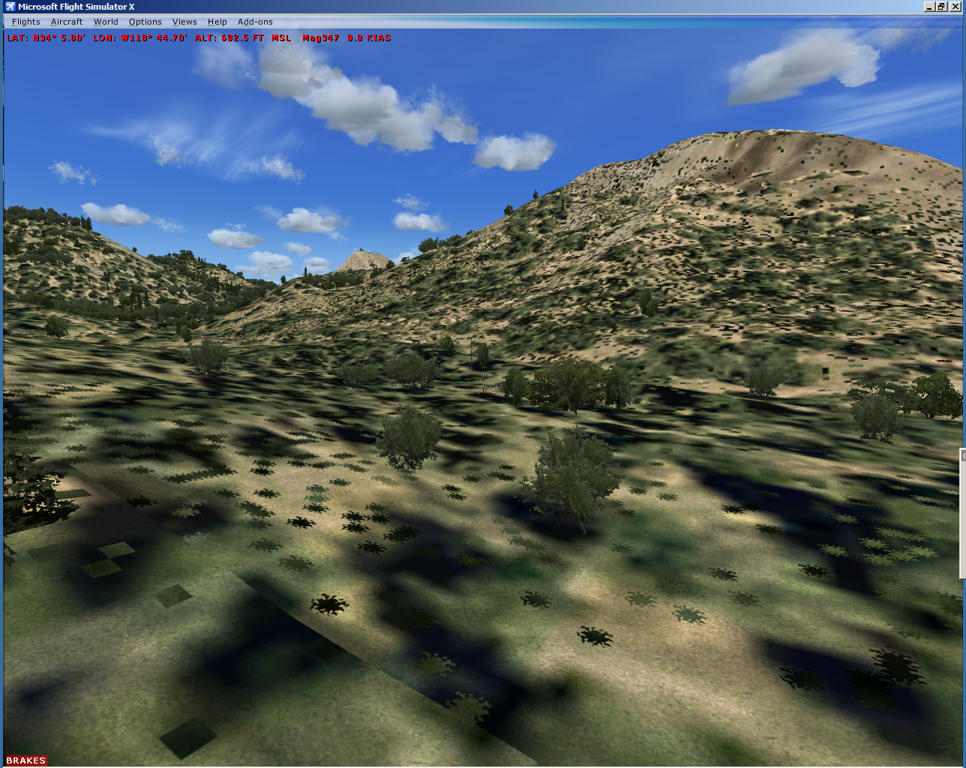
In the mean time, one more teaser for comparison of the latter image above with the FSX default scenery. :D

l5zl4l9h7nst10s6g.jpg


GaryGB
 
Back
Top