• Which the release of FS2020 we see an explosition of activity on the forun and of course we are very happy to see this. But having all questions about FS2020 in one forum becomes a bit messy. So therefore we would like to ask you all to use the following guidelines when posting your questions:

    • Tag FS2020 specific questions with the MSFS2020 tag.
    • Questions about making 3D assets can be posted in the 3D asset design forum. Either post them in the subforum of the modelling tool you use or in the general forum if they are general.
    • Questions about aircraft design can be posted in the Aircraft design forum
    • Questions about airport design can be posted in the FS2020 airport design forum. Once airport development tools have been updated for FS2020 you can post tool speciifc questions in the subforums of those tools as well of course.
    • Questions about terrain design can be posted in the FS2020 terrain design forum.
    • Questions about SimConnect can be posted in the SimConnect forum.

    Any other question that is not specific to an aspect of development or tool can be posted in the General chat forum.

    By following these guidelines we make sure that the forums remain easy to read for everybody and also that the right people can find your post to answer it.

ADE [SOLVED] Airport Flatten issue (P3D v5) + Default scenery objects showing.

Messages
97
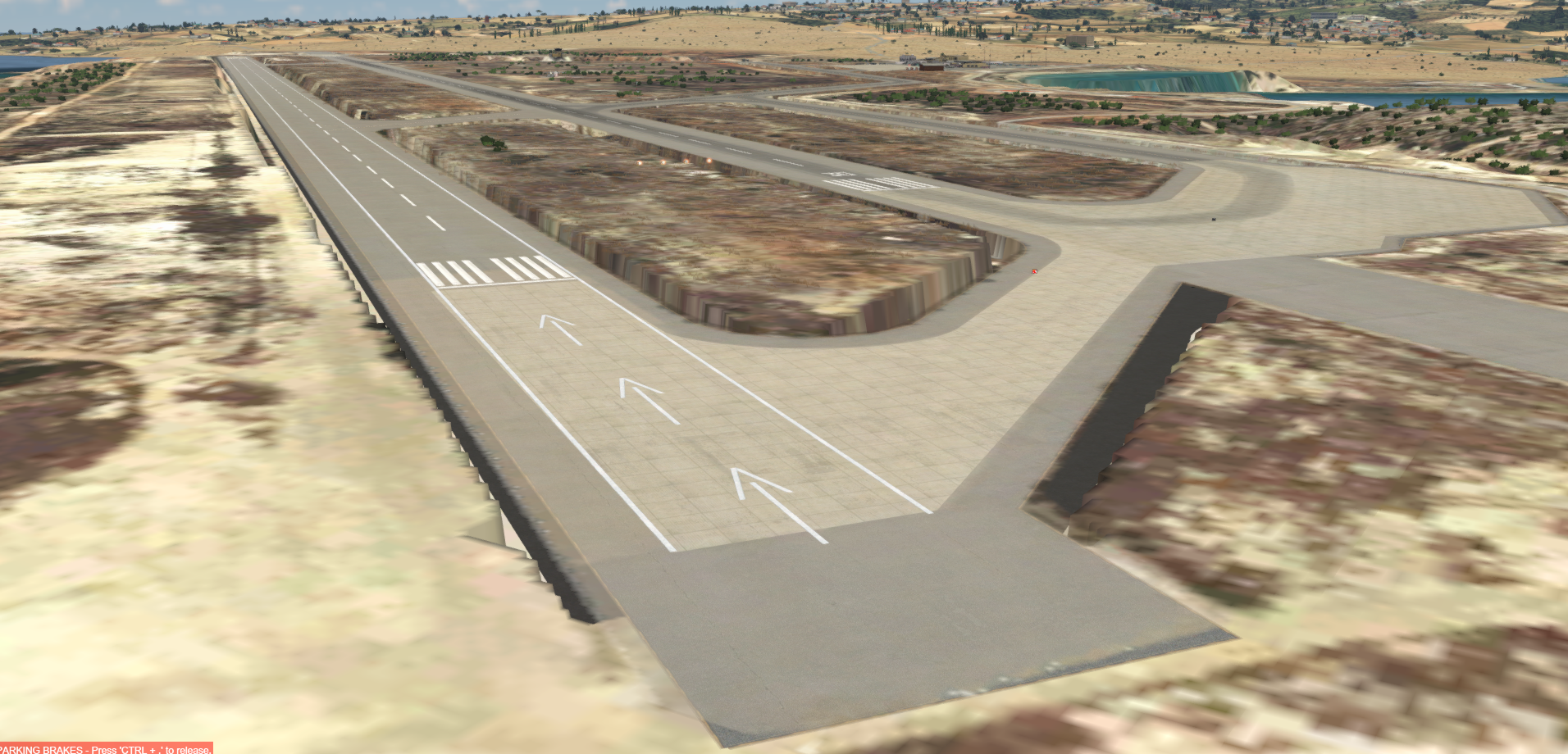
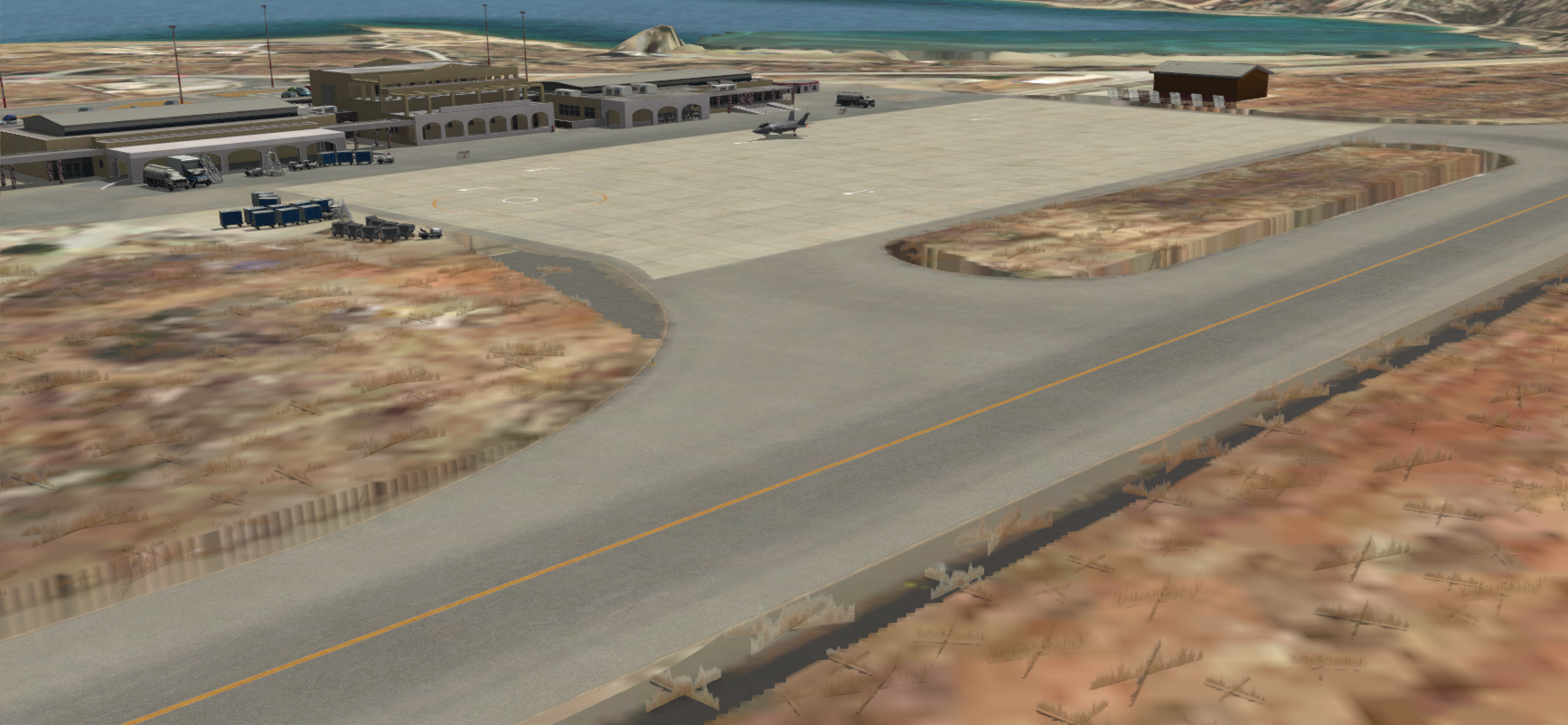
Hello there, I recompiled my Afcad file using ADE (With the p3d v5 update and latest ADE build) and it has messed up the elevation as in screenshot below. (it shows default afcad objects too)

Moreover if i use the Afcad file from the p3d v4 version there is no elevation issue but a new problem occurs where the default airport objects of the default afcad files shows up at the airport such as the fuel area and taxi signs etc.
1587418113491.png


1587418241089.png


1587418269958.png
 
Update : the elevation issue has been fixed after updating the ADE with sloped runways patch that scruffyduck posted.

however it still loads in the default objects
 
import that stock objects in ADE of v5 and remove them again, this will create the missing exclusions for you
 
import that stock objects in ADE of v5 and remove them again, this will create the missing exclusions for you

Can you elaborate a bit more, maybe into steps? I didn't get it I am not very professional with ADE would appreciate it.
Do you mean to import the default airport data and remove the objects. and then compile it?
 
Those are the steps.

  • Load the project file
  • Go to Tools > Load Stock Data and select Scenery Objects
  • Click Inport
  • When the import is done then select each building or object that you do not want and use the Delete button.
This should remove most of not all stock objects from v5.
 
Those are the steps.

  • Load the project file
  • Go to Tools > Load Stock Data and select Scenery Objects
  • Click Inport
  • When the import is done then select each building or object that you do not want and use the Delete button.
This should remove most of not all stock objects from v5.
Thank you very much
 
I also found that if you draw exclusion triangle over the areas where it is showing stock scenery objects will also remove the stock scenery objects from Displaying
 
How do you draw an Exclusion Triangle, please?
1)Locate the Yello Square, click on it
1588165717971.png


2)click and drag from the top left corner to right bottom anywhere you want to draw a rectangle. After drawing the rectangle it will automatically open a dialogue here you can select if you want to exclude all stock objects or a few objects.
1588165808690.png
 
Last edited:
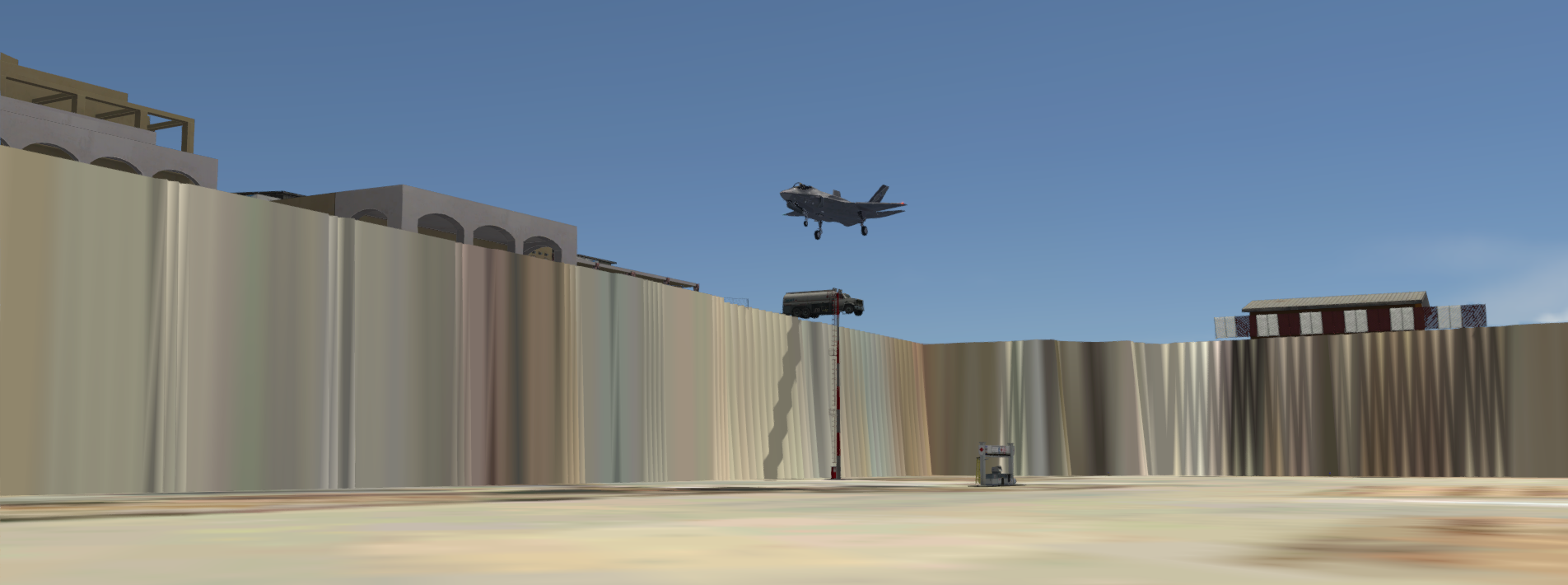
Hello there, I recompiled my Afcad file using ADE (With the p3d v5 update and latest ADE build) and it has messed up the elevation as in screenshot below. (it shows default afcad objects too)

Moreover if i use the Afcad file from the p3d v4 version there is no elevation issue but a new problem occurs where the default airport objects of the default afcad files shows up at the airport such as the fuel area and taxi signs etc.
View attachment 56872

View attachment 56873

View attachment 56874
hey can you explain it to me how to fix the elevation issue? thanks
 

Attachments

  • Desktop Screenshot 2021.03.23 - 10.40.39.19.png
    Desktop Screenshot 2021.03.23 - 10.40.39.19.png
    2.2 MB · Views: 409
  • Desktop Screenshot 2021.03.23 - 10.40.52.07.png
    Desktop Screenshot 2021.03.23 - 10.40.52.07.png
    2.4 MB · Views: 385
Back
Top