

Hey Jeffrey,
while building my Jetway models I decided to put the ads on the jetway in a separate texture file as there are many variations and I have little space left on the jetway texture sheet. However, when I do that through multi-material in 3DS Max the jetway is not animated (in MDX I can see the normals move only) and if I apply just 2 different materials with different IDs, the poly with the ad and the separate texture sheets does not follow the bones.
I tried all kinds of combinations, and I ran out of ideas. Any help?
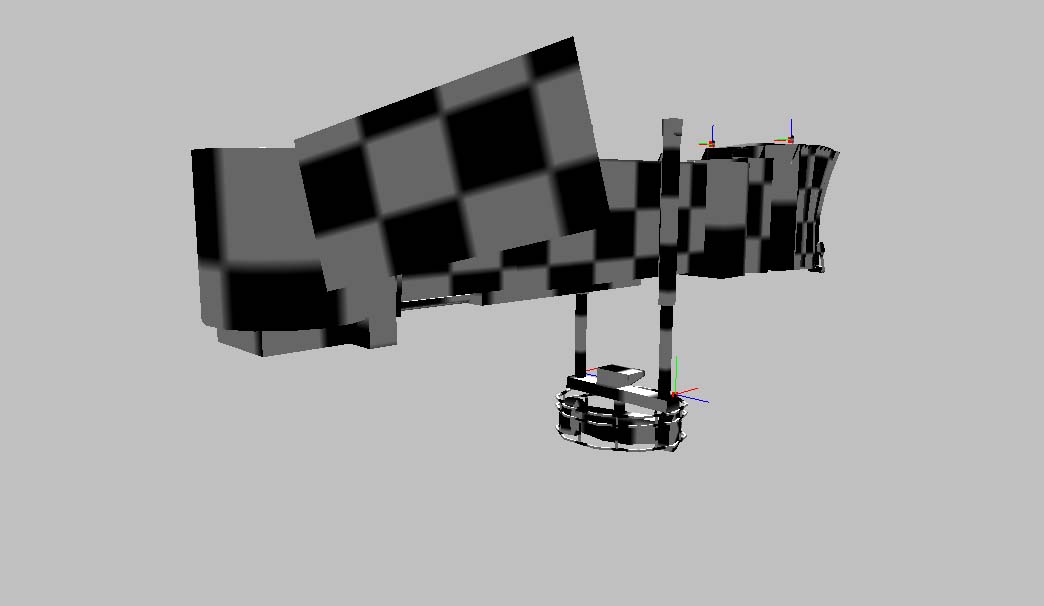
Here is the screenshot of the poly for the ad remaining still while the jetway moves (separate poly with seperate Mat ID and texture):
while building my Jetway models I decided to put the ads on the jetway in a separate texture file as there are many variations and I have little space left on the jetway texture sheet. However, when I do that through multi-material in 3DS Max the jetway is not animated (in MDX I can see the normals move only) and if I apply just 2 different materials with different IDs, the poly with the ad and the separate texture sheets does not follow the bones.
I tried all kinds of combinations, and I ran out of ideas. Any help?
Here is the screenshot of the poly for the ad remaining still while the jetway moves (separate poly with seperate Mat ID and texture):


