- Messages
- 53
- Country

Hello and good morning to all,
I've been playing around with some modelling in Blender and I'm still trying to get a grip on things. I have been able create some basic buildings and other 3D objects, but I wanted to try and create some new taxiway signs from scratch with some LOD's. The modelling went well and I'm happy with the result. I've done the following steps:
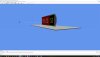
On opening the sim however the models are not showing. All normals are correct in Blender and the models show as expected with the applied materials in MCX. I have no error's on applying the materials nor on exporting the models in the different steps I took. Also the export with the Convert and place object wizard shows no sign (pardon the pon) of error. Only an empty space next to the taxiway where the models should be placed. I've flown around with Chase Plane in order to see if the placement was incorrect, but no luck anywhere in the vicinity of the airfield. I've even gone so far as reinstalling the latest version (just 30 minutes ago, 2 April 2019) of MCX and placing the LOD 400 model, no real LOD's in the BGL, on it's own, but nothing shows up in either cases.
Any ideas and/or suggestions?
I've been playing around with some modelling in Blender and I'm still trying to get a grip on things. I have been able create some basic buildings and other 3D objects, but I wanted to try and create some new taxiway signs from scratch with some LOD's. The modelling went well and I'm happy with the result. I've done the following steps:
- Export 4 models (LOD 400, 100, 50 and 5) as a Collada from Blender
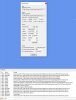
- Import each of those in ModelconverterX and applied the PBR materials (as I've done successfully with other models) and export those as separate LOD MDL's.
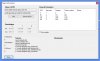
- Re-import the LOD 100, imported the other LOD MDL's with the LOD create and export as a 'master' MDL.
- Finally I've imported the 'master' MDL with the Convert and place object wizard in the right location.
On opening the sim however the models are not showing. All normals are correct in Blender and the models show as expected with the applied materials in MCX. I have no error's on applying the materials nor on exporting the models in the different steps I took. Also the export with the Convert and place object wizard shows no sign (pardon the pon) of error. Only an empty space next to the taxiway where the models should be placed. I've flown around with Chase Plane in order to see if the placement was incorrect, but no luck anywhere in the vicinity of the airfield. I've even gone so far as reinstalling the latest version (just 30 minutes ago, 2 April 2019) of MCX and placing the LOD 400 model, no real LOD's in the BGL, on it's own, but nothing shows up in either cases.
Any ideas and/or suggestions?