

- Messages
- 81
- Country

so hello everybody, I and some other guys working on a freeware project for LLER airport in Israel south region
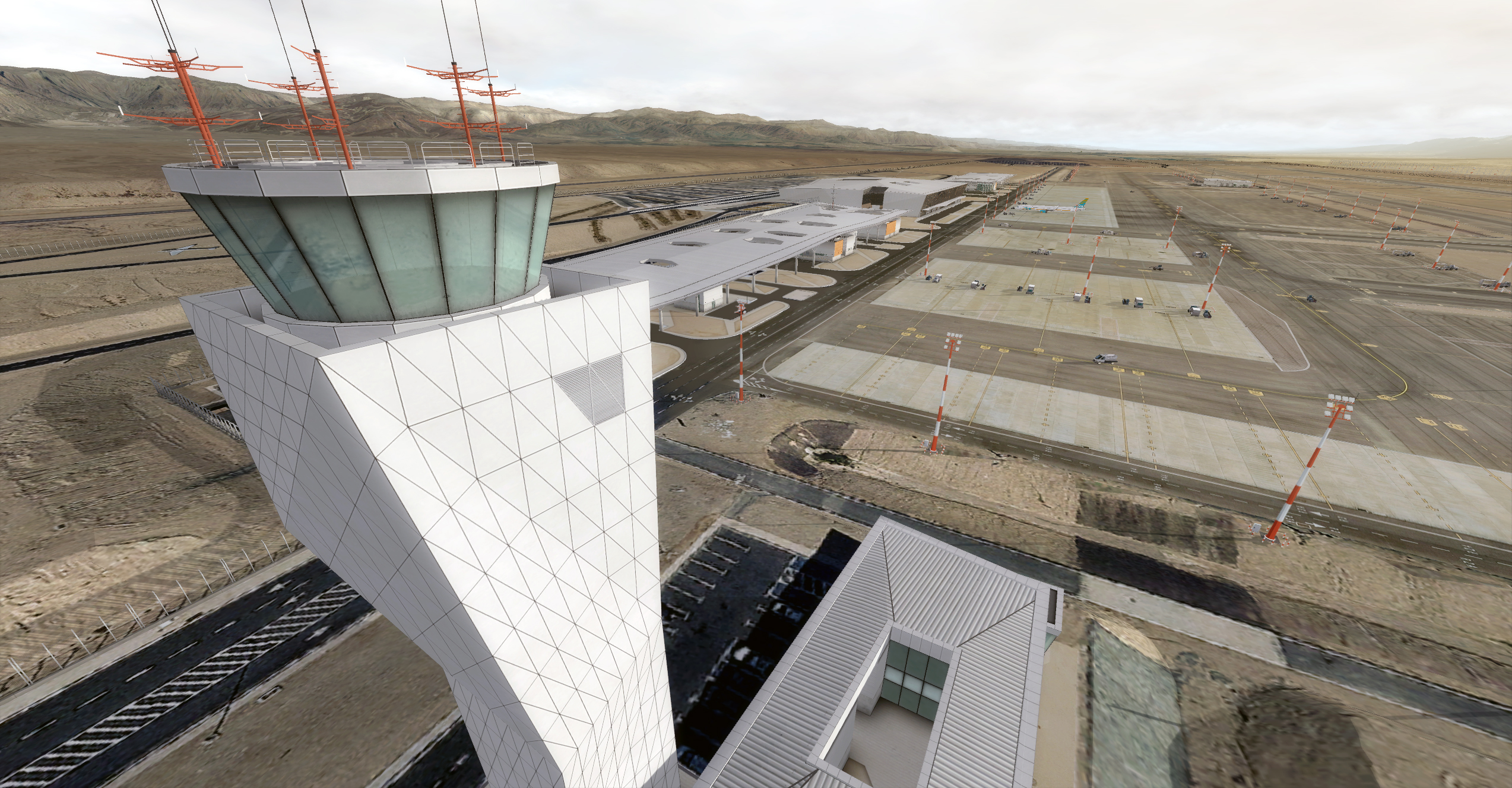
I almost finished working on the buildings so I moved to the night lights
we used dynamic lights for the apron so no problem there. the problem is with the streetlights
I made a model with a base texture that I put there a spootlight (as shown in the image below)
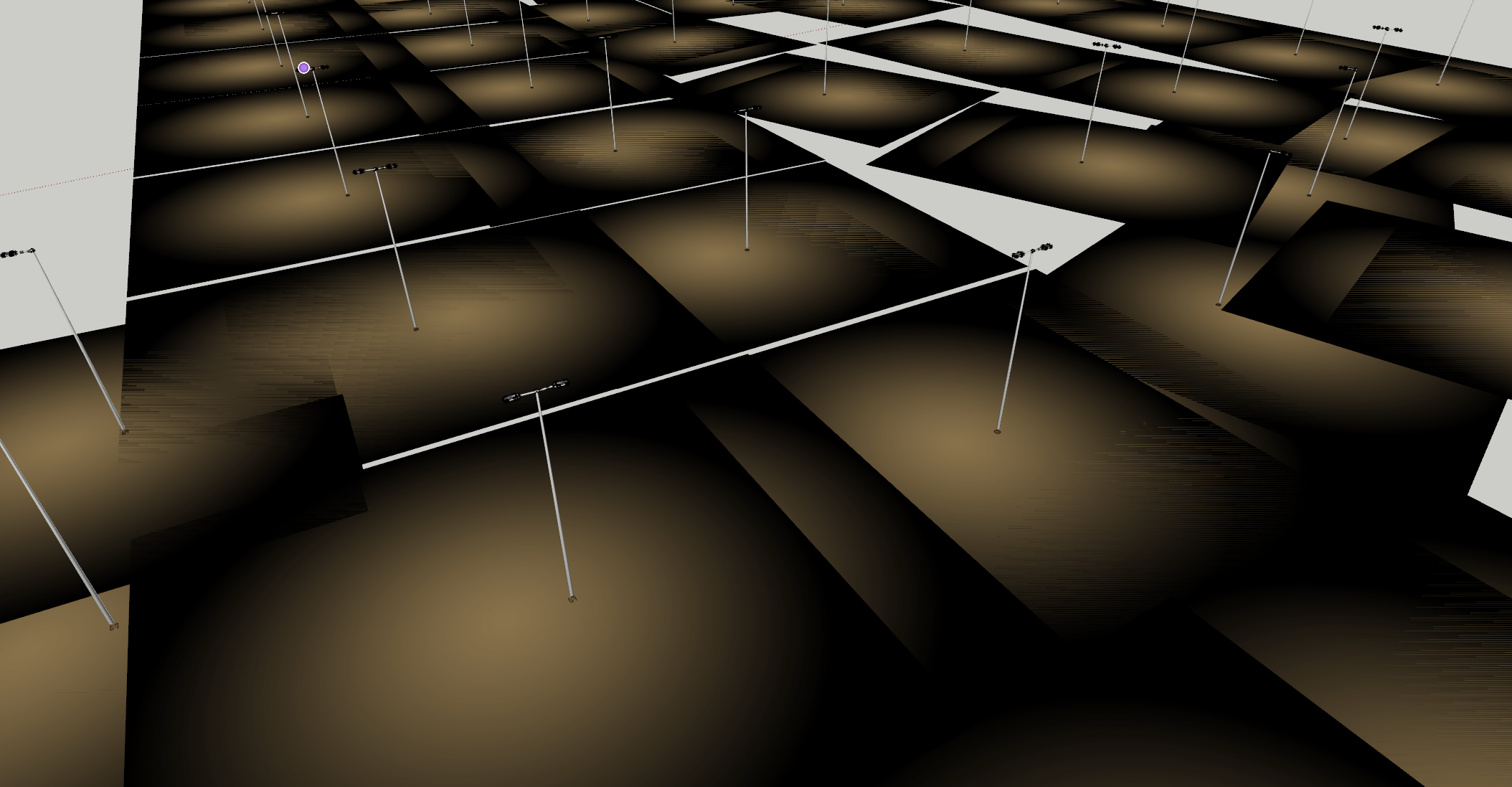
after converting with MCX it look like ok but here the problem starts
some of the lights simply disappeared , they only appears when I'm turning off the No Z Write, So i get the flikering problem
I was fighting it and going into google to find solution but with no luck, so probably I spent 3 hours with no luck looking for a solution, that why I come here.
I noticed that the only place that the lights work are the tiles on the Ground poly that dosen't have alpha, I used PNG texture on the border of the Ground poly. so I suspect that there is a problem with blending lights on a transparent surface, if there is any option that can solve it
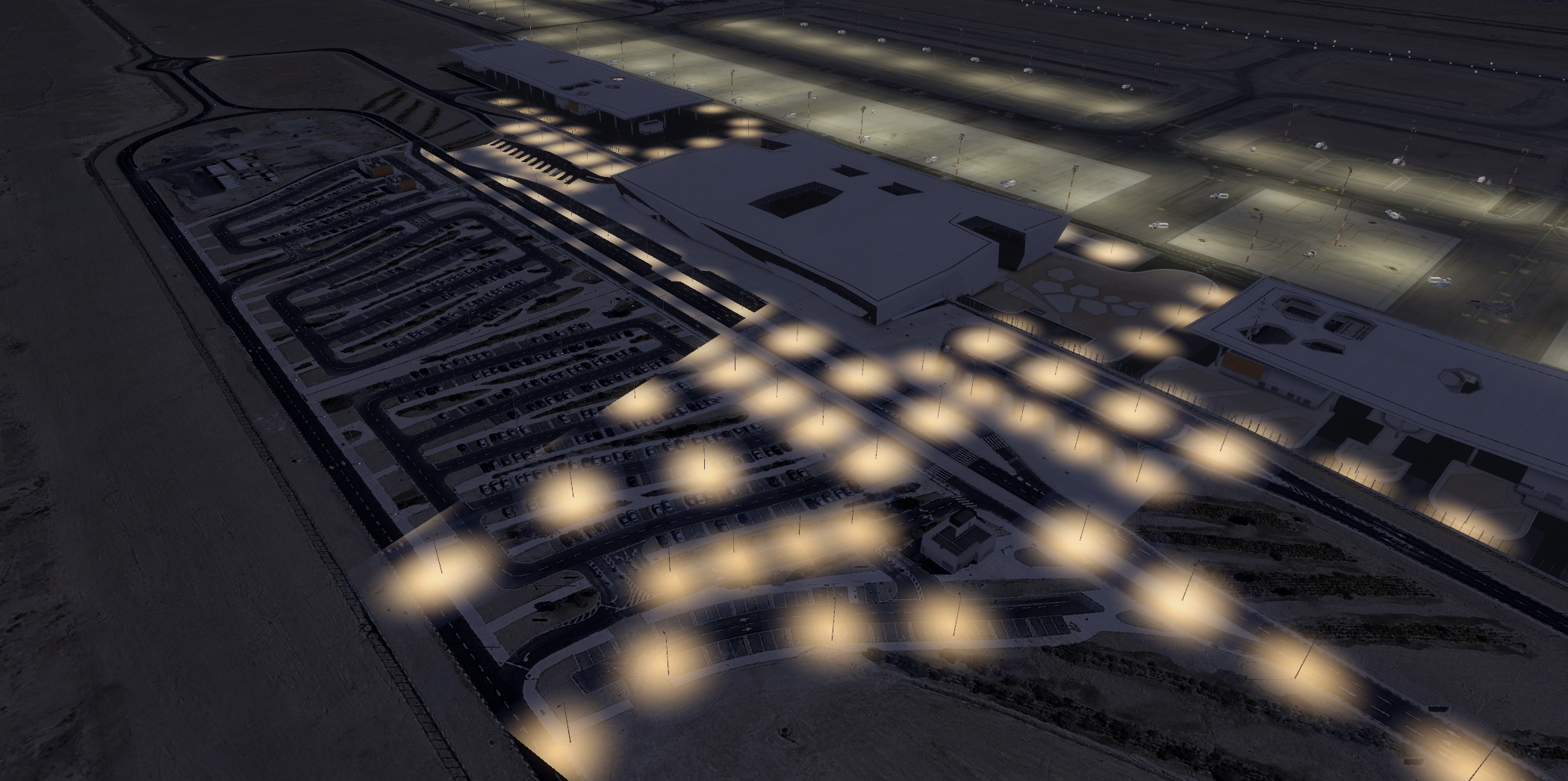
in this photo i used AdditiveNightOnly
but also happanes with blend
thank you for your help
I almost finished working on the buildings so I moved to the night lights
we used dynamic lights for the apron so no problem there. the problem is with the streetlights
I made a model with a base texture that I put there a spootlight (as shown in the image below)
after converting with MCX it look like ok but here the problem starts
some of the lights simply disappeared , they only appears when I'm turning off the No Z Write, So i get the flikering problem
I was fighting it and going into google to find solution but with no luck, so probably I spent 3 hours with no luck looking for a solution, that why I come here.
I noticed that the only place that the lights work are the tiles on the Ground poly that dosen't have alpha, I used PNG texture on the border of the Ground poly. so I suspect that there is a problem with blending lights on a transparent surface, if there is any option that can solve it
in this photo i used AdditiveNightOnly
but also happanes with blend
thank you for your help

