- Messages
- 107
- Country

Hello,
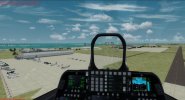
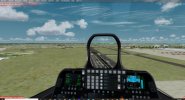
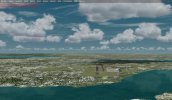
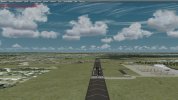
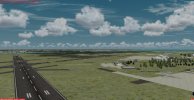
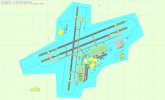
I am trying to get some help on a surface rendering issue that I have been encountering in P3Dv4.5... The airport looks and displays fine from a bit of a distance and altitude (if I slew the aircraft to 2,500ft or move a mile or two away) but on the ground the runways, taxiways and ramps are not displaying properly they are either missing or look broken up... What I have tried so far:
1. Reset All Draw Flags for Aprons and Taxiways
2. Add Ground Poly "airport background, flatten terrain, mask landclass, exclude autogen"
3. Add General Exclude Poly airport background
4. Add exclusion rectangle
5. Reset Drawing Layers to default
6. Run the File priority analyzer to check for conflicts
7. Run the fault finder
8. Changing the Airport elevation slightly to be above default.
9. Checked for .bgl conflicts on my system using airport scanner and windows explorer searches.
None of this has solved my issues... Any ideas? Please help!
I am trying to get some help on a surface rendering issue that I have been encountering in P3Dv4.5... The airport looks and displays fine from a bit of a distance and altitude (if I slew the aircraft to 2,500ft or move a mile or two away) but on the ground the runways, taxiways and ramps are not displaying properly they are either missing or look broken up... What I have tried so far:
1. Reset All Draw Flags for Aprons and Taxiways
2. Add Ground Poly "airport background, flatten terrain, mask landclass, exclude autogen"
3. Add General Exclude Poly airport background
4. Add exclusion rectangle
5. Reset Drawing Layers to default
6. Run the File priority analyzer to check for conflicts
7. Run the fault finder
8. Changing the Airport elevation slightly to be above default.
9. Checked for .bgl conflicts on my system using airport scanner and windows explorer searches.
None of this has solved my issues... Any ideas? Please help!
Attachments

Last edited: