• Which the release of FS2020 we see an explosition of activity on the forun and of course we are very happy to see this. But having all questions about FS2020 in one forum becomes a bit messy. So therefore we would like to ask you all to use the following guidelines when posting your questions:

    • Tag FS2020 specific questions with the MSFS2020 tag.
    • Questions about making 3D assets can be posted in the 3D asset design forum. Either post them in the subforum of the modelling tool you use or in the general forum if they are general.
    • Questions about aircraft design can be posted in the Aircraft design forum
    • Questions about airport design can be posted in the FS2020 airport design forum. Once airport development tools have been updated for FS2020 you can post tool speciifc questions in the subforums of those tools as well of course.
    • Questions about terrain design can be posted in the FS2020 terrain design forum.
    • Questions about SimConnect can be posted in the SimConnect forum.

    Any other question that is not specific to an aspect of development or tool can be posted in the General chat forum.

    By following these guidelines we make sure that the forums remain easy to read for everybody and also that the right people can find your post to answer it.

Taxi and Holding Lines

That is actually black paint. Per international codes, on concrete, yellow paint goes over a black base for contrast. To reproduce this, most developers will make the hold-short node "no draw" then use two small apron parts: a black one and one that is given the hold-short texture.
 
That is actually black paint. Per international codes, on concrete, yellow paint goes over a black base for contrast. To reproduce this, most developers will make the hold-short node "no draw" then use two small apron parts: a black one and one that is given the hold-short texture.

What does one do about the centerlines, however? Also, the default lines are too yellow. I think usually the lines have more orange in them.


Sent from my iPhone using Tapatalk
 
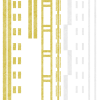
Attached is the taxiway lines file used by MSFS. I have converted it into an PNG for you for easy editing. Edit it as you see fit. If you add black side lines, remember to use colour #111111 and not #000000 as the last-mentioned colour value will show up as invisible in MSFS. The idea is to add this file as a texture material in your project and then use it to replace the default taxiway lines.

I will recommend that you also watch this video as the guy explains the process of changing the lines extremely well. He has other videos on his channel that will explain other things just as well. Woth the watch! That is how I learned this stuff in the beginning!
 

Attachments

  • ASO_TAXIWAY_MARKS.png
    ASO_TAXIWAY_MARKS.png
    1.9 MB · Views: 230
Attached is the taxiway lines file used by MSFS. I have converted it into an PNG for you for easy editing. Edit it as you see fit. If you add black side lines, remember to use colour #111111 and not #000000 as the last-mentioned colour value will show up as invisible in MSFS. The idea is to add this file as a texture material in your project and then use it to replace the default taxiway lines.

I will recommend that you also watch this video as the guy explains the process of changing the lines extremely well. He has other videos on his channel that will explain other things just as well. Woth the watch! That is how I learned this stuff in the beginning!

I can't say thank you enough! I will give it a try tonight when I get home. Really appreciate it my friend!
 
You can use the painted lines with a custom materials made by modifying the defaul Msfs texture sheet


Or you can do them with projectedmesh (draw the lines in blender with your own materials, export as object,import as ProjectedMesh)

Inviato dal mio Mi 9 Lite utilizzando Tapatalk
I have tried this but there seems to be breakouts when projected, either they get burried into the ground at a distance, or the lines sort of slip.
 
Back
Top