• Which the release of FS2020 we see an explosition of activity on the forun and of course we are very happy to see this. But having all questions about FS2020 in one forum becomes a bit messy. So therefore we would like to ask you all to use the following guidelines when posting your questions:

    • Tag FS2020 specific questions with the MSFS2020 tag.
    • Questions about making 3D assets can be posted in the 3D asset design forum. Either post them in the subforum of the modelling tool you use or in the general forum if they are general.
    • Questions about aircraft design can be posted in the Aircraft design forum
    • Questions about airport design can be posted in the FS2020 airport design forum. Once airport development tools have been updated for FS2020 you can post tool speciifc questions in the subforums of those tools as well of course.
    • Questions about terrain design can be posted in the FS2020 terrain design forum.
    • Questions about SimConnect can be posted in the SimConnect forum.

    Any other question that is not specific to an aspect of development or tool can be posted in the General chat forum.

    By following these guidelines we make sure that the forums remain easy to read for everybody and also that the right people can find your post to answer it.

MSFS20 Terraforming flattening problem

Messages
16
Country
italy
Hello guys,
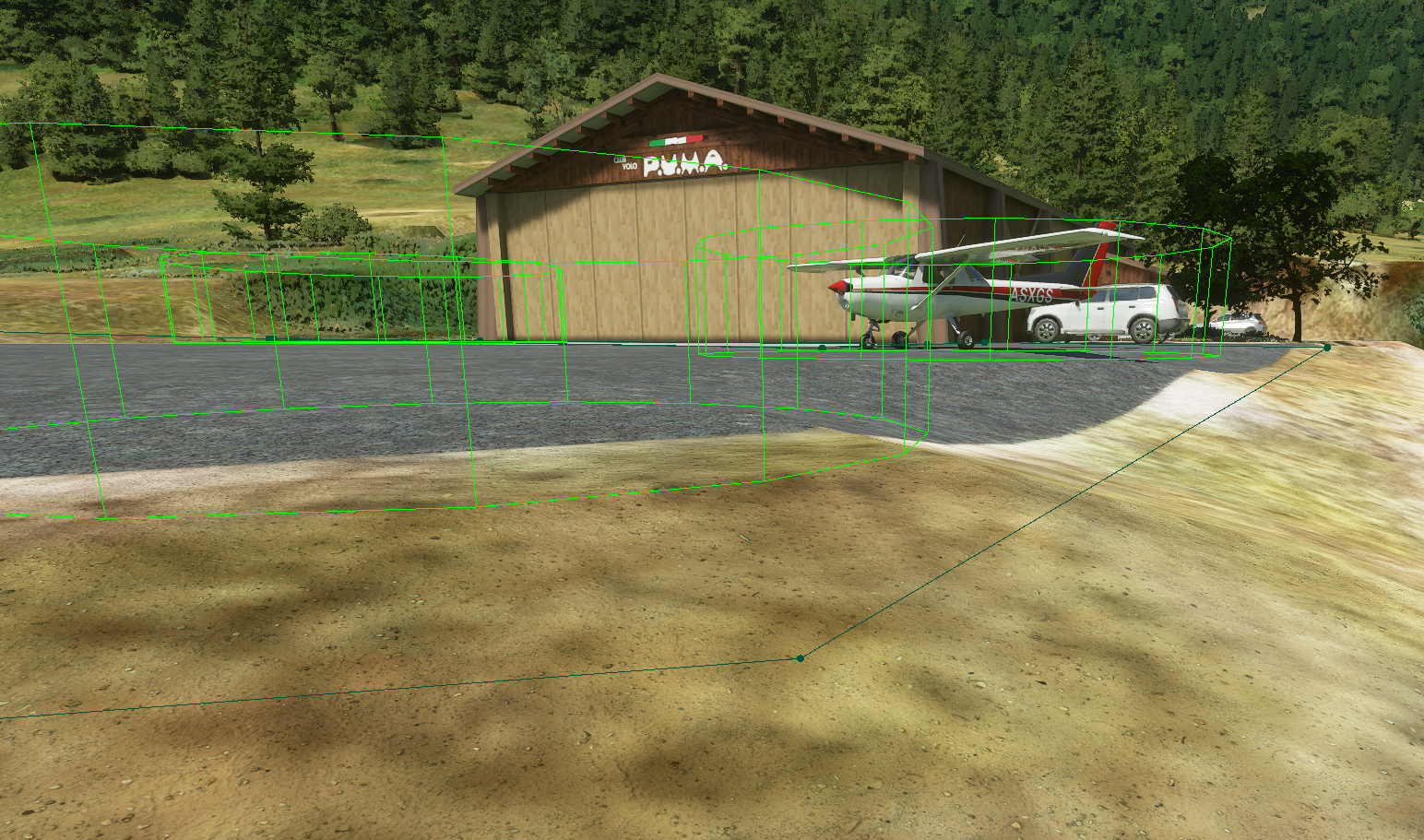
after some time spent to understand how to build scenery into this new sim, I faced an issue with Terraforming flattening. It creates a wave like effect, instead of being straight. Here some pics of the effect and the rectangle profile:

Microsoft Flight Simulator - 1.7.12.0 23_08_2020 11_13_50.png
Microsoft Flight Simulator - 1.7.12.0 23_08_2020 11_10_53.png


Any help is appreciated, Daniele.
 
I believe the effect is due to the Falloff distance setting, by default it is something like 500, for sharp edges you want to put it down to zero or close to zero. It's in the Polygon Properties tab.
 
I believe the effect is due to the Falloff distance setting, by default it is something like 500, for sharp edges you want to put it down to zero or close to zero. It's in the Polygon Properties tab.

Thanks, but i already tried, it makes no difference there and strangely I can't reach 0, as in the runway properties... I don't know, maybe a limitation of the sim?
 
After I changed that value to 0 in the XML, I got this situation

Microsoft Flight Simulator - 1.7.12.0 23_08_2020 20_58_47.png


which made me think the terrain is probably represented like a matrix, so can't avoid those waves if the flattening is applied diagonally.

Daniele
 
Have you managed to set the terraform to a fixed altitude asl? I can create a polygon or rectangle and terraform with it using the arrows to lower or raise but I cannot input an exact altitude with numbers.
 
Have you managed to set the terraform to a fixed altitude asl? I can create a polygon or rectangle and terraform with it using the arrows to lower or raise but I cannot input an exact altitude with numbers.

You can set the altitude by setting the profile of the rectangle, as shown in the next picture

1598220563478.png


With 1 you can change the point you are editing, with 2 you can enter the height value in meters. If you loop all the points and you set the same height to them, you will end up with a flat surface.

Daniele
 
Changing the XML value to zero doesn't seem to work for me. When I load the game the falloff reads as 1.
 
Back
Top