Help Please.
Today I created a texture from scratch - 4098 x 4098 white background. It contains multiple signs and the same basic Blender model uses three of the signs, and a fourth sign is a scaled down version of another sign I have which works fine in my scenery. Below is the error screen.
I have tried .png and .jpeg format - both formats run through the Blender exporter.
The phrase "output path" is a bit of a red herring - it is not the same as the Blender exporter error if one forgets to set the output directory in the exporter.
I have attached one Blender file and the .png texture - can anybody spot what I am doing wrong please?
I did wonder about the colour format - RGB 8-bit
Thanks for any solution - it is an odd one as I have not had this issue in a long while.
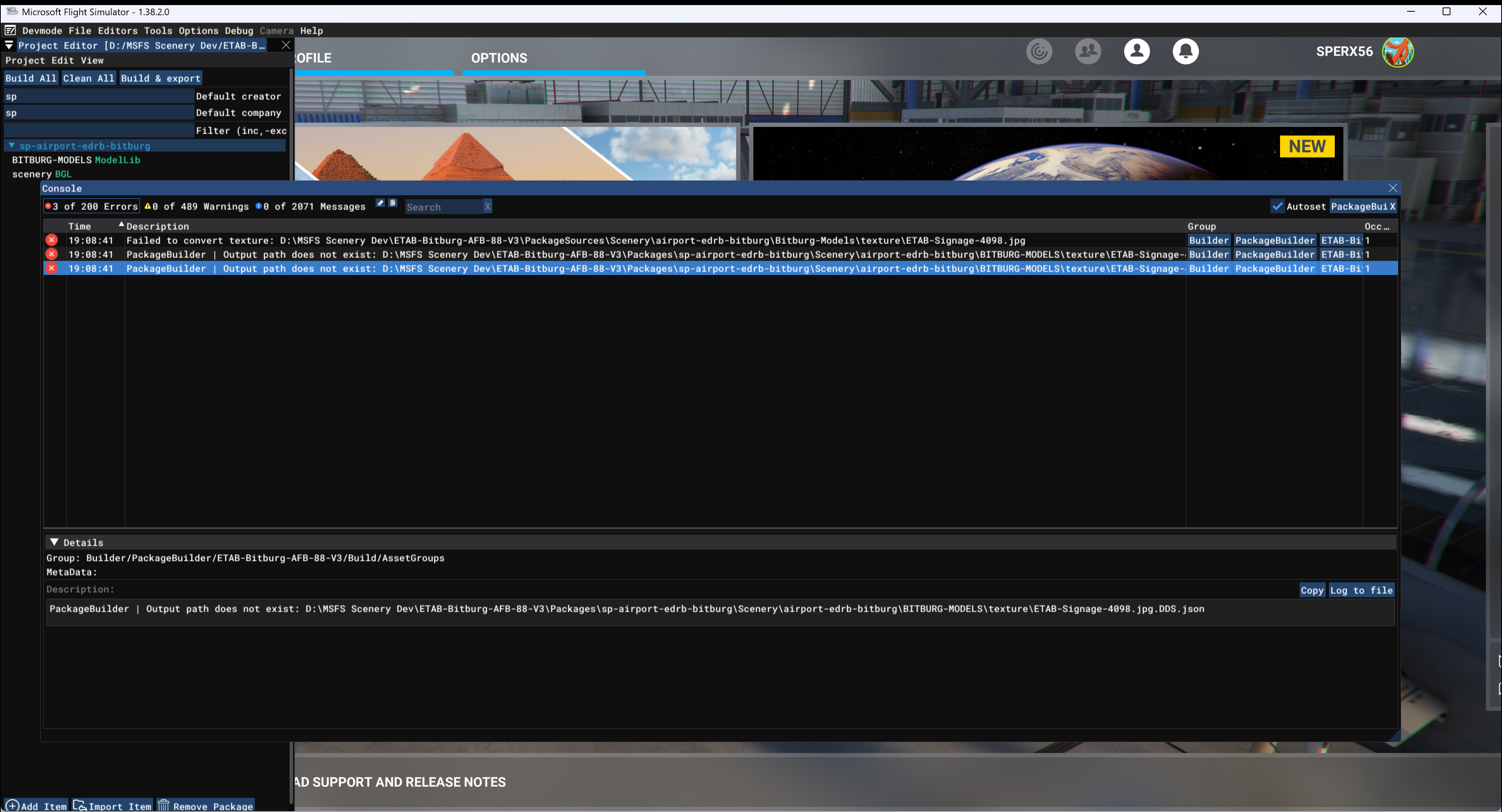
Today I created a texture from scratch - 4098 x 4098 white background. It contains multiple signs and the same basic Blender model uses three of the signs, and a fourth sign is a scaled down version of another sign I have which works fine in my scenery. Below is the error screen.
I have tried .png and .jpeg format - both formats run through the Blender exporter.
The phrase "output path" is a bit of a red herring - it is not the same as the Blender exporter error if one forgets to set the output directory in the exporter.
I have attached one Blender file and the .png texture - can anybody spot what I am doing wrong please?
I did wonder about the colour format - RGB 8-bit
Thanks for any solution - it is an odd one as I have not had this issue in a long while.