• Which the release of FS2020 we see an explosition of activity on the forun and of course we are very happy to see this. But having all questions about FS2020 in one forum becomes a bit messy. So therefore we would like to ask you all to use the following guidelines when posting your questions:

    • Tag FS2020 specific questions with the MSFS2020 tag.
    • Questions about making 3D assets can be posted in the 3D asset design forum. Either post them in the subforum of the modelling tool you use or in the general forum if they are general.
    • Questions about aircraft design can be posted in the Aircraft design forum
    • Questions about airport design can be posted in the FS2020 airport design forum. Once airport development tools have been updated for FS2020 you can post tool speciifc questions in the subforums of those tools as well of course.
    • Questions about terrain design can be posted in the FS2020 terrain design forum.
    • Questions about SimConnect can be posted in the SimConnect forum.

    Any other question that is not specific to an aspect of development or tool can be posted in the General chat forum.

    By following these guidelines we make sure that the forums remain easy to read for everybody and also that the right people can find your post to answer it.

TEXTURES

Messages
19
Country
ecuador
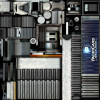
Regards everybody ... I have a little question, once modelated an object in sketchup ... How can i texture my object like this picture ? when i export my object from sketchup, textures export one by one ....

978465132.png
 
Hello...

It's best that you do not use textures sheets within SketchUp and combine them into texture sheets through MCX. For a couple of reasons, 1) what about the other textures, such as Light map (night), bump, and specular. The other textures (light maps (night), bump, etc) are easier to create separately within a graphics editor (photo editor, such as GIMP or Photoshop). Once you have done them along with the diffuse textures (within the material editor), you will place them in the destinated slots within MCX and use the the material editor (drawcall tab).

Hope this helps...
 
Please do not make duplicate posts, it is a trouble for the website and some people won't help those that double post, thanks. Sketchup exports textures one by one, because you add them one by one. The picture you attached is not of a textured model, it is a texture to be applied. The artist has packed an image with every possible detail of the model he intends to apply it to.
You can use this kind of texture in Sketchup, you would want to learn how to find and import textures into Sketchup, it is a very easy procedure, but a little tedious to explain in detail in forum posts. Once you are comfortable importing textures, the technique for applying that kind of texture within Sketchup is called "projection." Several of the models in my Sketchup collection are composed that way, you could look at this one to see a better idea of how projected textures work.
https://3dwarehouse.sketchup.com/model/63281a38-4445-4e72-9d23-0153a9eadfba/Shaanxi-Y-20
 
To reiterate, Rick's approach of creating the texture manually and using that single texture to map your model is probably the most efficient way to do this. Doug's method of using Sketchup's individual textures and then using ModelConverterX's Minimize Drawcalls function to combine them into a single texture is probably the easiest.
 
Back
Top
