• Which the release of FS2020 we see an explosition of activity on the forun and of course we are very happy to see this. But having all questions about FS2020 in one forum becomes a bit messy. So therefore we would like to ask you all to use the following guidelines when posting your questions:

    • Tag FS2020 specific questions with the MSFS2020 tag.
    • Questions about making 3D assets can be posted in the 3D asset design forum. Either post them in the subforum of the modelling tool you use or in the general forum if they are general.
    • Questions about aircraft design can be posted in the Aircraft design forum
    • Questions about airport design can be posted in the FS2020 airport design forum. Once airport development tools have been updated for FS2020 you can post tool speciifc questions in the subforums of those tools as well of course.
    • Questions about terrain design can be posted in the FS2020 terrain design forum.
    • Questions about SimConnect can be posted in the SimConnect forum.

    Any other question that is not specific to an aspect of development or tool can be posted in the General chat forum.

    By following these guidelines we make sure that the forums remain easy to read for everybody and also that the right people can find your post to answer it.

Textures

Messages
406
Am I right in thinking that with Blender and MSFS a number of texture Maps can be created to apply to one 3d object. I have been building stuff for xplane and I know with that you could only have one map. So the map I have attached for xplane could be split into different parts?
 

Attachments

  • RH_Map.png
    RH_Map.png
    4.3 MB · Views: 216
Thank you, that's good, just need to figure out what goes where now in the MSFS texture slots. Do you know if Bill Womacks procedure for applying AO Bakes still applies, once again I know in Xplane I had to apply the AO to the actual map
 
The baking of your AO map is still the same. But the composition of the metallic map is different for MSFS.
R - AO
G - Roughness
B - Metallic

So make sure to configure your texture output in whatever program you use to create your PBR materials. In case you use Substance, I uploaded a preset in the resource section that creates ready-to-use textures.
 
I use photoshop and I have used materialize to create the various textures for PBR. To be honest I am having trouble getting my head around the the texture slots for MSFS, what goes where etc
 
The baking of your AO map is still the same. But the composition of the metallic map is different for MSFS.
R - AO
G - Roughness
B - Metallic

So make sure to configure your texture output in whatever program you use to create your PBR materials. In case you use Substance, I uploaded a preset in the resource section that creates ready-to-use textures.
I use photoshop and I have used materialize to create the various textures for PBR. To be honest I am having trouble getting my head around the the texture slots for MSFS, what goes where etc
The metallic map is as Vitus describes above; red, green, blue, channels packed with AO, Roughness, and Metallic respectively. The Albedo, Metallic, and Normal are part of the PBR shader technique MSFS uses for the Standard shader.

Materialize has the ability to pack map channels so you can basically let Materialize do all the work. Also, MSFS uses DirectX Normal maps.
 
Thanks for all the responses, but I'm being a bit thick here. Is the smoothness map in materialize their version of roughness? and is there anywhere that spells out for dummies like me what all the material slots are for in the MSFS drop down in Blender, that just confuses me, is it covered anywhere in the SDK manual
 

Attachments

  • Textureslots.jpg
    Textureslots.jpg
    298.1 KB · Views: 216
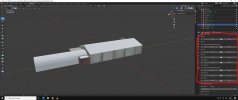
I've applied all of the textures after splitting the building into separate parts. walls, roof etc. each of these have had their own texture map applied. I would like to apply Ambient Occlusion as per the tutorial by Bill Womack. Looking at that though there is only the one UVmap (albeit a colour grid) showing in the UV unwrap side and on the building, however all of the constituent faces of the building are showing on the Unwrap map and when the AO bake is done it gets applied to those parts. I can't do that because I have various maps? I am assuming I have done something wrong here and I cannot use that single bake method, or is there a way to select all the faces despite having different names? Materialize has actually produced the various maps including AO but I'm now confused which wat to approach this now.
Any help on this will be really appreciated, once I know what I'm doing life will be easier

Thanks
 
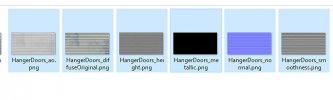
Sorry I am being stupid here, I have used my one texture and materialize to create the various textures (attached) but I just cannot get my head around how the individual maps get placed into the individual RGB channels.
 

Attachments

  • Materializemaps.jpg
    Materializemaps.jpg
    92.1 KB · Views: 189
MSFS materials drop down in Blender.. most objects will use Standard and when necessary the Glass but most will use Standard.

In Materialize, upper right corner there's saving options and property map. R G B under property map is where you assign your custom packed channels like in screenshot below. Use the Diffuse map for your albedo, flip Normal Y, and for the msfs metalic map pack the channels like in the attached image. Click save Property Map for the single packed map and save project for all the default maps. Make sure to click Flip Normal Y prior to saving project. Pretty sure this is how to use Materialize.
MaterializeSaveOptions.jpg
 
Last edited:
Thank you @YohanNaz that has points me in the right direction. Oddly enough I did experiment with Shader Map 4 which produced something similar
 
Back
Top