• Which the release of FS2020 we see an explosition of activity on the forun and of course we are very happy to see this. But having all questions about FS2020 in one forum becomes a bit messy. So therefore we would like to ask you all to use the following guidelines when posting your questions:

    • Tag FS2020 specific questions with the MSFS2020 tag.
    • Questions about making 3D assets can be posted in the 3D asset design forum. Either post them in the subforum of the modelling tool you use or in the general forum if they are general.
    • Questions about aircraft design can be posted in the Aircraft design forum
    • Questions about airport design can be posted in the FS2020 airport design forum. Once airport development tools have been updated for FS2020 you can post tool speciifc questions in the subforums of those tools as well of course.
    • Questions about terrain design can be posted in the FS2020 terrain design forum.
    • Questions about SimConnect can be posted in the SimConnect forum.

    Any other question that is not specific to an aspect of development or tool can be posted in the General chat forum.

    By following these guidelines we make sure that the forums remain easy to read for everybody and also that the right people can find your post to answer it.

Unable to use the new version

Messages
78
Country
canada
Hi Arno,

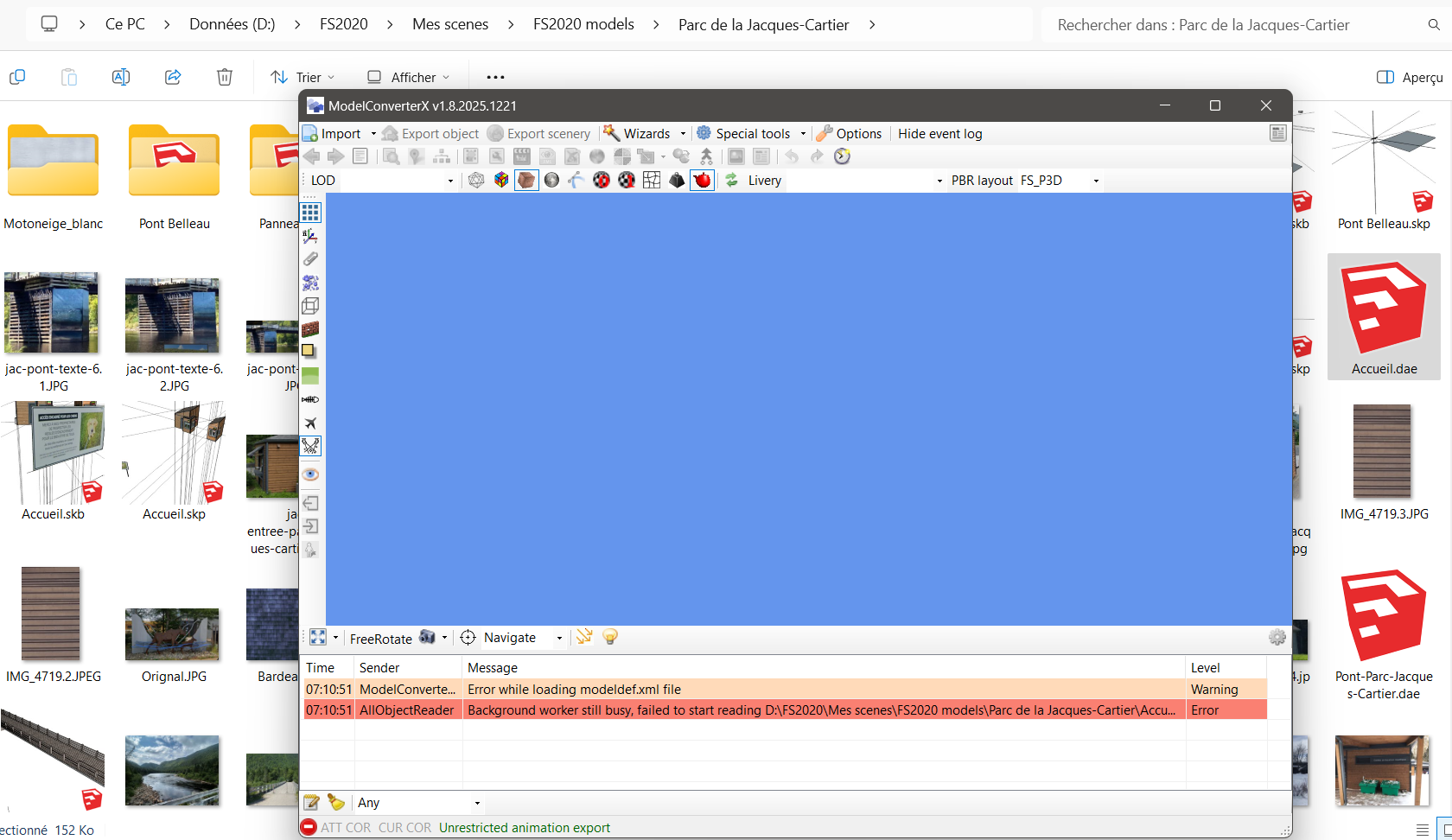
I just downloaded the new version and Import of collada file deos not works. I had a 1 year old version before.
I deleted the folders in the Scenerydesign.org folder as recommanded.
In this case I get this error:

Thanks in advance!
Guillaume
1772021403016.png


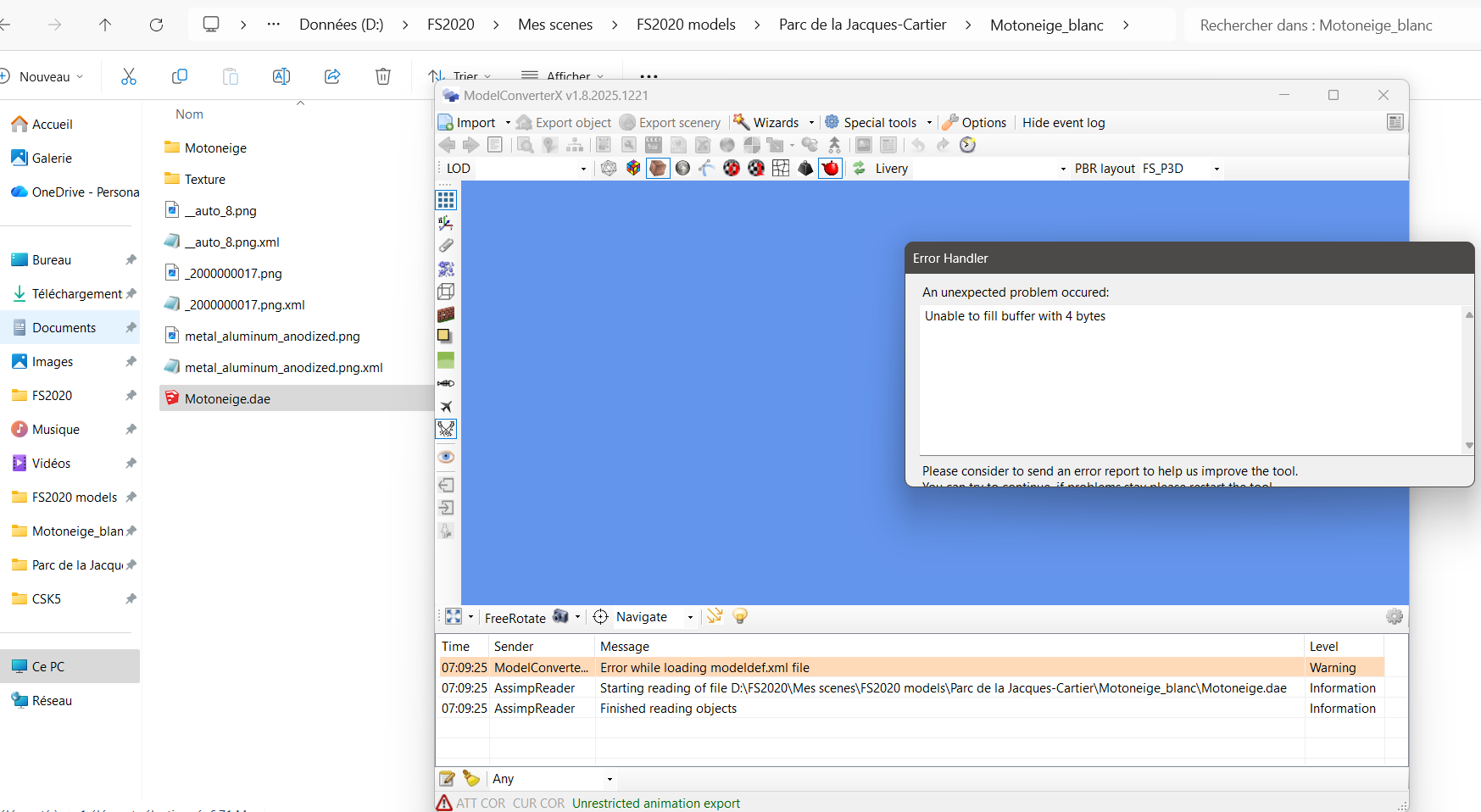
And generally speaking I get this:
1772021477458.png


In case this is usefull, this is where is located the MXC folder:
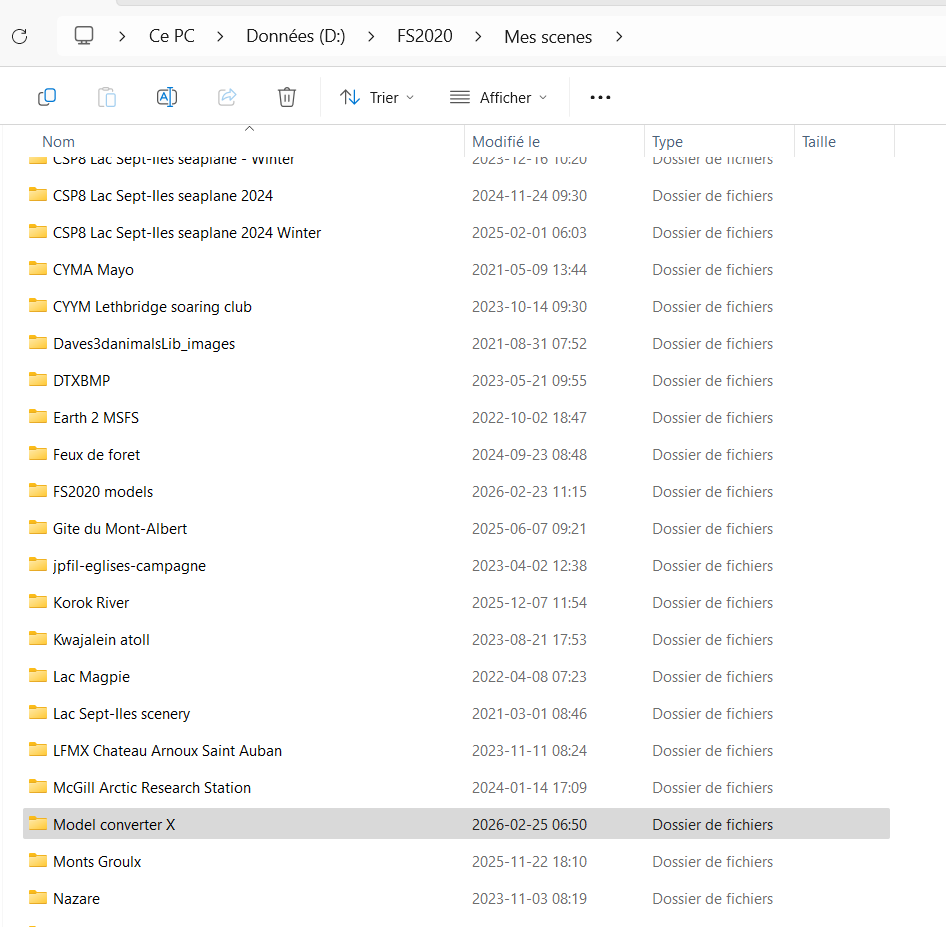
1772021729814.png
 
Hi,

I have not seen that message before. Can you share the DAE file for me for debugging?
 
Google says this regarding the error message thrown by MCX:

https://www.google.com/search?q=Una...ddwgcHMC4xLjAuMcgHDYAIAA&sclient=gws-wiz-serp


MCX DevRel 1.9x dated Feb. 20, 2026 > Import > Motoneige.dae = same error thrown:

gouaill_Motoneige.dae_MCX_Error-1.jpg


MCX DevRel 1.9x dated Feb. 20, 2026 > Import > Motoneige_blanc.gltf = Different version of the same error thrown:

gouaill_Motoneige_blanc.gltf_MCX_Error-1.jpg


Sketchup 2017 with Universal Importer plugin (which uses ASSIMP 3D I/O library): Able to import both *.DAE and *.glTF textured with no errors.

https://archive.org/download/sketch...x64/sketchupmake-2017-2-2555-90782-en-x64.exe

https://sketchucation.com/pluginstore?pln=universal_importer

1772122784450.png


Both 3D models imported to Sketchup display mapped textures seen in this Xnview browse of the folder containing those mapped textures:

gouaill_motoneige_xnview_browse-1-jpg.99209


https://www.xnview.com/en/xnview-mp/


However, if I select both imported *.DAE and glTF files, and then attempt to export a Sketchup 2017 Google *.KMZ file, Sketchup Bug Splats.

If I use Sketchup default Collada importer, then select only the imported *.DAE file, then attempt to export a Sketchup 2017 Google *.KMZ file:

...Sketchup Bug Splats.

If I use Sketchup Universal Importer plugin (which uses the ASSIMP 3D I/O library), then attempt to export a Sketchup 2017 Google *.KMZ file:

...no errors.


Normally, Xnview reads *.DDS files.

Might this be an issue with the use of a non-FS SDK standard "RAW" *.DDS graphic texture file format mapped to a 3D model ? :scratchch

GaryGB
 

Attachments

  • gouaill_Motoneige_Xnview_Browse-1.jpg
    gouaill_Motoneige_Xnview_Browse-1.jpg
    95.8 KB · Views: 117
Last edited:
Thanks Gary! Have you try to export it? It make crash Sketchup on my side but not Blender. I don't know why now and not before (no changes made).
 
Last edited:
Thanks, I'll try to debug these files tonight.
 
Parc de la Jacques-Cartier: *.DAE and *.glTF both import with no errors into MCX and Sketchup 2017 (via both default / Universal importer plugins).

GaryGB
 
Hi,

The Motoneige model fails to load because the __auto_8.dds texture file is invalid (it is 0 kB in size). I will fix ModelConverterX to just report this texture as failed to load instead of the blocking error that is throw now.
 
I have fixed the error now, it will be in the next development release.

Like Gary said the second model loads without any warnings or errors (only warnings are about texture sizes not being power of two).
 
Mmm! So it's one texture's fault then. I found the way to remove almost all textures, and the faulty one, in Sketchup and everything seam to work, being able to export from Sketchup and load in MCX.
Thanks very much Gary and Arno!
 
Last edited:
Back
Top