
- Messages
- 3
- Country

Hi All,
I'm having a problem trying to compile the photo tile I'm trying to make. I have followed various threads on here to trying see if its something simple, but still no luck.
I have a few different projects on the go at the moment, however i'm using RAF Weston On The Green as a test area to try get this to work. I have found the area I want as a tile in SbuilderX selected the area and tile have downloaded and I have my BMP file. I have then edited and made new files for the Blend mask, saved as a Tif, with '_B' at the end fo the file name. Then the night texture, saved as a BMP, 24 bit, with '_LM'
I have gone back to SbuilderX, selected the area, and right clicked, properties and added the path to the night texture. Then hit compile. I get the normal black cmd box appear and start compiling it all into the bgl file. Sorted! or so I thought..
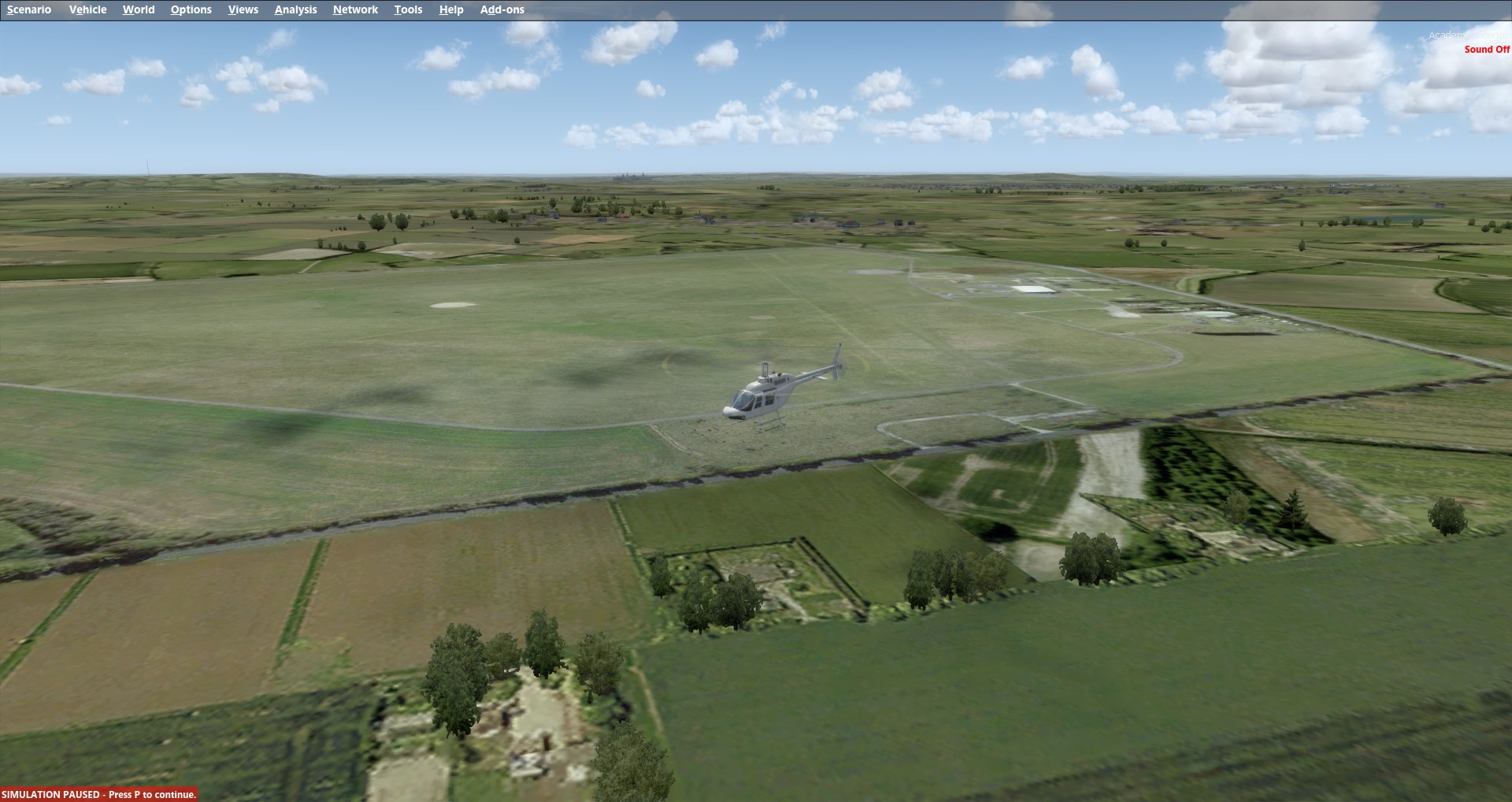
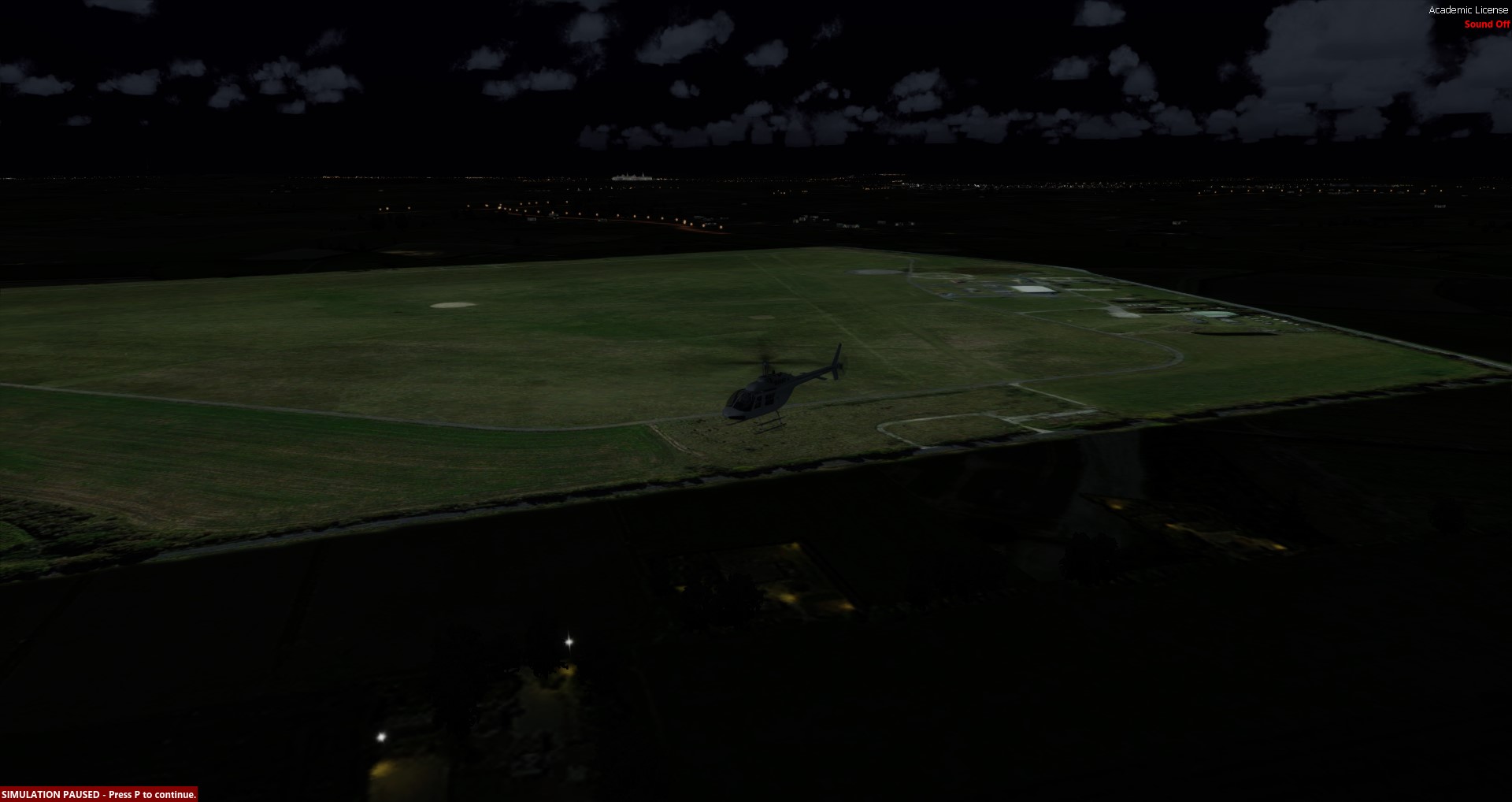
Once loaded into the sim, P3Dv3, added the new scenery into the scenery list, that all loads fine. The day tile is there and the blend mask works. However, when I change to night time, the night texture does not work, giving me the glowing day texture. I'm not to sure if i have missed anything? Below is from the ini file.
[Source]
Type = MultiSource
NumberOfSources = 3
[Source1]
Type = BMP
Layer = Imagery
SourceDir = "."
SourceFile = "L18X260346X260389Y173452Y173482.BMP"
Variation = All
Channel_BlendMask = 2.0
NullValue = 255,255,255
SamplingMethod = Gaussian
ulyMap = 51.8849683030404
ulxMap = -1.23458862304687
xDim = 2.68220901489272E-06
yDim = 1.65581485061445E-06
[Source2]
Type = TIFF
Layer = None
SourceDir = "."
SourceFile = "L18X260346X260389Y173452Y173482_B.TIF"
SamplingMethod = Gaussian
ulyMap = 51.8849683030404
ulxMap = -1.23458862304687
xDim = 2.68220901489272E-06
yDim = 1.65581485061445E-06
[Source3]
Type = BMP
Layer = Imagery
SourceDir = "."
SourceFile = "L18X260346X260389Y173452Y173482_LM.BMP"
Variation = Night
NullValue = 255,255,255
SamplingMethod = Gaussian
ulyMap = 51.8849683030404
ulxMap = -1.23458862304687
xDim = 2.68220901489272E-06
yDim = 1.65581485061445E-06
[Destination]
DestDir = "."
DestBaseFileName = "Photo01"
DestFileType = BGL
LOD = Auto
UseSourceDimensions = 1
CompressionQuality = 85
A few screen shots:
Day with blend.
Night..
As anyone got any ideas I could try please?
Cheers
I'm having a problem trying to compile the photo tile I'm trying to make. I have followed various threads on here to trying see if its something simple, but still no luck.
I have a few different projects on the go at the moment, however i'm using RAF Weston On The Green as a test area to try get this to work. I have found the area I want as a tile in SbuilderX selected the area and tile have downloaded and I have my BMP file. I have then edited and made new files for the Blend mask, saved as a Tif, with '_B' at the end fo the file name. Then the night texture, saved as a BMP, 24 bit, with '_LM'
I have gone back to SbuilderX, selected the area, and right clicked, properties and added the path to the night texture. Then hit compile. I get the normal black cmd box appear and start compiling it all into the bgl file. Sorted! or so I thought..
Once loaded into the sim, P3Dv3, added the new scenery into the scenery list, that all loads fine. The day tile is there and the blend mask works. However, when I change to night time, the night texture does not work, giving me the glowing day texture. I'm not to sure if i have missed anything? Below is from the ini file.
[Source]
Type = MultiSource
NumberOfSources = 3
[Source1]
Type = BMP
Layer = Imagery
SourceDir = "."
SourceFile = "L18X260346X260389Y173452Y173482.BMP"
Variation = All
Channel_BlendMask = 2.0
NullValue = 255,255,255
SamplingMethod = Gaussian
ulyMap = 51.8849683030404
ulxMap = -1.23458862304687
xDim = 2.68220901489272E-06
yDim = 1.65581485061445E-06
[Source2]
Type = TIFF
Layer = None
SourceDir = "."
SourceFile = "L18X260346X260389Y173452Y173482_B.TIF"
SamplingMethod = Gaussian
ulyMap = 51.8849683030404
ulxMap = -1.23458862304687
xDim = 2.68220901489272E-06
yDim = 1.65581485061445E-06
[Source3]
Type = BMP
Layer = Imagery
SourceDir = "."
SourceFile = "L18X260346X260389Y173452Y173482_LM.BMP"
Variation = Night
NullValue = 255,255,255
SamplingMethod = Gaussian
ulyMap = 51.8849683030404
ulxMap = -1.23458862304687
xDim = 2.68220901489272E-06
yDim = 1.65581485061445E-06
[Destination]
DestDir = "."
DestBaseFileName = "Photo01"
DestFileType = BGL
LOD = Auto
UseSourceDimensions = 1
CompressionQuality = 85
A few screen shots:
Day with blend.
Night..
As anyone got any ideas I could try please?
Cheers
