• Which the release of FS2020 we see an explosition of activity on the forun and of course we are very happy to see this. But having all questions about FS2020 in one forum becomes a bit messy. So therefore we would like to ask you all to use the following guidelines when posting your questions:

    • Tag FS2020 specific questions with the MSFS2020 tag.
    • Questions about making 3D assets can be posted in the 3D asset design forum. Either post them in the subforum of the modelling tool you use or in the general forum if they are general.
    • Questions about aircraft design can be posted in the Aircraft design forum
    • Questions about airport design can be posted in the FS2020 airport design forum. Once airport development tools have been updated for FS2020 you can post tool speciifc questions in the subforums of those tools as well of course.
    • Questions about terrain design can be posted in the FS2020 terrain design forum.
    • Questions about SimConnect can be posted in the SimConnect forum.

    Any other question that is not specific to an aspect of development or tool can be posted in the General chat forum.

    By following these guidelines we make sure that the forums remain easy to read for everybody and also that the right people can find your post to answer it.

Water/Blend Masking using shapefile

Kelvin Richardson

Resource contributor
Messages
152
Country
newzealand
Hi anyone that can help,

I am looking for a way to clip an fs earth tile bmp file using a shape file to avoid having to manually apply water and blend masks.

I really hope there is an easier way.

Now the bmp file is not a geotif so no coordinates but I'm hoping someone can steer me in the direction of some useful instructions.
Thanks
Kelvin
 
Hi,

It won't help you much now, but I have some scenproc features in development that will help with this. I only never tested them with FSET input, but it should work I think. I hope to get some of these features out in not too long.
 
Hi,

It won't help you much now, but I have some scenproc features in development that will help with this. I only never tested them with FSET input, but it should work I think. I hope to get some of these features out in not too long.
Thanks Arno,
I am undertaking a massive task for a freeware New Zealand photorealism and I have hundreds of tiles, it would be great to move away from the ancient way of Masking and have a smarter and more intuitive method.

Keep me posted as I would love to try out these alpha features.
 
Hi,

It won't help you much now, but I have some scenproc features in development that will help with this. I only never tested them with FSET input, but it should work I think. I hope to get some of these features out in not too long.

Hi Arno,

Has there been any progress on being able to create water/blend masks using shapefiles for photo scenery?
 
Hi,

This feature is still not released. I have been working on it the last weeks, since I needed it for a project I'm working on. But I'm not clear yet when it will be released.
 
just seen this right now.
I've been using gdal_rasterize for years to do this exact thing.
 
Could you share with me how to do this? I use Global Mapper and QGis and i'm having trouble converting the shapefiles to Raster.

My trick:
As you can geo reference images in QGis I create a black one, reference it to cover the entire world and call it "globalsource.tif". Why? I need an input file because I didn't get along with the creation option.
Next I use gdalwarp.exe (see documentation: https://gdal.org/gdalwarp.html) to crop an image out of "globalsource.tif" that matches my aerial imagery exactly regarding georeference and resolution.
Last I use gdal_rasterize.exe (documentation: https://gdal.org/gdal_rasterize.html) to rasterize the information from the shapefile into the image.

It is advisable to write a batch file for the gdal steps. I use them directly through command line, not via QGis.

Alternatively, if your imagery has an alpha channel you can skip the first two steps and directly rasterize your water mask into the image's alpha channel.
The alpha channel is where resample.exe looks for the water mask by default anyway, if you don't specify a "Channel_LandWaterMask = ..." entry.
 
My trick:
As you can geo reference images in QGis I create a black one, reference it to cover the entire world and call it "globalsource.tif". Why? I need an input file because I didn't get along with the creation option.
Next I use gdalwarp.exe (see documentation: https://gdal.org/gdalwarp.html) to crop an image out of "globalsource.tif" that matches my aerial imagery exactly regarding georeference and resolution.
Last I use gdal_rasterize.exe (documentation: https://gdal.org/gdal_rasterize.html) to rasterize the information from the shapefile into the image.

It is advisable to write a batch file for the gdal steps. I use them directly through command line, not via QGis.

Alternatively, if your imagery has an alpha channel you can skip the first two steps and directly rasterize your water mask into the image's alpha channel.
The alpha channel is where resample.exe looks for the water mask by default anyway, if you don't specify a "Channel_LandWaterMask = ..." entry.

Thanks very much Dave. Would you mind me asking further questions if I get stuck?
 
Hi,

gdal_rasterize can make the GeoTIFF file for you as well (if you use a recent version). With -te you specify the extends (lat/lon) and with -tr you can specify the resolution you want or with -ts the size. Here is an example I use:

Code:
gdal_rasterize -te -127.99 22.76 -65.26 51.65 -tr 0.01 0.01 -burn 1 -ot Byte myfile.shp myfile.tif
 
Hi,

gdal_rasterize can make the GeoTIFF file for you as well (if you use a recent version). With -te you specify the extends (lat/lon) and with -tr you can specify the resolution you want or with -ts the size. Here is an example I use:

Code:
gdal_rasterize -te -127.99 22.76 -65.26 51.65 -tr 0.01 0.01 -burn 1 -ot Byte myfile.shp myfile.tif

Thanks Arno! Is there a way to use the extents in the shape file?
 
Hi Dave,

Can you give me a breakdown of the process below that you noted as I have the Tif file with RGB channels and the correct projection all done.
"Next I use gdalwarp.exe (see documentation httpsgdal.orggdalwarp.html) to crop an image out of globalsource.tif that matches my aerial imagery exactly regarding georeference and resolution."

The bit i'm concerned about is now getting matching tiles with my BMP aerial imagery then doing the masking thing, this is where i'm a little lost.

Thanks in advance.
 
Thanks Arno! Is there a way to use the extents in the shape file?

I assume that normally you want to match the extends of your images for the water/blend mask and not those of your SHP that might cover a different area.

According to the gdal_rasterize documentation it will use the shp extends if you don't provide the -te option. So probably if you use only -tr or -ts it should pick the extends from the SHP.
 
Hi Dave,

Can you give me a breakdown of the process below that you noted as I have the Tif file with RGB channels and the correct projection all done.
"Next I use gdalwarp.exe (see documentation httpsgdal.orggdalwarp.html) to crop an image out of globalsource.tif that matches my aerial imagery exactly regarding georeference and resolution."

The bit i'm concerned about is now getting matching tiles with my BMP aerial imagery then doing the masking thing, this is where i'm a little lost.

Thanks in advance.

Do you know your bmp's extents?
 
Do you know your bmp's extents?
yes I do. I still seem to be having some issues. When resampling the image comes out transparent in Prepar3d. I'll get the steps i've taken and post them here with screenshots so hopefully I can get some assistance. I feel like i'm close.

Is there any good info on how to make the water mask colours in the output.Tiff file?
 
Ok, Arno and Dave, I have had a breakthrough with this and have 100% success now converting shape files to rasters while maintaining projection as well as editing masks in photoshop using the rasters and subsequently resampling into Prepar3d. Many hours trying to understand how this works and now have a repeatable process. If you want to see how I did this let me know and I can explain my steps. In fact I have documented my process. Thanks for the initial help. The rasters act as my water and blend masks which will save me many months of manual work.
 
Ok, Arno and Dave, I have had a breakthrough with this and have 100% success now converting shape files to rasters while maintaining projection as well as editing masks in photoshop using the rasters and subsequently resampling into Prepar3d. Many hours trying to understand how this works and now have a repeatable process. If you want to see how I did this let me know and I can explain my steps. In fact I have documented my process. Thanks for the initial help. The rasters act as my water and blend masks which will save me many months of manual work.

Of course I'd like to see how you were doing it and how the result looks ;)
 
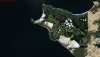
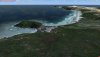
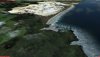
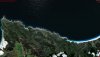
Here's some initial work, took me about 20 minutes to do (once my process was ironed out). i'm going to refine the edges but all in all i am happy. Now to do the rest of New Zealand. Yup, I'm doing the whole country. I also have autogen I made some time back using shape files also so should look pretty good. I do need to find a way to remove the clouds from the images though.
 

Attachments

  • 2018-9-23_20-27-4-240.jpg
    2018-9-23_20-27-4-240.jpg
    1.3 MB · Views: 422
  • 2018-9-23_20-28-17-672.jpg
    2018-9-23_20-28-17-672.jpg
    1.2 MB · Views: 388
  • 2018-9-23_20-28-42-382.jpg
    2018-9-23_20-28-42-382.jpg
    1.4 MB · Views: 412
  • 2018-9-23_20-29-3-252.jpg
    2018-9-23_20-29-3-252.jpg
    1.3 MB · Views: 421
Back
Top