• Which the release of FS2020 we see an explosition of activity on the forun and of course we are very happy to see this. But having all questions about FS2020 in one forum becomes a bit messy. So therefore we would like to ask you all to use the following guidelines when posting your questions:

    • Tag FS2020 specific questions with the MSFS2020 tag.
    • Questions about making 3D assets can be posted in the 3D asset design forum. Either post them in the subforum of the modelling tool you use or in the general forum if they are general.
    • Questions about aircraft design can be posted in the Aircraft design forum
    • Questions about airport design can be posted in the FS2020 airport design forum. Once airport development tools have been updated for FS2020 you can post tool speciifc questions in the subforums of those tools as well of course.
    • Questions about terrain design can be posted in the FS2020 terrain design forum.
    • Questions about SimConnect can be posted in the SimConnect forum.

    Any other question that is not specific to an aspect of development or tool can be posted in the General chat forum.

    By following these guidelines we make sure that the forums remain easy to read for everybody and also that the right people can find your post to answer it.

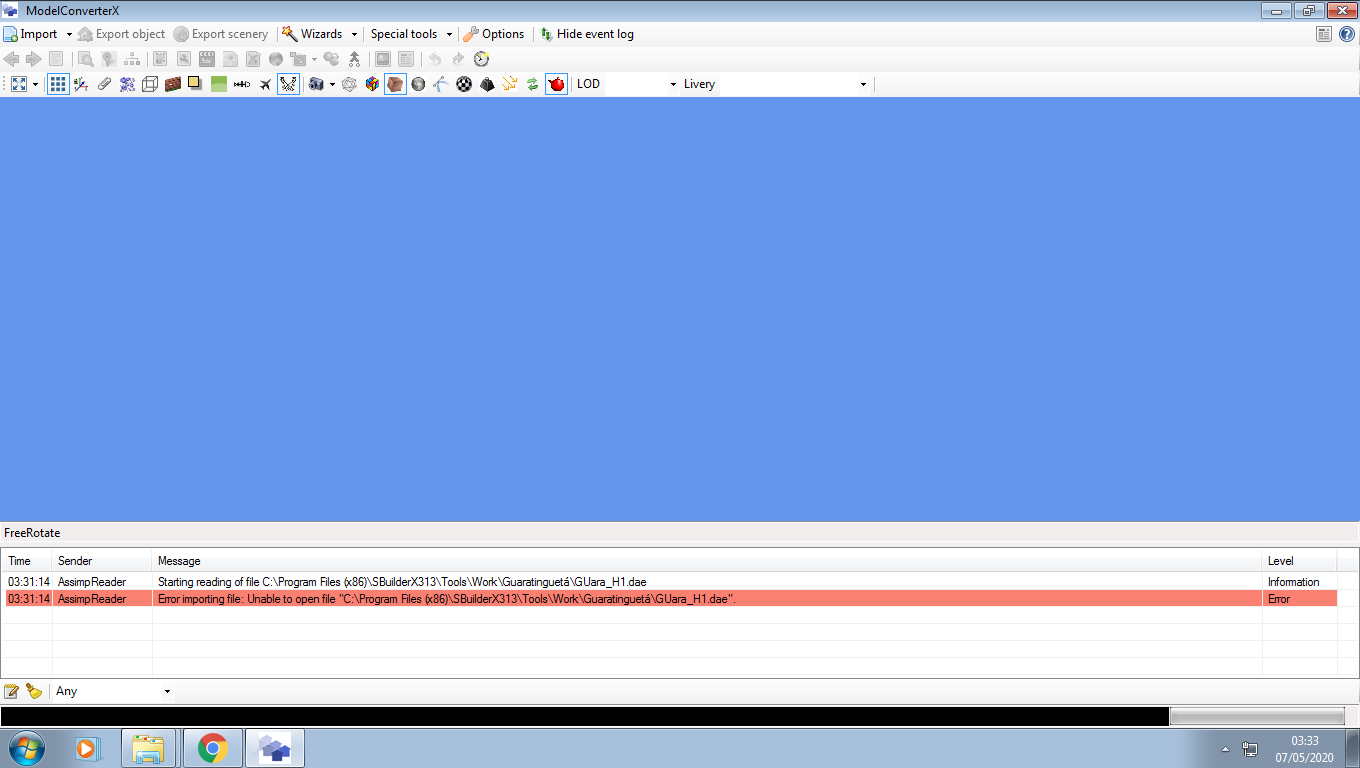
Why my MCX can´t read my DAE models?

Otavio Bonomi

Resource contributor
Messages
70
Country
brazil
Hi Guys,

I just downloaded the latest update from MCX can someone tell me why they are not reading any of my models in DAE format, I never had this problem before.
I appreciate the help.

Otavio.

1588833402405.png
 
Hi,

I have updated the library used to read the COLLADA files to a newer version a few weeks ago. It seems like your objects are throwing an error in that version of the library.

Would you be able to send me a file for testing? Then I can check what is going on.
 
Hi,

I have updated the library used to read the COLLADA files to a newer version a few weeks ago. It seems like your objects are throwing an error in that version of the library.

Would you be able to send me a file for testing? Then I can check what is going on.

Thanks Arno, sure, I haven't updated in a few weeks and it was working well,
 
Hi,

If I remove the special character (á) from the folder name it imports fine. So it seems like the library does not like that special character. I'll try to report that as a bug for the library that reads the COLLADA file.
 
Wow, sorry for my stupidity, it was going to take me a couple of months to figure it out kkkk
Thanks for your time.
 
It's still a bug in the library, as the previous version did handle it correctly.
 
True, xtomdl also doesn't like such characters in paths and filenames.

But the fact remains that it worked with the older version of the Assimp library and now it is suddenly broken. I have just reported that as a bug for the library (in fact I found a similar bug report already, where I added my information). Not sure if they can solve it easily.
 
Back
Top