
-
Which the release of FS2020 we see an explosition of activity on the forun and of course we are very happy to see this. But having all questions about FS2020 in one forum becomes a bit messy. So therefore we would like to ask you all to use the following guidelines when posting your questions:
- Tag FS2020 specific questions with the MSFS2020 tag.
- Questions about making 3D assets can be posted in the 3D asset design forum. Either post them in the subforum of the modelling tool you use or in the general forum if they are general.
- Questions about aircraft design can be posted in the Aircraft design forum
- Questions about airport design can be posted in the FS2020 airport design forum. Once airport development tools have been updated for FS2020 you can post tool speciifc questions in the subforums of those tools as well of course.
- Questions about terrain design can be posted in the FS2020 terrain design forum.
- Questions about SimConnect can be posted in the SimConnect forum.
Any other question that is not specific to an aspect of development or tool can be posted in the General chat forum.
By following these guidelines we make sure that the forums remain easy to read for everybody and also that the right people can find your post to answer it.
You are using an out of date browser. It may not display this or other websites correctly.
You should upgrade or use an alternative browser.
You should upgrade or use an alternative browser.
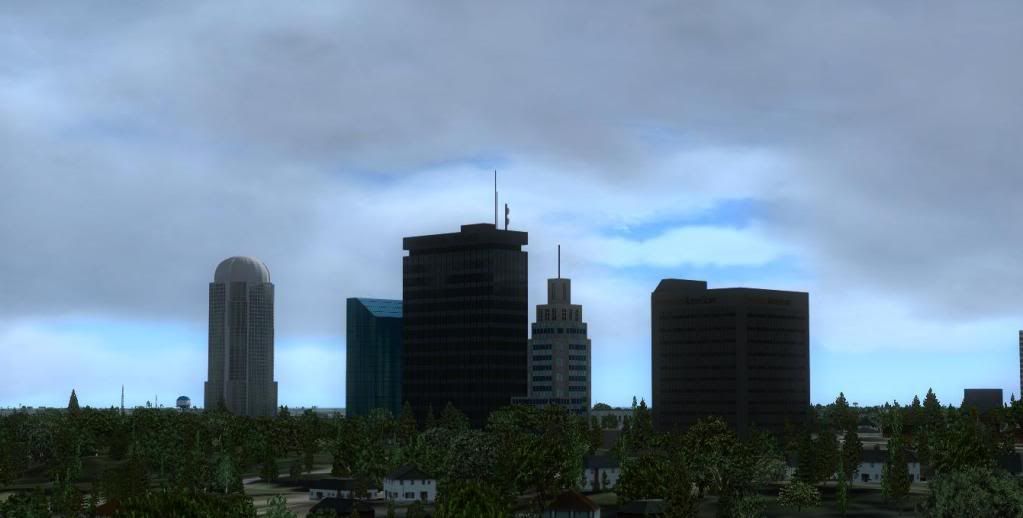
Winston-Salem downtown
- Thread starter jonmkj
- Start date




- Messages
- 48
- Country

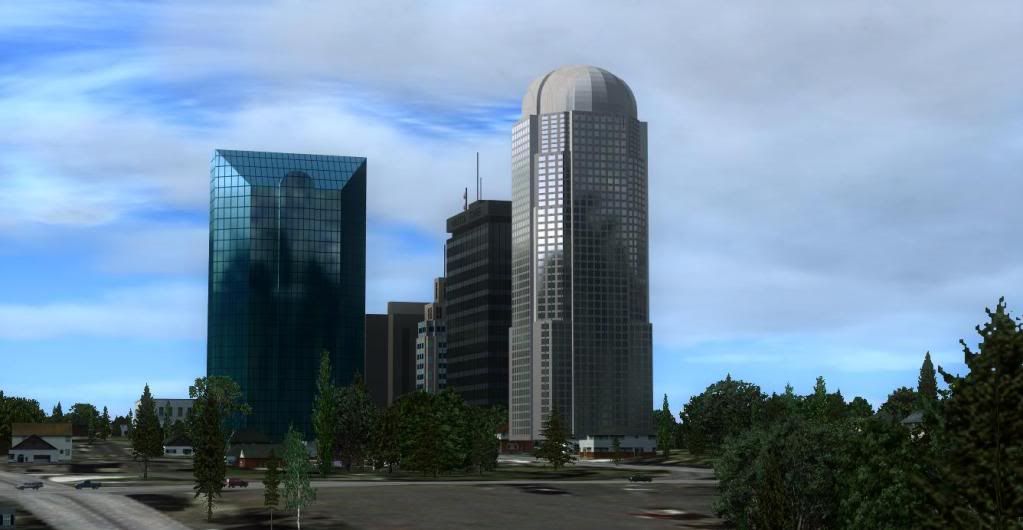
You got the full potential out of the FSX materials there. Nice work!

jtanabodee
Resource contributor
- Messages
- 3,924
- Country

Really nice buildings.
I think the reflexion is the default. There is another way to make custom reflexion so you can see the other buildings reflex on the glass.
I think the reflexion is the default. There is another way to make custom reflexion so you can see the other buildings reflex on the glass.

n4gix
Resource contributor
- Messages
- 11,674
- Country

Really nice buildings.
I think the reflexion is the default. There is another way to make custom reflexion so you can see the other buildings reflex on the glass.
You need to look closer! Notice the reflection in the "glass building" on the left side. It has a reflection of the foreground building with the domed roof!


- Messages
- 226
- Country

Looks like texture baking.
Pretty nice
Pretty nice
- Messages
- 226
- Country
Hey Jon,
I'm doing texture baking in 3ds Max 2009.
You have to texture your model nearly as usual.
The difference is that every face needs its own texture because two faces aren't lit the same way.
Now you have to set up the lightning.
I'm doing that with Vray's daylight (you may google that).
If you're feeling good with the lightning you have to "Render to texture", save the result as a bitmap and replace the source bitmap with the baked one.
As an example a nightmap I rendered for a project I'm working on:
And some fine tutorials:
texture baking in general
texture baking for use in FSX
regards,
Lars
P.S.: You can also use Blender as a freeware alternative for texture baking!
I'm doing texture baking in 3ds Max 2009.
You have to texture your model nearly as usual.
The difference is that every face needs its own texture because two faces aren't lit the same way.
Now you have to set up the lightning.
I'm doing that with Vray's daylight (you may google that).
If you're feeling good with the lightning you have to "Render to texture", save the result as a bitmap and replace the source bitmap with the baked one.
As an example a nightmap I rendered for a project I'm working on:
And some fine tutorials:
texture baking in general
texture baking for use in FSX
regards,
Lars
P.S.: You can also use Blender as a freeware alternative for texture baking!
- Messages
- 226
- Country
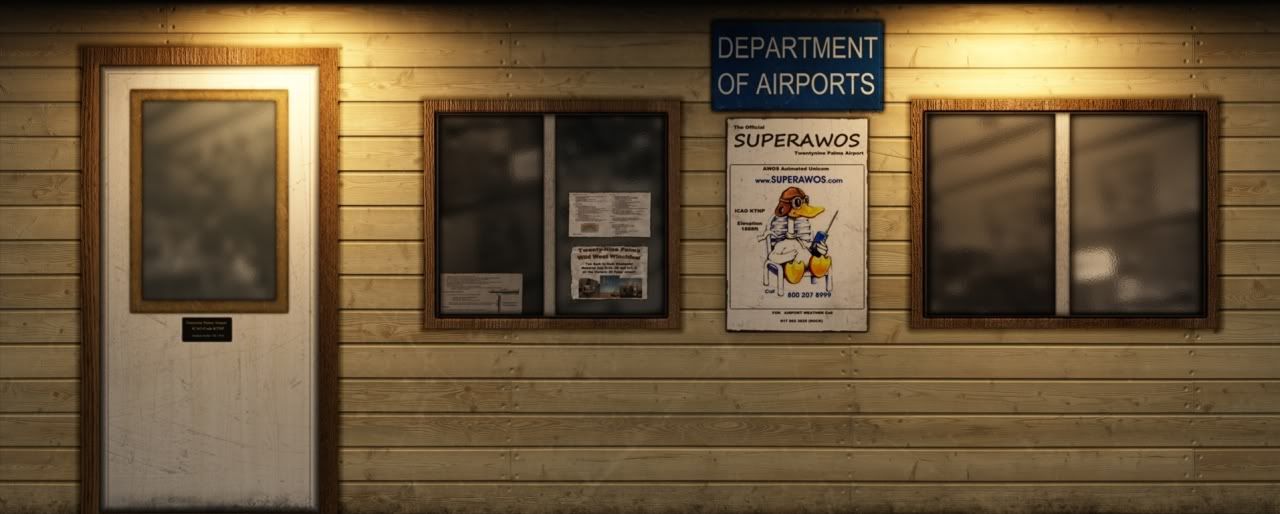
It's "Twentynine Palms Airport" in the mojave desert, a nice airfield which seems to be quite remote but is located only ~100 miles away from Las Vegas, Los Angeles and San Diego.
I'll open a thread here when it's in beta status.
Joyeux Noël
I'll open a thread here when it's in beta status.
Joyeux Noël
You need to look closer! Notice the reflection in the "glass building" on the left side. It has a reflection of the foreground building with the domed roof!
I don't see it in the other building. The dome that I see in the reflective building is part of that building.
http://www.consultwebs.com/ncphotos/images/winston-salem/550/w-s_wm_example_8790.jpg
jtanabodee
Resource contributor
- Messages
- 3,924
- Country
Ha ha! It was I thought at the first place.Well, if you see a dome reflected in the BB&T tower, it's your imaginationNo reflection was used, I just have the FSX materials set to reflect the environment map.
But I think just the default texture is good enough.
If you want to put custom cube environmental mapping, you need two of them for each buildings to get reflexion of each other.
There is Nvidia SDK about this and not too hard to do. But I cannot remember which you need. I think DirectX9c sdk from Nvidia.
jtanabodee
Resource contributor
- Messages
- 3,924
- Country
Hi Lars,Hey Jon,
I'm doing texture baking in 3ds Max 2009.
You have to texture your model nearly as usual.
The difference is that every face needs its own texture because two faces aren't lit the same way.
Now you have to set up the lightning.
I'm doing that with Vray's daylight (you may google that).
If you're feeling good with the lightning you have to "Render to texture", save the result as a bitmap and replace the source bitmap with the baked one.
As an example a nightmap I rendered for a project I'm working on:
And some fine tutorials:
regards,
Lars
P.S.: You can also use Blender as a freeware alternative for texture baking!
I wonder if Vray using with sketch up is good enough to produce baked texture since it is free too. Do you have any ideas for this?
Best Regards,
Tic

Hey Jon,
"I'm doing texture baking in 3ds Max 2009.
You have to texture your model nearly as usual.
The difference is that every face needs its own texture because two faces aren't lit the same way.
Now you have to set up the lightning.
I'm doing that with Vray's daylight (you may google that).
If you're feeling good with the lightning you have to "Render to texture", save the result as a bitmap and replace the source bitmap with the baked one."
but how do you save the baked texture to a multi texture bitmap for use in fsx? if i render to texture an object i end up with the baked texture render but the polys are arranged automatically but i want to be able to manipulate the layout of the texture sheet as you cam with uvw unwrap/ edit function. I have seen posts that say you have to take a screen shot of the uv template in max but this seems a poor method to me. or is this not how its done do i have to cut out and re arrange the textures in photoshop on to a single bitmap for use in fsx then convert to dds?
how can i do this can anyone explain this to me
thanks
k
Last edited: