
• Which the release of FS2020 we see an explosition of activity on the forun and of course we are very happy to see this. But having all questions about FS2020 in one forum becomes a bit messy. So therefore we would like to ask you all to use the following guidelines when posting your questions:

    • Tag FS2020 specific questions with the MSFS2020 tag.
    • Questions about making 3D assets can be posted in the 3D asset design forum. Either post them in the subforum of the modelling tool you use or in the general forum if they are general.
    • Questions about aircraft design can be posted in the Aircraft design forum
    • Questions about airport design can be posted in the FS2020 airport design forum. Once airport development tools have been updated for FS2020 you can post tool speciifc questions in the subforums of those tools as well of course.
    • Questions about terrain design can be posted in the FS2020 terrain design forum.
    • Questions about SimConnect can be posted in the SimConnect forum.

    Any other question that is not specific to an aspect of development or tool can be posted in the General chat forum.

    By following these guidelines we make sure that the forums remain easy to read for everybody and also that the right people can find your post to answer it.

Zero's in longtitude and latitude

Messages
13
Country
greenland
I have make many streams and lakes with GE. Then I save the file in KML format - as I used to.
But this time the compile with FSXKML goes wrong.
I researched the kml file inside FSXKML, and realize every polyline or polygon have zero's "0" at the start and at the end for longtitude and latitude.

When I removed these, then the compilation went ok.
But now i have these streams and lakes - several hundreds of them. How can I removed these zero's ?
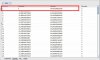
 

Attachments

  • kml_01.jpg
    kml_01.jpg
    56.9 KB · Views: 556
  • kml_02.jpg
    kml_02.jpg
    56.9 KB · Views: 527
0,s in lat and lon

Hello Kalak...I have exactly the same problem...this appears to be something in Google Earth, because I did not have this problem before. Saved polygons in KML format have a leading and trailing 0, and I also have to reverse my vertices before I can get it to produce a proper BGL
 
I have make many streams and lakes with GE. Then I save the file in KML format - as I used to.
But this time the compile with FSXKML goes wrong.
I researched the kml file inside FSXKML, and realize every polyline or polygon have zero's "0" at the start and at the end for longtitude and latitude.

When I removed these, then the compilation went ok.
But now i have these streams and lakes - several hundreds of them. How can I removed these zero's ?

Why not make a .csv file and then get Excel to add/strip zeros as needed.
Then copy as text in excel and use that text as a basis for your file.
vololiberista
 
It's a bigger problem than just one pass...

If you are building up a large file of streams,islands,etc. it's almost certain that you will have to add to or edit one of them as you go along. This resaving of an editted google KML file will overwrite all your files and put the zeroes you editted out back in.

I don't know how to insert a new polygon with its zeros into a folder of polygons that have been hand-editted in FSX_KML. There is a copy function but no paste.


Until a couple of days ago I had no problem like this building FSX KML scenery. Then I upgraded to the latest version of GE yesterday and used it to create polygons.

When I tried to load those polygons back in GE from FSX KML, GE would crash if not right away soon thereafter.

Then I started looking at the polygon vertices and noticed just that, now GE is saving the polygons with the first vertice's Longitude set to 0 and the last vertice Lat/Long set to 0/0. THAT is causing the problem.

I have no idea whether GE is now doing this by design (on purpose) which means FSX KML is now broken unless fixed, or if that is a GE bug.

It is very annoying to have to correct these by hand or even by using my workaround. My workaround is to use FSX KML to delete the last vertice (0/0) and either modify the LAT of the first to non-zero (if you know what is the correct lat) or just delete it.

I guess for now it is better to create polygons in GE with a dummy first vertice so that you can delete it and end up with your 2nd (good) as the first.
 
Back
Top