
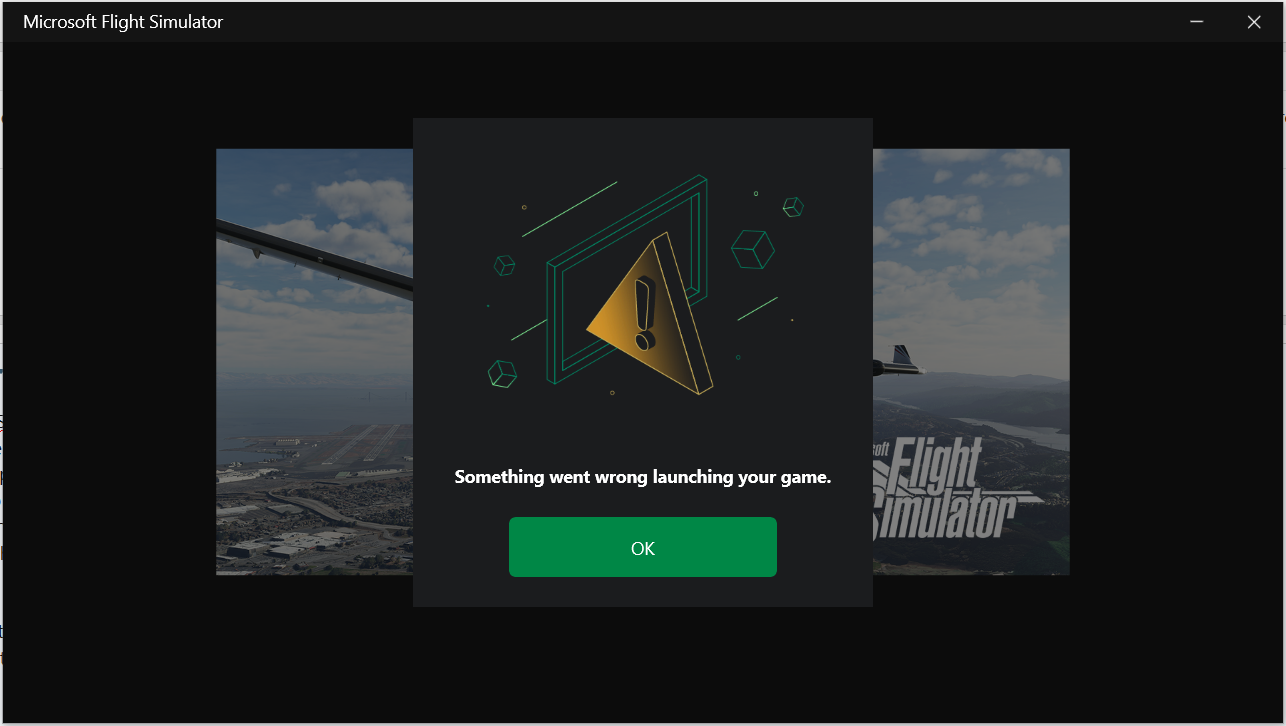
I get the same thing.also has this error message
View attachment 73614

-
Which the release of FS2020 we see an explosition of activity on the forun and of course we are very happy to see this. But having all questions about FS2020 in one forum becomes a bit messy. So therefore we would like to ask you all to use the following guidelines when posting your questions:
- Tag FS2020 specific questions with the MSFS2020 tag.
- Questions about making 3D assets can be posted in the 3D asset design forum. Either post them in the subforum of the modelling tool you use or in the general forum if they are general.
- Questions about aircraft design can be posted in the Aircraft design forum
- Questions about airport design can be posted in the FS2020 airport design forum. Once airport development tools have been updated for FS2020 you can post tool speciifc questions in the subforums of those tools as well of course.
- Questions about terrain design can be posted in the FS2020 terrain design forum.
- Questions about SimConnect can be posted in the SimConnect forum.
Any other question that is not specific to an aspect of development or tool can be posted in the General chat forum.
By following these guidelines we make sure that the forums remain easy to read for everybody and also that the right people can find your post to answer it.
You are using an out of date browser. It may not display this or other websites correctly.
You should upgrade or use an alternative browser.
You should upgrade or use an alternative browser.
ADE crashes with new MSFSF2020 update
- Thread starter normie5
- Start date

- Messages
- 6,545
- Country

I have not had this problem because decades of programming, file usage and working with simulator development has taught me to not include spaces in filenames or directories. I am surprised this is occurring in the community because I assumed everyone knows not to do this. SO here is the solution:
GET RID OF THE SPACES! Never include spaces in filenames or directories. If you need a separator, use an underscore '_' instead. Or a dash '-'.
GET RID OF THE SPACES! Never include spaces in filenames or directories. If you need a separator, use an underscore '_' instead. Or a dash '-'.

- Messages
- 34,981
- Country

I have not had this problem because decades of programming, file usage and working with simulator development has taught me to not include spaces in filenames or directories. I am surprised this is occurring in the community because I assumed everyone knows not to do this. SO here is the solution:
GET RID OF THE SPACES! Never include spaces in filenames or directories. If you need a separator, use an underscore '_' instead. Or a dash '-'.
ADE does not get rid of spaces but it puts quotes around all paths to deal with them in the build process. This is why I am a bit confused about what is happening. If the user has spaces in the path to the project xml then ADE quotes it and always has
- Messages
- 34,981
- Country
This is an example of the arguments that ADE sends to the FS Package Tool
"E:\Projects_Alpha_19\egcw-3\egcw-3.xml" -outputdir "E:\Projects_Alpha_19\egcw-3\." -tempdir "E:\Projects_Alpha_19\egcw-3\_PackageInt" -rebuild
I don't see why this could fail. It doesn't for me. So are we looking at a different issue?
OK - as you can see I have no spaces in the paths here since I follow Dicks rule as an old programmer. I have to go out now but will do some more tests later
"E:\Projects_Alpha_19\egcw-3\egcw-3.xml" -outputdir "E:\Projects_Alpha_19\egcw-3\." -tempdir "E:\Projects_Alpha_19\egcw-3\_PackageInt" -rebuild
I don't see why this could fail. It doesn't for me. So are we looking at a different issue?
OK - as you can see I have no spaces in the paths here since I follow Dicks rule as an old programmer. I have to go out now but will do some more tests later
- Messages
- 6,545
- Country
I am at a loss to explain it Jon. I'm assuming end-users are somehow altering the output of ADE. There are several developers having this problem, and not just ADE users. As I stated, I never had the problem with MSFS, because I learned my lesson years ago to get rid of the spaces!
- Messages
- 80
- Country

I had used the default folder name (C:\MSFS SDK) which has always worked until the 27th of this month after the 25th update. I took these steps to try to correct the problem:
1) From MSFS turned on developer mode and downloaded SDK 13.
2) Uninstalled the SDK 12 in Windows Applications.
3) Installed SDK 13 overriding the path to G:\MSFS_SDK.
4) From MSFS checked that SDK 13 was in fact installed.
5) Exited MSFS and started ADE without the hot fix.
6) Corrected the SDK path.
7) Loaded my project and selected Build.
8) The build failed as before indicated at the beginning of this thread.
9) Replaced ADE exe with the hot fix and tried Build again.
10) The build still fails as before
It seems that none of the proposed fixes work. In all of my fifty years as a software engineer have I never seen a company produce update after update having catastrophic bugs and stay in business for long. Only Micro$oft could be so lucky.
*** FINALLY ***
After changing the ADE folder name from "ADE 2020 Alpha" to "ADE_2020_Alpha" I got a good build. You just have to be sure to change the folder name in ADE. Also I had a problem with the Images and had to use the find to get those folder names changed.
In the end you still get an error for the missing MarketplaceData file but that is OK because the build actually succeeded!
1) From MSFS turned on developer mode and downloaded SDK 13.
2) Uninstalled the SDK 12 in Windows Applications.
3) Installed SDK 13 overriding the path to G:\MSFS_SDK.
4) From MSFS checked that SDK 13 was in fact installed.
5) Exited MSFS and started ADE without the hot fix.
6) Corrected the SDK path.
7) Loaded my project and selected Build.
8) The build failed as before indicated at the beginning of this thread.
9) Replaced ADE exe with the hot fix and tried Build again.
10) The build still fails as before
It seems that none of the proposed fixes work. In all of my fifty years as a software engineer have I never seen a company produce update after update having catastrophic bugs and stay in business for long. Only Micro$oft could be so lucky.
*** FINALLY ***
After changing the ADE folder name from "ADE 2020 Alpha" to "ADE_2020_Alpha" I got a good build. You just have to be sure to change the folder name in ADE. Also I had a problem with the Images and had to use the find to get those folder names changed.
In the end you still get an error for the missing MarketplaceData file but that is OK because the build actually succeeded!
Last edited:
- Messages
- 34,981
- Country
What is the exact path to the project xml file for the project you are trying to build?I had used the default folder name (C:\MSFS SDK) which has always worked until the 27th of this month after the 25th update. I took these steps to try to correct the problem:
1) From MSFS turned on developer mode and downloaded SDK 13.
2) Uninstalled the SDK 12 in Windows Applications.
3) Installed SDK 13 overriding the path to G:\MSFS_SDK.
4) From MSFS checked that SDK 13 was in fact installed.
5) Exited MSFS and started ADE without the hot fix.
6) Corrected the SDK path.
7) Loaded my project and selected Build.
8) The build failed as before indicated at the beginning of this thread.
9) Replaced ADE exe with the hot fix and tried Build again.
10) The build still fails as before
It seems that none of the proposed fixes work. In all of my fifty years as a software engineer have I never seen a company produce update after update having catastrophic bugs and stay in business for long. Only Micro$oft could be so lucky.
- Messages
- 80
- Country
See the addition I made in #47 above!What is the exact path to the project xml file for the project you are trying to build?
- Messages
- 80
- Country
Now to return to my testing of all the files that were in the community folder because the update broke something there as well. I thought I was going to be through with all this when I retired. I just want to play games, modify airports and fly.See the addition I made in #47 above!

- Messages
- 34,981
- Country
Well I guess then that you are storing your projects inside the ADE folder structure?I had used the default folder name (C:\MSFS SDK) which has always worked until the 27th of this month after the 25th update. I took these steps to try to correct the problem:
1) From MSFS turned on developer mode and downloaded SDK 13.
2) Uninstalled the SDK 12 in Windows Applications.
3) Installed SDK 13 overriding the path to G:\MSFS_SDK.
4) From MSFS checked that SDK 13 was in fact installed.
5) Exited MSFS and started ADE without the hot fix.
6) Corrected the SDK path.
7) Loaded my project and selected Build.
8) The build failed as before indicated at the beginning of this thread.
9) Replaced ADE exe with the hot fix and tried Build again.
10) The build still fails as before
It seems that none of the proposed fixes work. In all of my fifty years as a software engineer have I never seen a company produce update after update having catastrophic bugs and stay in business for long. Only Micro$oft could be so lucky.
*** FINALLY ***
After changing the ADE folder name from "ADE 2020 Alpha" to "ADE_2020_Alpha" I got a good build. You just have to be sure to change the folder name in ADE. Also I had a problem with the Images and had to use the find to get those folder names changed.
In the end you still get an error for the missing MarketplaceData file but that is OK because the build actually succeeded!
View attachment 73706
- Messages
- 34,981
- Country
I carried out a further test and this time used a root projects folder with spaces in it. This resulted in the following aruments
"E:\Alpha 19 Projects\egcw-3\egcw-3.xml" -outputdir "E:\Alpha 19 Projects\egcw-3\." -tempdir "E:\Alpha 19 Projects\egcw-3\_PackageInt" -rebuild
HOWEVER in my case this continues to build correctly with the spaces in the paths (because ADE is quoting them ) Thus this is still not completely understood by me
The fix is probably not relevant since that is quoting the path to the package tool and I am calling that which calls the sim
"E:\Alpha 19 Projects\egcw-3\egcw-3.xml" -outputdir "E:\Alpha 19 Projects\egcw-3\." -tempdir "E:\Alpha 19 Projects\egcw-3\_PackageInt" -rebuild
HOWEVER in my case this continues to build correctly with the spaces in the paths (because ADE is quoting them ) Thus this is still not completely understood by me
The fix is probably not relevant since that is quoting the path to the package tool and I am calling that which calls the sim
- Messages
- 80
- Country
That is correct G:\ADE_2020_Alpha\F20 now.Well I guess then that you are storing your projects inside the ADE folder structure?

This is an example of the arguments that ADE sends to the FS Package Tool
"E:\Projects_Alpha_19\egcw-3\egcw-3.xml" -outputdir "E:\Projects_Alpha_19\egcw-3\." -tempdir "E:\Projects_Alpha_19\egcw-3\_PackageInt" -rebuild
I don't see why this could fail. It doesn't for me. So are we looking at a different issue?
OK - as you can see I have no spaces in the paths here since I follow Dicks rule as an old programmer. I have to go out now but will do some more tests later
I am at a loss to explain it Jon. I'm assuming end-users are somehow altering the output of ADE. There are several developers having this problem, and not just ADE users. As I stated, I never had the problem with MSFS, because I learned my lesson years ago to get rid of the spaces!
I carried out a further test and this time used a root projects folder with spaces in it. This resulted in the following aruments
"E:\Alpha 19 Projects\egcw-3\egcw-3.xml" -outputdir "E:\Alpha 19 Projects\egcw-3\." -tempdir "E:\Alpha 19 Projects\egcw-3\_PackageInt" -rebuild
HOWEVER in my case this continues to build correctly with the spaces in the paths (because ADE is quoting them ) Thus this is still not completely understood by me
The fix is probably not relevant since that is quoting the path to the package tool and I am calling that which calls the sim
Bearing in mind the MSFS SDK "strict rules" linked / cited here:
https://www.fsdeveloper.com/forum/t...sing-patch-1-16-2-0-solved.452642/post-883097
...one may wonder if Asobo attempts to use file paths as sequential ASCII input strings, and blank spaces or quotes confuse their input engine ?

If one treats input strings as sequential ASCII, depending on the parsing engine used for processing input, quotes may appear as "quote delimiters" to some input processing algorithms and be interpreted as "quote, comma, space delimited" sequential ASCII input in a CSV context, although WKT formats would normally utilize "double quotes" as such delimiters.
https://en.wikipedia.org/wiki/Comma-separated_values
But, perhaps our best clues might be from the MSFS-2020 SDK docs referencing command line switches for the fspackagetool.exe itself:
[MSFS_SDK_0_13_0_0_Install_Path]\Documentation\html\Additional_Information\Package_Tool\Package_Tool.htm
"THE PACKAGE TOOL
The fspackagetool.exe can be invoked with various parameters following this syntax:
fspackagetool <path to project .xml> [-outputdir <output directory>] [-tempdir <temp directory>] [-rebuild] [-nomirroring] [-forcesteam]
The parameters available are:
- -outputdir <output directory>: Specify parent of directory containing output packages (default is the parent directory of the project .xml file).
- -tempdir <temp directory>: Specify parent of directory containing temporary build artifacts (default is the parent directory of the project .xml file)
- -rebuild: Force redoing all file conversions
- -nomirroring: Disable mirroring. Files in the output directory that do not match a compiled target will not be deleted
- -forcesteam: Force using the Steam version of the game to build the package. This is only necessary to specify if you have both the Microsoft Store and Steam versions installed on your computer. If that is the case and you don't use this option, the Microsoft Store version will be used.

Of course, other delimiter options are also fraught with potential risk of misuse or misinterpretation: "[ ]" (blank space) or "/" (slash) characters.

There has to be a better way to make this fspackagetool.exe input mechanism work (...to minimize vulnerability to MSFS-2020 SDK user errors).

Quoting and Escaping Windows Command Line Arguments
Continuation of a tutorial explaining how the command line is received by a Windows program and split into individual arguments
www.windowsinspired.com
GaryGB
Last edited:
- Messages
- 80
- Country
I understand your dilemma. In the end it seems that changing the ADE path fixed the problem but I am currently running the hot fix version.I carried out a further test and this time used a root projects folder with spaces in it. This resulted in the following aruments
"E:\Alpha 19 Projects\egcw-3\egcw-3.xml" -outputdir "E:\Alpha 19 Projects\egcw-3\." -tempdir "E:\Alpha 19 Projects\egcw-3\_PackageInt" -rebuild
HOWEVER in my case this continues to build correctly with the spaces in the paths (because ADE is quoting them ) Thus this is still not completely understood by me
The fix is probably not relevant since that is quoting the path to the package tool and I am calling that which calls the sim
- Messages
- 34,981
- Country
The hot fix should make no difference. Can you go back to the older executable (I assume you saved it before adding the new one?
- Messages
- 34,981
- Country
OK this is my final test and I have run out of ways to force spaces into the package tool arguments
"E:\Projects_Alpha_19\egcw test\egcw test.xml" -outputdir "E:\Projects_Alpha_19\egcw test\." -tempdir "E:\Projects_Alpha_19\egcw test\_PackageInt" -rebuild
This build fine. So I am satisfied that ADE is not involved and that is correctly quotes paths with spaces in. However the final recommendation goes back to Dick
DO NOT INCLUDE SPACES IN ANY FOLDER OR PROJECT OR PACKAGE NAME
"E:\Projects_Alpha_19\egcw test\egcw test.xml" -outputdir "E:\Projects_Alpha_19\egcw test\." -tempdir "E:\Projects_Alpha_19\egcw test\_PackageInt" -rebuild
This build fine. So I am satisfied that ADE is not involved and that is correctly quotes paths with spaces in. However the final recommendation goes back to Dick
DO NOT INCLUDE SPACES IN ANY FOLDER OR PROJECT OR PACKAGE NAME
- Messages
- 80
- Country
Yes, the original ADE 20.19 works as well.The hot fix should make no difference. Can you go back to the older executable (I assume you saved it before adding the new one?
- Messages
- 34,981
- Country
and Make Sure Not to Include the <> in the name. I have lost count of the number of posts about failing to create a project and they show a project name of <EGCW>-<Welshpool> and wonder why it doesn't workBearing in mind the MSFS SDK "strict rules" linked / cited here:
https://www.fsdeveloper.com/forum/t...sing-patch-1-16-2-0-solved.452642/post-883097
- Messages
- 80
- Country
Absolutely! I never use anything but underscore.and Make Sure Not to Include the <> in the name. I have lost count of the number of posts about failing to create a project and they show a project name of <EGCW>-<Welshpool> and wonder why it doesn't work
and Make Sure Not to Include the <> in the name. I have lost count of the number of posts about failing to create a project and they show a project name of <EGCW>-<Welshpool> and wonder why it doesn't work
Indeed, Asobo must also put that additional CAVEAT into the MSFS SDK docs for v13 ...when the "revised edition" is finally posted online.

GaryGB
Last edited: