
-
Which the release of FS2020 we see an explosition of activity on the forun and of course we are very happy to see this. But having all questions about FS2020 in one forum becomes a bit messy. So therefore we would like to ask you all to use the following guidelines when posting your questions:
- Tag FS2020 specific questions with the MSFS2020 tag.
- Questions about making 3D assets can be posted in the 3D asset design forum. Either post them in the subforum of the modelling tool you use or in the general forum if they are general.
- Questions about aircraft design can be posted in the Aircraft design forum
- Questions about airport design can be posted in the FS2020 airport design forum. Once airport development tools have been updated for FS2020 you can post tool speciifc questions in the subforums of those tools as well of course.
- Questions about terrain design can be posted in the FS2020 terrain design forum.
- Questions about SimConnect can be posted in the SimConnect forum.
Any other question that is not specific to an aspect of development or tool can be posted in the General chat forum.
By following these guidelines we make sure that the forums remain easy to read for everybody and also that the right people can find your post to answer it.
You are using an out of date browser. It may not display this or other websites correctly.
You should upgrade or use an alternative browser.
You should upgrade or use an alternative browser.
FSXA Airbus A350 XWB
- Thread starter F747fly
- Start date


F747fly
Resource contributor
- Messages
- 1,713
- Country

Will there be an functional FMC?
Probably
F747fly
Resource contributor
- Messages
- 1,713
- Country
When it comes to gauges, the only limitations are skill and imagination. Your biggest challenges (assuming you want to go that far) will be the camera displays (P3D will make life easier in this respect), and the airport diagram maps on the navigation displays. The latter I am inclined to think are the most difficult.
True! And since I'm slowly reading up on C++ coding for FSX we'll figure out if I can make something out of it soon I guess...
TurboCompound
Resource contributor
- Messages
- 190
You will definitely need to read up on Simconnect too if you plan to put an FMC in. I heard that that is how you can modify the route plan data of the game while in flight.

JB3DG
Resource contributor
- Messages
- 1,325
- Country

Not quite. That's for AI only.You will definitely need to read up on Simconnect too if you plan to put an FMC in. I heard that that is how you can modify the route plan data of the game while in flight.
With C++ no one is limited to the APIs provided by FSX. You can do pretty much what you like. The FMC would involve file streaming and string processing which gets handled with all the tools available in the windows SDK and elsewhere.
F747fly
Resource contributor
- Messages
- 1,713
- Country
After being a bit bummed out over the news of other peoples projects faring well and mine not having any segnificant progress for a while I finally got back and did some stuff, including testing the UV. Now after seeing a thread here at FSD about someone making a DC-8, nice model BTW / kudos to the developer, which feautured a KLM DC-8 I got the idea for a test livery... It seemed a bunch of people liked that livery so I uninspirably followed. So may I introduce to you PH-XWB (for A350 XWB, no official reg has been released yet) or atleast it's fusalage....
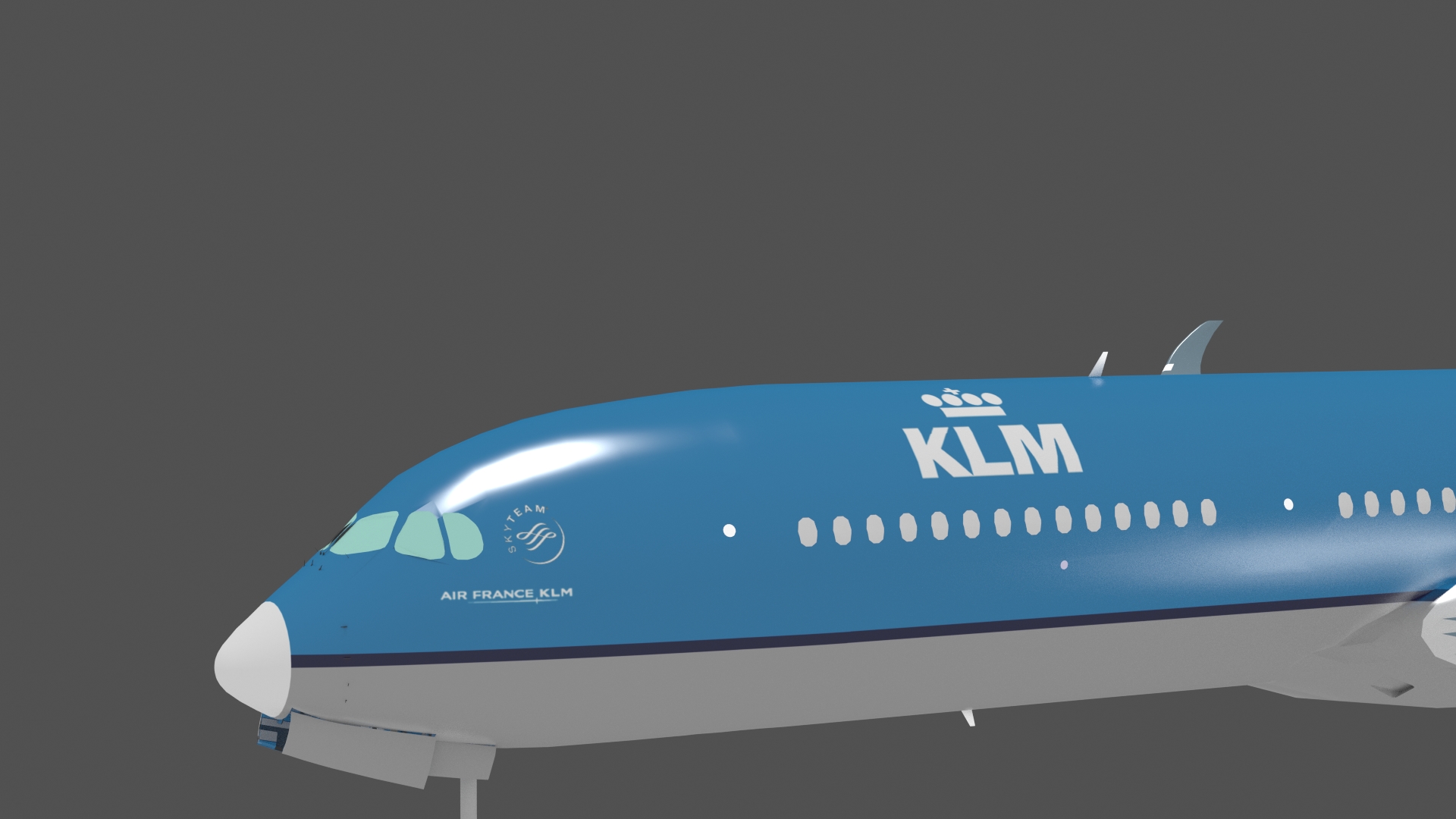

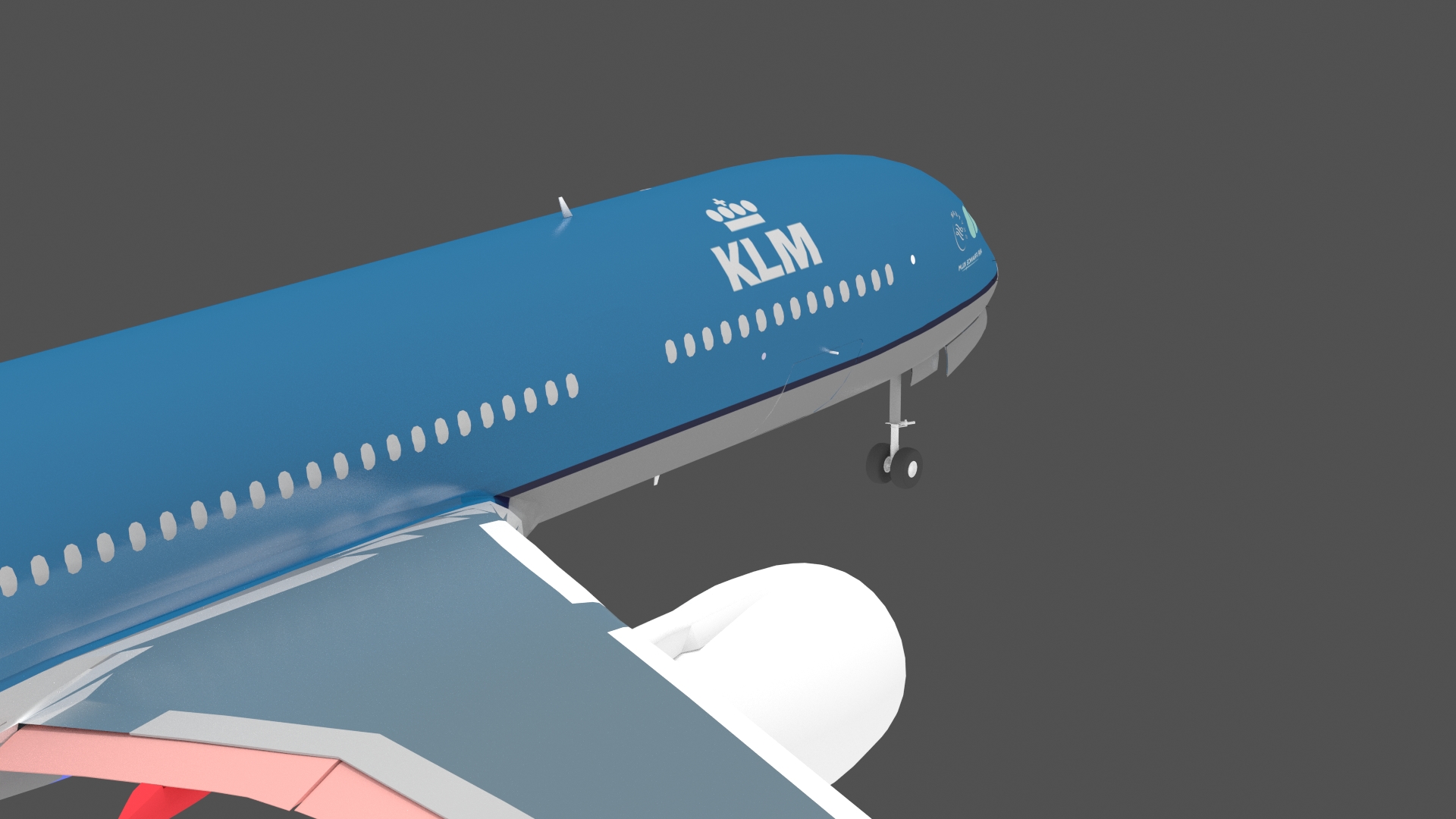
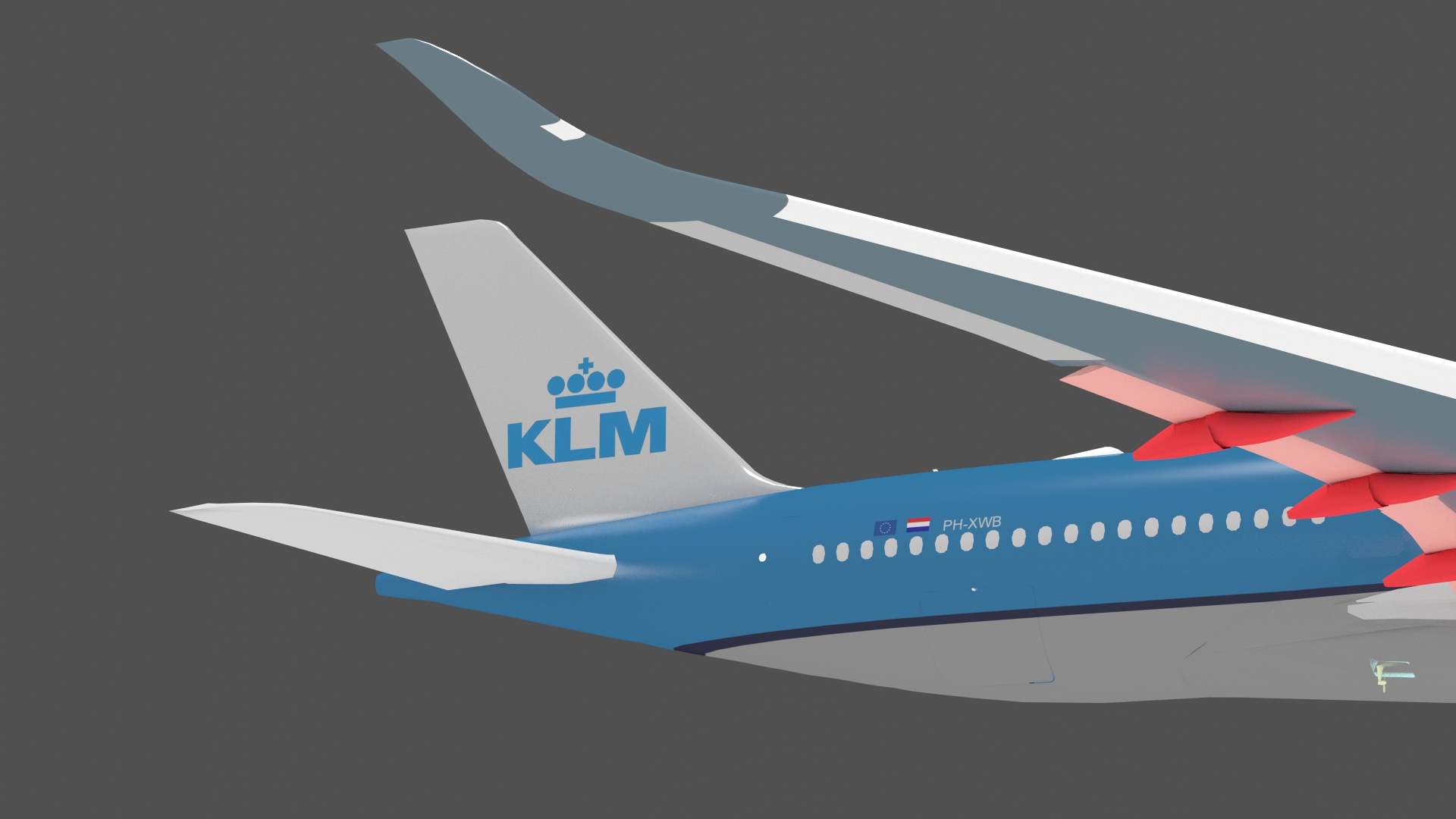

And now comes the ackward question... One object cannot have multiple texture sheets can it?
Also how do we know I painted this? Well see the doors? Yes, I painted over the window doors.... and forgot the white outlining....
Anyway I think it looks moderately good (or some might find it just about OK). Atleast postable on FSD I thought...
Cheers, and for the Dutch happy "Pakjesavond" tomorrow!
EDIT: BTW If anyone wonders why that is so dark two explanations, first the rendering has been done with a glossy effect, so the gray surrounding (atmosphere if you will) reflects and secondly I took the colour from an image, so it might have been a tone too dark already.... please see through that part....
And now comes the ackward question... One object cannot have multiple texture sheets can it?
Also how do we know I painted this? Well see the doors? Yes, I painted over the window doors.... and forgot the white outlining....
Anyway I think it looks moderately good (or some might find it just about OK). Atleast postable on FSD I thought...
Cheers, and for the Dutch happy "Pakjesavond" tomorrow!
EDIT: BTW If anyone wonders why that is so dark two explanations, first the rendering has been done with a glossy effect, so the gray surrounding (atmosphere if you will) reflects and secondly I took the colour from an image, so it might have been a tone too dark already.... please see through that part....

dave hoeffgen
Resource contributor
- Messages
- 1,439
- Country

And now comes the ackward question... One object cannot have multiple texture sheets can it?
Actually it can. when you are in edit mode just add another material, select the faces you want on the new texture and hit 'assign'. Assign a new texture to the new material.
Repeat as required.
Hope that's what you wanted to know

F747fly
Resource contributor
- Messages
- 1,713
- Country
Actually it can. when you are in edit mode just add another material, select the faces you want on the new texture and hit 'assign'. Assign a new texture to the new material.
Repeat as required.
Hope that's what you wanted to know
It is!
 Sorry, should've realized that objects can have multiple materials and materials are inherand to textures.... didn't add those two up to form the conclusion. Thanks!
krispy1001
Resource contributor
- Messages
- 707
- Country

Looks Good!!!!!

- Messages
- 77
- Country

Lookin' good!
F747fly
Resource contributor
- Messages
- 1,713
- Country
Thanks guys!
And @Roel I know, but I've got a good reason for it, namely the extent of my PS "skills" doesn't cover curves.... forgive me for it Also when I showed an image of it to another KLM-fan his first response also was "new livery! now!"
What this means though is that atleast the fusalage is paintable now the wings, engines, H_stabalizers and a whole sheet filled with randoms is still to come though. Shall I try another livery? just for fun!
And @Roel I know, but I've got a good reason for it, namely the extent of my PS "skills" doesn't cover curves.... forgive me for it
Also when I showed an image of it to another KLM-fan his first response also was "new livery! now!" What this means though is that atleast the fusalage is paintable now
the wings, engines, H_stabalizers and a whole sheet filled with randoms is still to come though. Shall I try another livery? just for fun!
Last edited:

Dutcheeseblend
Resource contributor
- Messages
- 1,541
- Country
What this means though is that atleast the fusalage is paintable now
That's a good start mate, keep going this way!

- Messages
- 309
- Country
Thanks guys!
And @Roel I know, but I've got a good reason for it, namely the extent of my PS "skills" doesn't cover curves.... forgive me for it
What this means though is that atleast the fusalage is paintable now
Send it over mate, I'll do some liveries for ya. Or teach you how
You know where to find me
F747fly
Resource contributor
- Messages
- 1,713
- Country
Send it over mate, I'll do some liveries for ya. Or teach you how
Well I tried finding some pigeons to sent it but apperantly it's too heavy for them, even ten of them couldn't keep it aloft (little inside joke).
I'll mail what I made to you, though it's only the fusalage ATM... I'll send you the .PSD of this (which includes the UVs necessary to make liveries)
This livery was great to test with because of it's sharpline
expect an email in a minute Roel 


Dutcheeseblend
Resource contributor
- Messages
- 1,541
- Country
Good work, but make liveries later (or let someone do them for you) but first get the model going. What's the resolution you use for your textures?
F747fly
Resource contributor
- Messages
- 1,713
- Country
Good work, but make liveries later (or let someone do them for you) but first get the model going. What's the resolution you use for your textures?
Well I need to fully unwrap before I can hand over the paint work to Roel. The resolution is 4096 X 4096. That is a big one though that's onlt for the fusalage, the rest will be smaller... Frankly I think the fusalage deserves a large texture, though I must say I took the texture size on recommendation