• Which the release of FS2020 we see an explosition of activity on the forun and of course we are very happy to see this. But having all questions about FS2020 in one forum becomes a bit messy. So therefore we would like to ask you all to use the following guidelines when posting your questions:

    • Tag FS2020 specific questions with the MSFS2020 tag.
    • Questions about making 3D assets can be posted in the 3D asset design forum. Either post them in the subforum of the modelling tool you use or in the general forum if they are general.
    • Questions about aircraft design can be posted in the Aircraft design forum
    • Questions about airport design can be posted in the FS2020 airport design forum. Once airport development tools have been updated for FS2020 you can post tool speciifc questions in the subforums of those tools as well of course.
    • Questions about terrain design can be posted in the FS2020 terrain design forum.
    • Questions about SimConnect can be posted in the SimConnect forum.

    Any other question that is not specific to an aspect of development or tool can be posted in the General chat forum.

    By following these guidelines we make sure that the forums remain easy to read for everybody and also that the right people can find your post to answer it.

MSFS20 Blender2MSFS support thread

Status
Not open for further replies.
Hi i need some help lol....
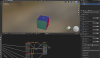
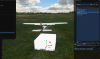
I have exported a testbox from blender into Fs2020.
However the textures do not show on my testbox in the sim.

I have assigned a MSFS Standard texture in blender and assigned a texture to the relevant maps (see pic)
The compiler looks good and generates a folder called texture and the testbox.png is in that folder.
I also get the .bin and .xml file.
I just cannot get my head around what is going on.
Please help..
 

Attachments

  • test box.PNG
    test box.PNG
    1.7 MB · Views: 307
  • test box_2.PNG
    test box_2.PNG
    812.9 KB · Views: 321
  • test box_3.PNG
    test box_3.PNG
    268.4 KB · Views: 324
When you build the package, is the texture being properly compiled into DDS?
 
I have just tried changing the png file in the texture folder to a DDS and still it does not work :(
I hope this helps.
 
that's... not how this works.
Did you actually run the packagetool to convert your package into something that runs in FS? Because the packagetool WILL convert all PNGs into DDS and copy them into the package/<yourprojectstructure>/texture folder.
 
I wanted to share a workaround to not having ability to adjust blend on spotlights. What I did was create a copy of the spotlight and on the new copy I increased the size of the cone and decreased the power. What you get is a somewhat smoother or feathered edge.

Also, while I am at it, just to confirm we can only use spot lights? Not point? Because point lights look OK up close but get a strange effect while camera moves away.

Thank you once again for the plugin!
light blending.jpg
 
That's a good workaround, however, I'd recommend to use it sparingly - lights usually have quite some impact on performance so doubling up on all spotlights is probably not a good idea.

As for the point light problem: try turning on symmetry in the custom settings, that might actually help - even though I don't know why.
 
@Vitus Hi man, thank you very much for your plug in update. I am testing it out and I found something weird. Not sure if it's problem on my side or the new plug in version but for some reason I got AO effect on my shader. Did you change something considering it? Here is comperation, left hangar is exported with older plug in and right one is done by new plug in. I've used same preferences. Tnx.!

Capture.PNG
 
@boba3d nope, nothing about the material changed with the last version. Do you not have an AO map in your metallic texture?
 
Hello guys, best.
I have a little problem here.
Really dont know if only BLENDER is the software for work inside in MSFS, mean.
I have a .obj file (xported from SKETCHUP) with their .png textures and when i try to import as a Wavefront (.obj) in BLENDER, i get this...no all textures are loaded.
Sin título.jpg


my question is, i need work only in BLENDER to xport to MSFS? or why a cant import the .obj files with their textures (btw, i´m a -1 skill in Blender).
You the gur´s...tks in advance fellows.
 
that's... not how this works.
Did you actually run the packagetool to convert your package into something that runs in FS? Because the packagetool WILL convert all PNGs into DDS and copy them into the package/<yourprojectstructure>/texture folder.

Hi sorry i have not seen that process in any of the tutorials online.
Can you please explain?

Thank you so much.
 
@Fernando Angel G you need to set up your material and then assign your textures manually. Check out the wiki for more information.

Hi sorry i have not seen that process in any of the tutorials online.
well.... then you haven't spent much time reading yet. You don't deploy your project directly to the sim. Instead, you're building a package that you then either copy to the community folder, or open directly in dev mode inside flightsim. The SDK has a lot of information on the process and you'll find guides here in the forum.
 
@Fernando Angel G you need to set up your material and then assign your textures manually. Check out the wiki for more information.


well.... then you haven't spent much time reading yet. You don't deploy your project directly to the sim. Instead, you're building a package that you then either copy to the community folder, or open directly in dev mode inside flightsim. The SDK has a lot of information on the process and you'll find guides here in the forum.

Thank you for your input....
I really do not want to get into an argument about this i just need some help.
Also have been doing a lot of reading..
I am not new to developing for flight simulators.
And i am not some ignorant child. I am middle aged with two engineering degrees, and definitely know how to read a manual.

Any way back to business
I am also aware you need to build the project before putting it into the community folder.
But while in development mode and creating the new scenery, the objects should at least have textures??

 
Thanks for the update, however none of my animations or visibilty tags are working with 0.36.0. Gone back to 0.32.1 and they work fine.

Is anyone else seeing this issue with version 0.36, or is it only me?
 
Status
Not open for further replies.
Back
Top