I see a few new MSFS SDK Terrain related features were recently- / will be- released after previously available in some cases as 'undocumented' options:

docs.flightsimulator.com
Terraforming:
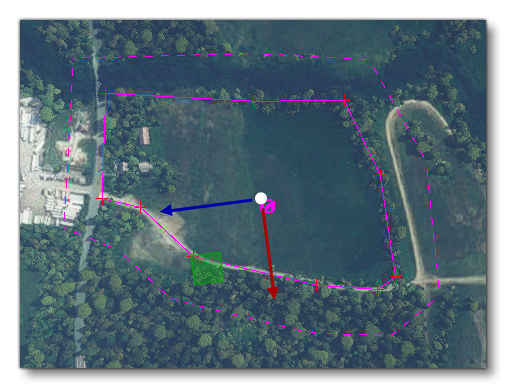
When this option is checked, the polygon shape can be used to terraform the terrain based on the form of the polygon and its altitude, as set through the translate Gizmo. Checking this option will also show a new option:
Falloff Distance:
This sets the distance around the polygon which will be "feathered", smoothing the difference in altitude between the polygon terraformer and the surrounding terrain. This is shown in the scene as a dashed line, and the value is in meters.
Force Elevation (COMING SOON):
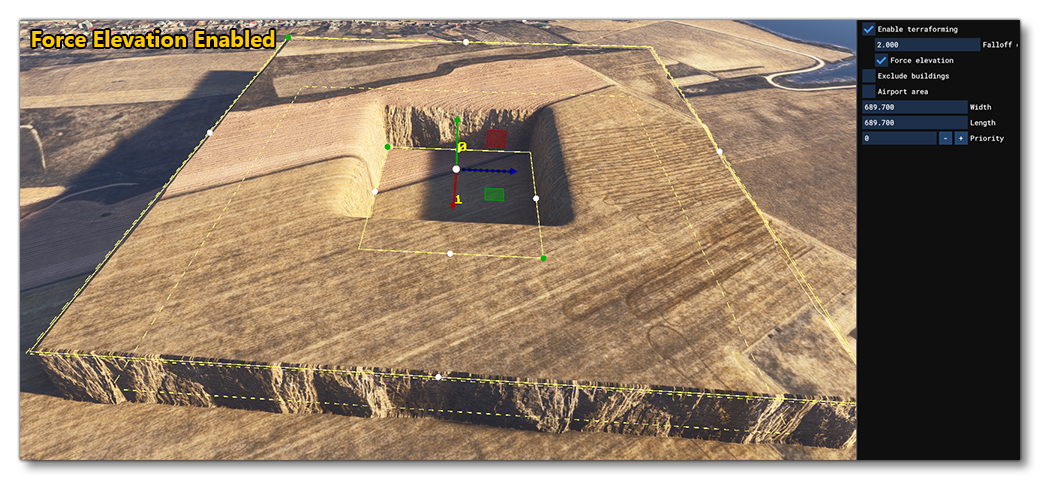
When enabled, this option will force the ground to be at the same elevation as the terraformer, creating a perfectly flat surface. This means, however, that you can't overlap terraformers without having severe discontinuity in the terrain (the Priority setting of the polygon is used to define which terraformer is used).
When this option is disabled you can more easily mix terraformers, as the falloff can sculpt any other terraformers that overlap.
You can mouse over the image below to see examples of this option enabled and disabled (note that image shows the Rectangle Object but the effect is the same for polygons):
Buildings
The buildings section can be expanded to show the following options:
Exclude All: Selecting this option will convert the polygon into an exclusion polygon which will exclude TIN data, buildings, OSM buildings and MS (Microsoft) buildings. Note that each of these options can be toggled on/off individually using the additional option underneath so you can choose to only exclude OSM buildings, or exclude only TIN data and MS buildings, etc...
The list below explains what each of these items is:
TIN: The TIN data is data streamed from Bing Maps, which may include buildings as well as other things.
Detected Buildings: These are buildings created algorithmically from the aerial image data.
OSM Buildings: These are buildings created from the data supplied by Open Street Maps.
MS Buildings: These are buildings generated from open-source data for North America that comes from Microsoft.
NOTE: These data-sets can overlap, so you may see different buildings in the same locations if you exclude one or the other of OSM or Detected buildings, and so will need to exclude both kinds to clear the area.
Force Buildings On Tin:
This can be used when you have excluded TIN data, but want to still have TIN generated buildings present.
Force Detected Buildings:
This option can be used to force the rendering of detected buildings for an area.
Exclude Secondary Heightmaps:
Secondary heightmaps are those which add more "ruggedness" to the ground, and so enabling this option will exclude any those heightmaps within the defined polygon and create a much flatter area of terrain.
Note that while this will help flatten the terrain, there will still be some surface heightmap detail applied from the primary heightmap."
GaryGB



 ).
). >
>