
• Which the release of FS2020 we see an explosition of activity on the forun and of course we are very happy to see this. But having all questions about FS2020 in one forum becomes a bit messy. So therefore we would like to ask you all to use the following guidelines when posting your questions:

    • Tag FS2020 specific questions with the MSFS2020 tag.
    • Questions about making 3D assets can be posted in the 3D asset design forum. Either post them in the subforum of the modelling tool you use or in the general forum if they are general.
    • Questions about aircraft design can be posted in the Aircraft design forum
    • Questions about airport design can be posted in the FS2020 airport design forum. Once airport development tools have been updated for FS2020 you can post tool speciifc questions in the subforums of those tools as well of course.
    • Questions about terrain design can be posted in the FS2020 terrain design forum.
    • Questions about SimConnect can be posted in the SimConnect forum.

    Any other question that is not specific to an aspect of development or tool can be posted in the General chat forum.

    By following these guidelines we make sure that the forums remain easy to read for everybody and also that the right people can find your post to answer it.

P3D v4 Effect Boxes don't match the lamp models

Messages
23
Country
poland
Hi,

I'm having trouble with airport lighting recently.

Let me get this straight, First,the models and the attatchpoints are exactly aligned in 3DS Max.

Second as I exported them separatedly, drop them into MCX, and both did FSX earth curve correction.

Then I placed them both with the same reference coordination.

As you can see ,the lamps and the effect boxes are deviated. But some of them are aligned , so weird...
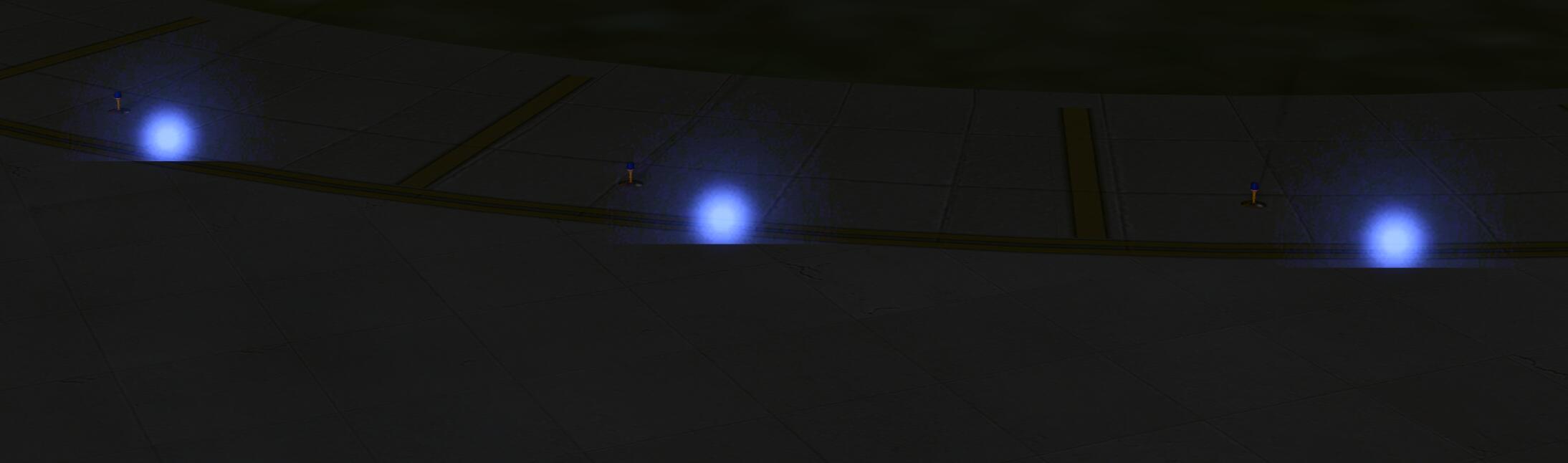
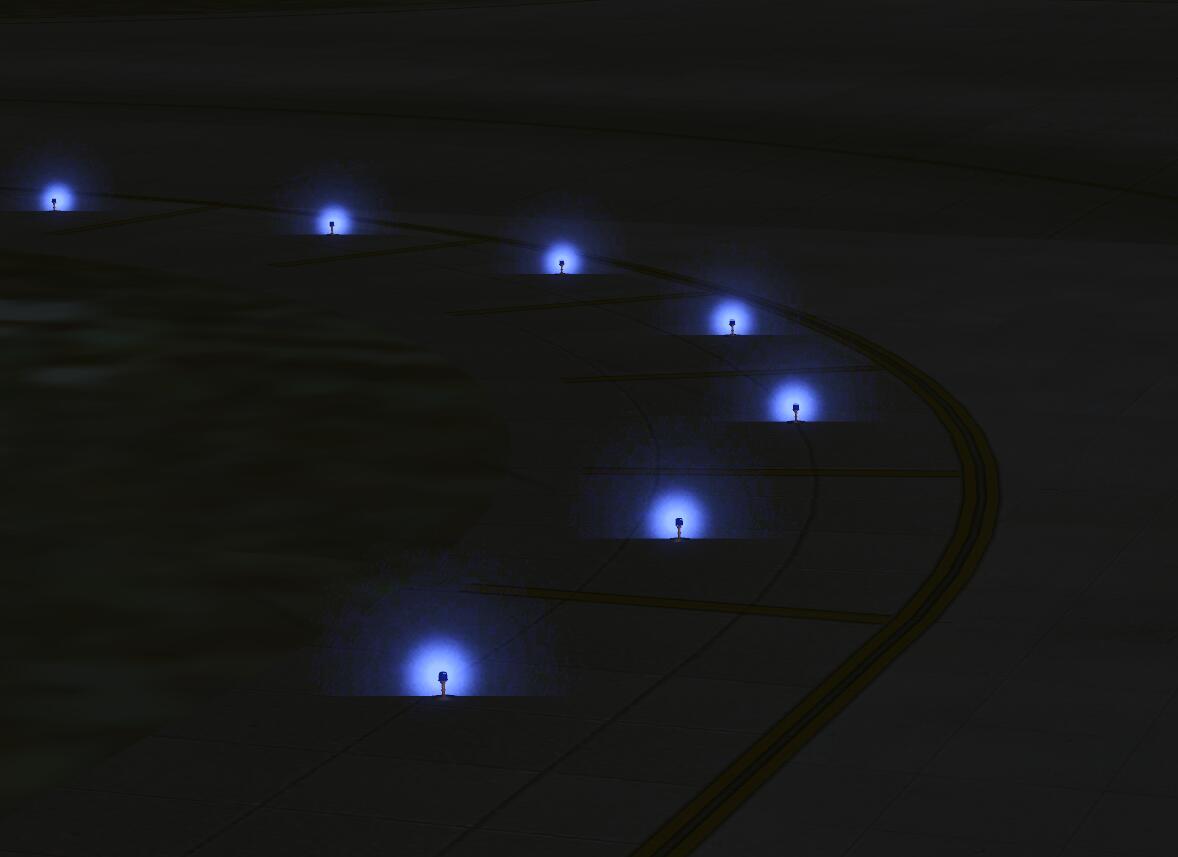


1-jpg.42150


2-jpg.42151


My version of MCX is 1.4, modeling with 3DS MAX including a P3D V4.2 SDK.

I'm looking for a solution for this , wish you guys could help me with it .

Best Regards,

Rustam.
 
Hi,

Are your lights far from the reference point? The engine has some bugs that cause attachpoints to be shown at different locations. Also if you have enabled drawcall batching it might increase this problem.
 
Hi,

Are your lights far from the reference point? The engine has some bugs that cause attachpoints to be shown at different locations. Also if you have enabled drawcall batching it might increase this problem.

Hi Arno,

I‘m glad you replied.

Luckily, I found that my light are far from the ref cor, and the lights far from the ref cor are far more deviated ,on the other hand, the lights which are close to the ref point they appeared to be exactly aligned.

So I'm going to change my ref cor to the center of the lights then try again. ;)
 
Hi,

Are your lights far from the reference point? The engine has some bugs that cause attachpoints to be shown at different locations. Also if you have enabled drawcall batching it might increase this problem.

Hi Arno,

I've tried your method and disabled drawcall batching . But no luck.

My lamp models are perfectly aligned where I put them. However, the strange thing is that attachpoints are not , the points near ref cor (within 300m) are perfectly aligned to the lamps, east of the ref cor are deviated to the west( about 2m) , in the meantime,

the attachpoints which placed west of the ref cor are deviated to the east. o_Oo_Oo_O

I'm really out of solutions.

Best Regards,

Rustam
 
Back
Top