
-
Which the release of FS2020 we see an explosition of activity on the forun and of course we are very happy to see this. But having all questions about FS2020 in one forum becomes a bit messy. So therefore we would like to ask you all to use the following guidelines when posting your questions:
- Tag FS2020 specific questions with the MSFS2020 tag.
- Questions about making 3D assets can be posted in the 3D asset design forum. Either post them in the subforum of the modelling tool you use or in the general forum if they are general.
- Questions about aircraft design can be posted in the Aircraft design forum
- Questions about airport design can be posted in the FS2020 airport design forum. Once airport development tools have been updated for FS2020 you can post tool speciifc questions in the subforums of those tools as well of course.
- Questions about terrain design can be posted in the FS2020 terrain design forum.
- Questions about SimConnect can be posted in the SimConnect forum.
Any other question that is not specific to an aspect of development or tool can be posted in the General chat forum.
By following these guidelines we make sure that the forums remain easy to read for everybody and also that the right people can find your post to answer it.
You are using an out of date browser. It may not display this or other websites correctly.
You should upgrade or use an alternative browser.
You should upgrade or use an alternative browser.
Experiences with FS2004 aircraft import/export
- Thread starter arno
- Start date
- Messages
- 107
- Country

Here is the OWL version I used to view the aircraft for what that is worth....


- Messages
- 34,530
- Country

Let me check, I thought I had fixed that (for the DC-6 it did work, right?)Test2: FS9 AI Britannia to FSX (continued)
The taxi light splash does not use the fx_landing effect, it instead uses one created by MCX and does not shine.
- Messages
- 34,530
- Country
Ok, I'll check what is different.Yes it worked. Perhaps your detection process isn’t working in FSDS models.
Initially you also reported that the Britannia also had collapsed animated parts. But given your recent posts on manually converting the model I assume that's fixed now. Is that right?
- Messages
- 34,530
- Country
OK, I'll check what is going on there. Maybe it has a different light type.Interestingly, MCX assigns the proper visibility condition to the taxi light (light_taxi_vis) but not the fs_landing effect.
- Messages
- 34,530
- Country
Hi Tom,
I had a look, but if I load the Britannia here, I see three attached effects with the fx_landing effect. Are you sure that you are using the light_mapping.ini file from the last development release? That's where I made the changes to map the light to the effect.OK, I'll check what is going on there. Maybe it has a different light type.
- Messages
- 107
- Country
So I found another odd glitch; I was able to get this model to export properly with the stable MCX release; but with the current dev release it messes up the gear animation and the flaps go missing... Test package attached. My original reason for doing this test was to add object based after-burners as opposed to effect based one...
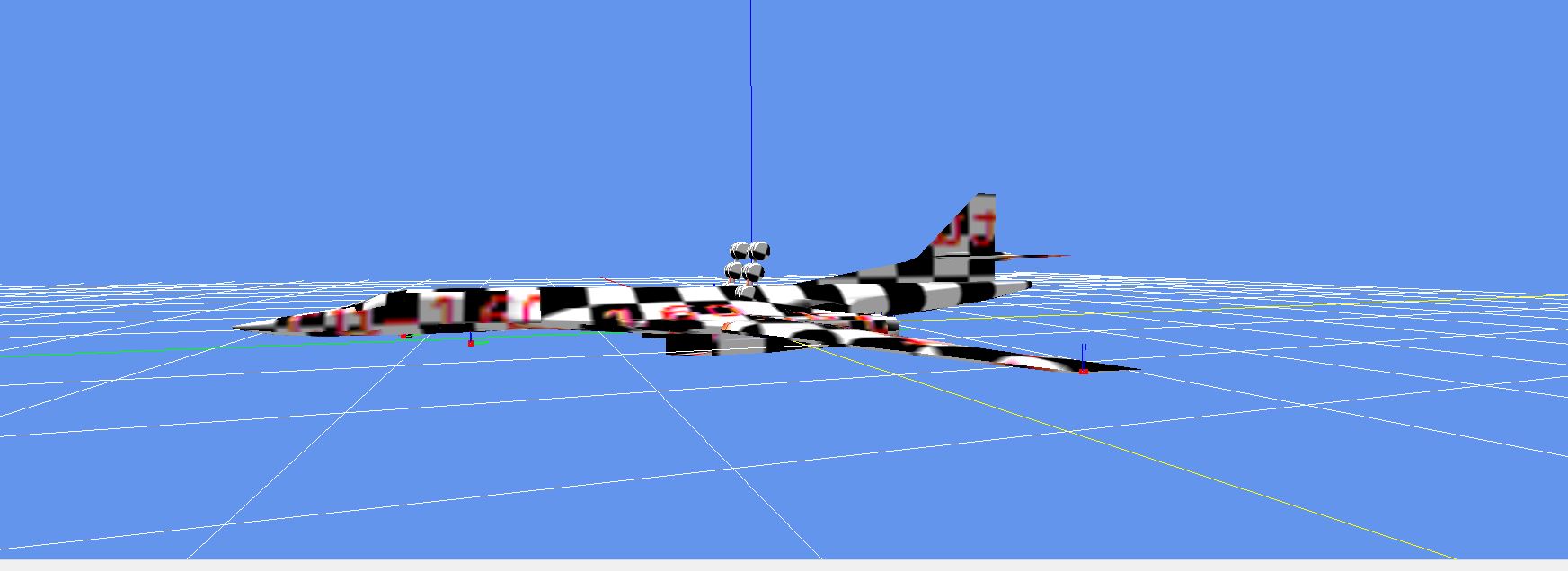
Attachments

tgibson
Resource contributor
- Messages
- 11,828
- Country

I don't know what could be different?
Load the FS9 aibrit.mdl file as an MDL file (not a CFG file).
Go to Hierarchy Editor and enter att as the search term.
Find the taxi light (light_taxi_vis).
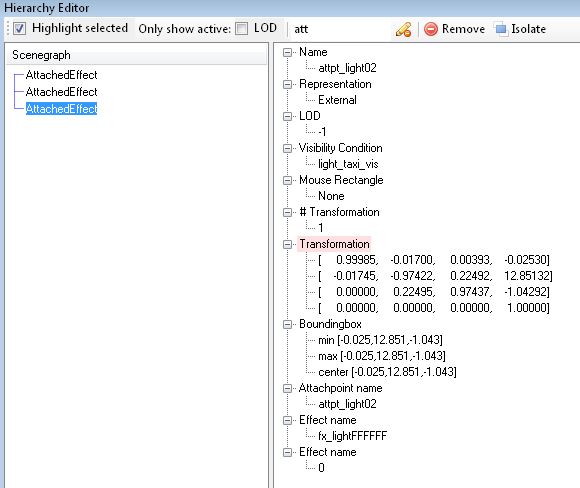
Same thing present in the converted FSX model.
The light mapping ini file section:
[FS2004_FSX]
Beacon fx_beacon
Landing fx_landing
Strobe fx_strobe
Taxi fx_landing
It works fine in FSX once I change the effect to fx_landing.
Load the FS9 aibrit.mdl file as an MDL file (not a CFG file).
Go to Hierarchy Editor and enter att as the search term.
Find the taxi light (light_taxi_vis).
Same thing present in the converted FSX model.
The light mapping ini file section:
[FS2004_FSX]
Beacon fx_beacon
Landing fx_landing
Strobe fx_strobe
Taxi fx_landing
It works fine in FSX once I change the effect to fx_landing.
- Messages
- 34,530
- Country
When I do the same (just load the MDL and look in the hierarchy editor) this is what I get:
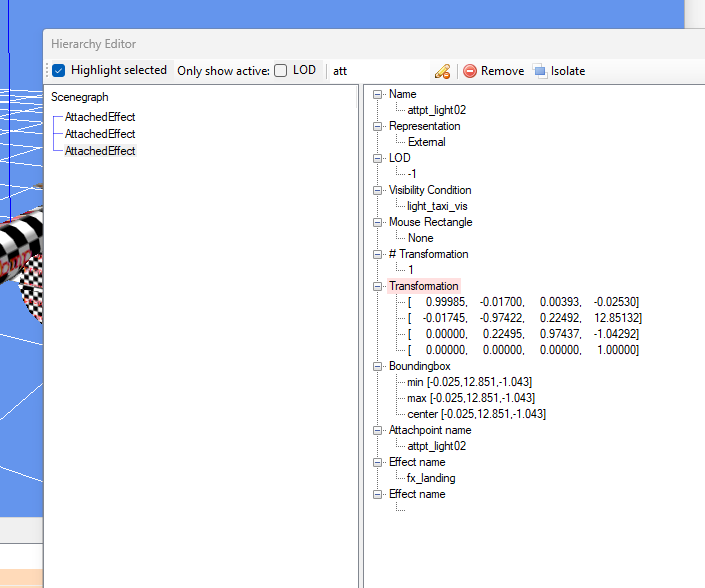
But I found a difference now, when you have collapse modelparts disabled it seems the effects are not assigned correctly. Let me try to figure out why that is (as that is not expected).
But I found a difference now, when you have collapse modelparts disabled it seems the effects are not assigned correctly. Let me try to figure out why that is (as that is not expected).
- Messages
- 34,530
- Country
I thought I could reproduce it that way, but now even when I have collapse set to false I do get the right effect here.
Does your light_mapping.ini file also contain this section?
Does your light_mapping.ini file also contain this section?
Code:
; Mapping from visibility condition name to FS2004 light category
[VISCOND_CAT]
light_landing_vis    Landing
light_general        Landing
light_nav_vis        Nav
light_beacon_vis    Beacon
light_taxi_vis      Taxi
light_strobe_vis    Strobe
light_recog_vis     Reco
light_wing_vis      Wing
light_logo_vis      Logo