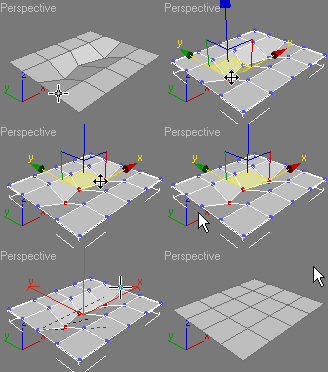
Hi gang, thought of you guys tonight. I downloaded a maxscript that does a nice job of predictably editing loops of edges....http://www.scriptspot.com/3ds-max/scripts/loop-regularizer
Just for fun, I applied it to the job of cutting airplane side windows...there was a thread around here somewhere recently, and the ideas there focused on boolean, or pro-boolean. This approach may offer some advantage (at least you maintain control over the topology).
Just drag and drop the script onto a viewport to install, and then restart max. The new tool will be found in the tools 2 section of the quad menu.
Here is a quick workflow for the attached pics....made a cylinder, convert to edit poly object. Select some edges or polys, use regularize from the quad menu, and poof.....then all I did was to inset the polys to create a control loop (did a minor clearnup..the inset action created a few unwanted tris). Then turbosmooth, shell, and voila.


Just for fun, I applied it to the job of cutting airplane side windows...there was a thread around here somewhere recently, and the ideas there focused on boolean, or pro-boolean. This approach may offer some advantage (at least you maintain control over the topology).
Just drag and drop the script onto a viewport to install, and then restart max. The new tool will be found in the tools 2 section of the quad menu.
Here is a quick workflow for the attached pics....made a cylinder, convert to edit poly object. Select some edges or polys, use regularize from the quad menu, and poof.....then all I did was to inset the polys to create a control loop (did a minor clearnup..the inset action created a few unwanted tris). Then turbosmooth, shell, and voila.


 I should point out that while the script makes a quick job of approximating windows, if you want an accurate replica you'll need to do some more work.