
-
Which the release of FS2020 we see an explosition of activity on the forun and of course we are very happy to see this. But having all questions about FS2020 in one forum becomes a bit messy. So therefore we would like to ask you all to use the following guidelines when posting your questions:
- Tag FS2020 specific questions with the MSFS2020 tag.
- Questions about making 3D assets can be posted in the 3D asset design forum. Either post them in the subforum of the modelling tool you use or in the general forum if they are general.
- Questions about aircraft design can be posted in the Aircraft design forum
- Questions about airport design can be posted in the FS2020 airport design forum. Once airport development tools have been updated for FS2020 you can post tool speciifc questions in the subforums of those tools as well of course.
- Questions about terrain design can be posted in the FS2020 terrain design forum.
- Questions about SimConnect can be posted in the SimConnect forum.
Any other question that is not specific to an aspect of development or tool can be posted in the General chat forum.
By following these guidelines we make sure that the forums remain easy to read for everybody and also that the right people can find your post to answer it.
You are using an out of date browser. It may not display this or other websites correctly.
You should upgrade or use an alternative browser.
You should upgrade or use an alternative browser.
MSFS20 glTF support for ModelConverterX
- Thread starter arno
- Start date
- Status
- Not open for further replies.

- Messages
- 34,321
- Country

Hi,
I had a look at the textures and it seems MSFS uses other compressions than the previous versions (not only DXT1, DXT3 and DXT5, but also other values). So I will have to update my code that reads the DDS files to support these new compressions as well.
I had a look at the textures and it seems MSFS uses other compressions than the previous versions (not only DXT1, DXT3 and DXT5, but also other values). So I will have to update my code that reads the DDS files to support these new compressions as well.

- Messages
- 244
- Country

Don't know if it helps, but I had to install "Intel Texture Works" plugin for photoshop to read some of the textures.
Maybe some useful info for you here:
https://software.intel.com/content/www/us/en/develop/articles/intel-texture-works-plugin.html
Maybe some useful info for you here:
https://software.intel.com/content/www/us/en/develop/articles/intel-texture-works-plugin.html

- Messages
- 34,321
- Country
I have found DX10 and BC5S now. But I'll see if I can find a library to help me read, instead of coding them all manually.
Edit: might have found a suitable library already, this looks much better (although the normal map has slightly different colours from the image posted before).
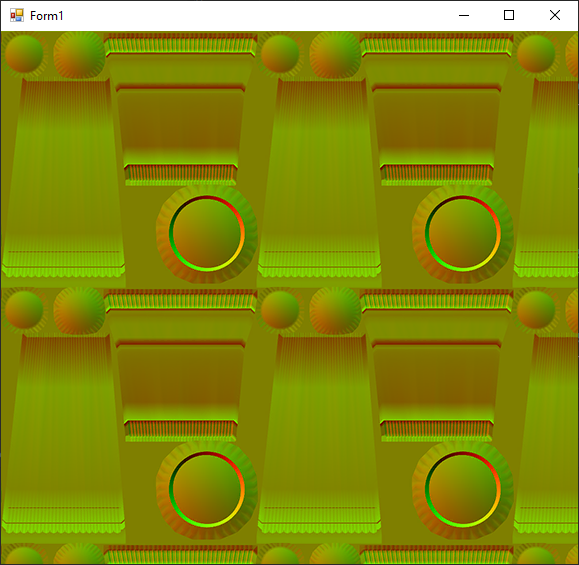
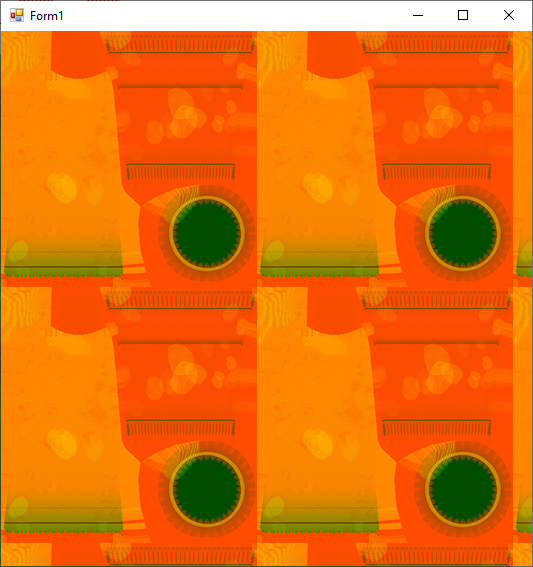
Edit: might have found a suitable library already, this looks much better (although the normal map has slightly different colours from the image posted before).
Last edited:

One thing I have not figured out, I loaded an old model, exported into new format and saved textures as PNG, copied the texture in to the PackageSources\modelLib\texture folder, but when running the package XML through the packagetool, the model was exported, but the textures was not, so the model appears in MSFS all white. Any ideas how to get the textures to convert too if I save them as PNG and copy to the correct modelib\texture folder?
Was there a fix or work around for textures not compiling? I'm getting the same issue with Model compiling but no textures. My textures are JPG and PNG.
Rob


Arno - haven't been taking too much notice due to the numbers of errors/warnings when things work perfectly well...but on looking ...sure enough there were errors stating textures could not be found. The package compiler was looking for textures in a subfolder named after the model name - exactly what MCX has listed in the material editor (doh!). Thanks for the guidance and all working now. BTW - this gLTF exporter is a beautiful piece of work. Donation via MCX coming your wayWhat kind of errors does the package tool give?

Rob
Yes all my workflows have relative texture paths as that's the way Sketchup exports them ie DAE plus texture folder . Are you suggesting its best practice to have textures only (no path) in MCX material editor ? Have also got something weird happening with this latest version of MCX when importing a DAE , there are missing textures on random parts of the model (say 10% ) i.e. the texture is only present on 90% of the faces it was placed. Previous version of MCX displays fine when importing the same DAE. Never seen this before.

- Messages
- 254
- Country

Yes all my workflows have relative texture paths as that's the way Sketchup exports them ie DAE plus texture folder . Are you suggesting its best practice to have textures only (no path) in MCX material editor ? Have also got something weird happening with this latest version of MCX when importing a DAE , there are missing textures on random parts of the model (say 10% ) i.e. the texture is only present on 90% of the faces it was placed. Previous version of MCX displays fine when importing the same DAE. Never seen this before.
When you are exporting from SketchUp to DAE, which options to you take? I am having some trouble with my exports.
Thanks
- Messages
- 34,321
- Country
Hi,
Yes, SketchUp uses those relative paths indeed. When you go to FSX mdl they are typically removed. As the textures are normally stored in the texture folder of the scenery.
So maybe the glTF exporter should also strip them. That would be more consistent.
Yes, SketchUp uses those relative paths indeed. When you go to FSX mdl they are typically removed. As the textures are normally stored in the texture folder of the scenery.
So maybe the glTF exporter should also strip them. That would be more consistent.
Under Geometry I have "Preserve component hierarchies" and of course under materials , "Export texture maps". What trouble are you having ?.When you are exporting from SketchUp to DAE, which options to you take? I am having some trouble with my exports.
I've just solved my problem described above with 10% missing geometry by selecting "Triangulate all faces". That increased the model triangle count by about 10% so instead I manually added some lines to the offending faces and all is good without the 10% hit. Not sure why this has started happening now??...have never had to mess with these options before but all is fixed now.
Rob
- Messages
- 254
- Country
These are models I made almost 7 years ago, and I can't recall what options I took when I exported them before... a long time ago. I'm having to go back over so many things that have been forgotten. Thanks for the export options, I'll give those a try.Under Geometry I have "Preserve component hierarchies" and of course under materials , "Export texture maps". What trouble are you having ?.
I've just solved my problem described above with 10% missing geometry by selecting "Triangulate all faces". That increased the model triangle count by about 10% so instead I manually added some lines to the offending faces and all is good without the 10% hit. Not sure why this has started happening now??...have never had to mess with these options before but all is fixed now.
Rob
Arno - I've noticed when a model is exported (which removes the relative texture path as you say) and then reimported, the MSFS material types are not preserved and all default back to "standard". They should be preserved shouldn't they?When you go to FSX mdl they are typically removed
(PS I've exported as P3DV4 model and the only import option is FSX)
Rob
Last edited:
- Messages
- 34,321
- Country
MSFS material types are only used if you export to MSFS. If you export to FSX or. P3D they are not used and will always be standard.
Also not all those material types are exported correctly to glTF yet, I'm working on that.
Also not all those material types are exported correctly to glTF yet, I'm working on that.

- Messages
- 481
- Country

I converted the FSX stock VORDME model to glTF as a test. Everything converted fine, but when I tried to add the object to the SDK sample scenery project, the fspackagebulder compile failed. The sample MSFS SDK project works okay and the converted glTF LOD models display okay in MCX when imported.
Code:
project XML: H:\temp\MSFS Projects\VORDME\vor.xml
temp dir:    H:\temp\MSFS Projects\VORDME
output dir:  H:\temp\MSFS Projects\VORDME
PackageBuilder | Reading H:\temp\MSFS Projects\VORDME\vor.xml...
PackageBuilder | Preparing asset groups...
PackageBuilder | Done, 4 asset groups registered.
PackageBuilder | Generating commands for package mycompany-scene...
PackageBuilder | Preparing commands for asset group ContentInfo...
PackageBuilder | Preparing commands for asset group myscene...
PackageBuilder | Preparing commands for asset group mymodellib...
PackageBuilder | Ready, 22 commands added.
PackageBuilder | Starting the build...
PackageBuilder | Build package mycompany-scene ...
PackageBuilder | Building assets for the package mycompany-scene...
Copying files from source folder H:\temp\MSFS Projects\VORDME\PackageDefinitions\mycompany-scene\ContentInfo\...
Compiling texture file TEXTURE\AIRPORT_LIGHTS_ALBEDO.PNG...
[CONVERTING BITMAP] 5368464766973096227
[BITMAP CONVERTED] 2D BM_BC1_UNORM 1024x1024 5368464766973096227
Compiling texture file TEXTURE\TILE_METAL_GALVA_NORMAL.PNG...
[CONVERTING BITMAP] 11375669364535109371
[BITMAP CONVERTED] 2D BM_BC5_SNORM 256x256 11375669364535109371
Compiling texture file TEXTURE\AIRPORT_LIGHTS_EMISSIVE.PNG...
[CONVERTING BITMAP] 6545490487753505127
[BITMAP CONVERTED] 2D BM_BC1_UNORM 1024x1024 6545490487753505127
Compiling texture file TEXTURE\TILE_METAL_GALVA_COMP.PNG...
[CONVERTING BITMAP] 10200974590482960772
[BITMAP CONVERTED] 2D BM_BC7_UNORM(RGB) 256x256 10200974590482960772
Compiling texture file TEXTURE\TILE_METAL_GALVA_ALBEDO.PNG...
[CONVERTING BITMAP] 3643935697884563336
[BITMAP CONVERTED] 2D BM_BC3_UNORM 256x256 3643935697884563336
Compiling texture file TEXTURE\AIRPORT_LIGHTS_COMP.PNG...
[CONVERTING BITMAP] 14188722817935453021
[BITMAP CONVERTED] 2D BM_BC7_UNORM(RGB) 1024x1024 14188722817935453021
Compiling texture file TEXTURE\AIRPORT_LIGHTS_NORMAL.PNG...
[CONVERTING BITMAP] 16559521918912254032
[BITMAP CONVERTED] 2D BM_BC5_SNORM 1024x1024 16559521918912254032
Compiling GLTF data file Light_Sample_LOD0.gltf...
Compiling GLTF data file Light_Sample_LOD1.gltf...
Compiling GLTF data file Light_Sample_LOD2.gltf...
Compiling texture file TEXTURE\TEST_CHECKER.PNG...
[CONVERTING BITMAP] 5740014942494066078
[BITMAP CONVERTED] 2D BM_BC1_UNORM 16x16 5740014942494066078
Compiling GLTF data file SampleMyBox.gltf...
Compiling texture file TEXTURE\VOR01_LM.PNG...
[CONVERTING BITMAP] 10128950812938616435
[BITMAP CONVERTED] 2D BM_BC3_UNORM 512x512 10128950812938616435
Compiling texture file TEXTURE\VOR01.PNG...
[CONVERTING BITMAP] 5476800467439223448
[BITMAP CONVERTED] 2D BM_BC3_UNORM 512x512 5476800467439223448
Compiling GLTF data file sco_gen_vorsmalldme_LOD000.gltf...
Compiling GLTF data file sco_gen_vorsmalldme_LOD001.gltf...
Compiling GLTF data file sco_gen_vorsmalldme_LOD002.gltf...
Copying files from source folder H:\temp\MSFS Projects\VORDME\PackageSources\modelLib\...
Compiling BGL file from in-memory data to output file modelLib.BGL...
INTERNAL COMPILER ERROR:  #C2006: Parse failed  (0x80004005)
INTERNAL COMPILER ERROR:  #C2340: Failed to finalize MODEL_DATA!
INTERNAL COMPILER ERROR:  #C2032: XML Parse Error!  Element tree follows:
ERROR: <FSData
ERROR:  version = 9.0
ERROR: >
ERROR:  <GLTFData
ERROR:          sourceFile = H:\temp\MSFS Projects\VORDME\_PackageInt\_tempFiles\mycompany-scene\mymodellib\VORsample\sco_gen_vorsmalldme.xml
ERROR:  >
ERROR:
INTERNAL COMPILER ERROR:  #C2024: Failed to process closing element tag <GLTFData> near line 4!
INTERNAL COMPILER ERROR:  #C2607: Compilation errors detected, compilation failed!
INTERNAL COMPILER ERROR:  #C2006: Parse failed  (0x       0)
PackageBuilder | Output path does not exist: H:\temp\MSFS Projects\VORDME\Packages\mycompany-scene\scenery\global\scenery\modelLib.BGL
Compiling BGL from file objects.xml...
PackageBuilder | Skip mirroring due to command failures.
PackageBuilder | Skip generation of package information due to command failures.
PackageBuilder | Finished, 1 skipped, 20 done and 1 failed, took 1s531ms.
Press any key to continue . . .- Status
- Not open for further replies.