

- Messages
- 695
- Country

Not connected to main graph. No traffic moving right now. Have tried changing Taxiway Path from Taxi to Path (main taxiways and also the taxiway paths that connect to parking. They say MSFS won't see the parking spots etc and thinks there are no parking so ai's land/disappear etc. Tried changing and drawing aprons. Just lost. What to do now? using ADE and viewing errors in MSFS Editor..( which I really don't know how to use)... I am reading this post but not sure what to do: https://www.fsdeveloper.com/forum/t...ed-to-main-graph-question.454197/#post-894658
from the SDK...
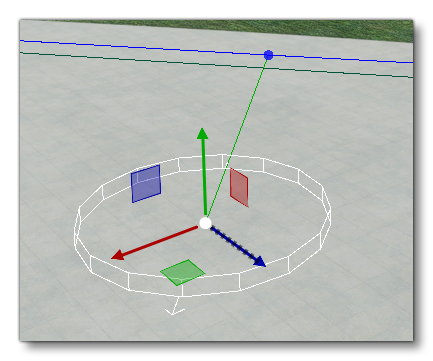
NOTE: Taxiway Paths added to link Parking Spots with Taxiway Points will not have a surface texture and should be placed over Apron Objects if you require a texture. When you connect the point to the parking, the parking spot heading will be rotated to be parallel to the path.
Am I on the right path Even if I attempt to save scenery it says invalid child and won't save anyway.
Thanks,
BobM.
from the SDK...
Connecting A Taxiway Path
Once you have placed the taxiway parking spot in the world, it will generally need to be connected to TaxiwayPoint Objects using TaxiwayPath Objects. To do this you must first select the taxiway parking object in the world, then use Ctrl and left mouse button to select the taxiway point that you want it to connect to. You can then do one of the following things to add a path between the two:- Select the Taxiway Path Object in the Objects window and click Add.
- Use the Right Mouse Button and select the Create Path option.
NOTE: Taxiway Paths added to link Parking Spots with Taxiway Points will not have a surface texture and should be placed over Apron Objects if you require a texture. When you connect the point to the parking, the parking spot heading will be rotated to be parallel to the path.
Am I on the right path
Even if I attempt to save scenery it says invalid child and won't save anyway.Thanks,
BobM.
Attachments


Last edited:


