• Which the release of FS2020 we see an explosition of activity on the forun and of course we are very happy to see this. But having all questions about FS2020 in one forum becomes a bit messy. So therefore we would like to ask you all to use the following guidelines when posting your questions:

    • Tag FS2020 specific questions with the MSFS2020 tag.
    • Questions about making 3D assets can be posted in the 3D asset design forum. Either post them in the subforum of the modelling tool you use or in the general forum if they are general.
    • Questions about aircraft design can be posted in the Aircraft design forum
    • Questions about airport design can be posted in the FS2020 airport design forum. Once airport development tools have been updated for FS2020 you can post tool speciifc questions in the subforums of those tools as well of course.
    • Questions about terrain design can be posted in the FS2020 terrain design forum.
    • Questions about SimConnect can be posted in the SimConnect forum.

    Any other question that is not specific to an aspect of development or tool can be posted in the General chat forum.

    By following these guidelines we make sure that the forums remain easy to read for everybody and also that the right people can find your post to answer it.

FSXA How to extrude

The easy way to avoid this problem is to extrude outwards, not inwards.

You can achieve the shape in your example this way by having all three side polys positioned at the innermost location and extrude the two polygons outwards, creating the desired shape without deleting and drawing polygons.
 
To obtain the shape you are trying to make, I would not use extrude.

A simple Boolean compound will create the shape without extraneous polygons / vertices.


If you extrude, you will have an extra set of vertices that would ideally need to be welded back to their origin. Extruding the "other" face outwards is another option, as suggested.
 
Another option would be the Edge cut tool, then delete the extra polys and rebuild the outward facing poly.
 
Ok, thanks for the advices, yes, Tgibson give a clue, I've been watching how this tool work indeed, very tricky, I don't like many booleans as people say it's not good but yes in this case could be indespensable, anyway I thought that the tool should have a more comfortable way to work, an operation that should be simple, I thought I was missing something, thanks indeed , and I am beginning my proyect ¡. :whiteflag
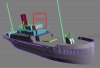
I can't to constraint myself from showing my boat, we are too much vain. You all can see the contoversial area. I don't made the hull, I found it. And all this not having idea of modelling, as you all can see. :cool:
 

Attachments

  • Steam ship.jpg
    Steam ship.jpg
    77.3 KB · Views: 445
Last edited:
Perhaps I'm the oddball here, but to me the simplest approach would be to build such an object from bottom to top using a single extrude...

From a Top Down view, use the line tool to draw the shape of the object's outline as a spline object. Convert to E-Poly, select the face and extrude upwards to obtain the final height needed.

Done!
 
I have a kind of blueprint of all the deks, but I wan't to involve too much as I'm watching and testing, I guess a serious designer should use the blueprints. this is a protoype of a very old ship. :whiteflag :D
 
Last edited:
Why don't do some simple thing?
Make two boxes, attach them together and delete some polys that you don't want.
It makes life simple, dosn't it?
 
I'm still no get the hang to extrude tool, but I keep my doing dragging vertices and edges, etc.
I can't apply a mesh smooth to the hull of the ship, this was a Dae file, and imported as 3ds file, I see the object is a mess, and don't know what happen, the hull is as if it were attached to some desk polygons, and can't highlight him like "element" because I would have to highlight every polgon, all this to say that I see the hull very much messed up. When I apply a mesh smooth this get worst than before so is useless.
 
Last edited:
Don't use mesh smooth, that'll add thousands of polygons when there are too many already. Select the 3ds part you imported, do "hide unselected", then in polygon mode draw a box around the entire hull so that all ploys are selected. Now scroll down on the right to "Smoothing groups", first click "clear all" and then hit "auto smooth".

Jim
 
All right I'll try, I don't want to make a great hull but this smoothing is needed because the hull have parts that are showing badly. Yes I observed that meshsmooh is very strong, it make a ship from a box :confused:thanks for the answer.
 
I tried but not effect, somoothing groups-clear all-autosmooth, remain the same, I can see that the meshsooth not affect either, I think this can be a little complicated to fix. As always I thought this was a matter of clicking mesh smooth and done. but it's not so.
I see to that many polygons can't be selected and a few object can't be hidden. yes weird.sorry for asking on question that I have no idea. but I thought it was going to be easier.
 

Attachments

  • Smoothing.jpg
    Smoothing.jpg
    68.1 KB · Views: 398
Hi,

When you import a 3DS file, all the vertices have been "exploded" so each polygon has separate vertices.

You need to:

1. Select all the parts you want smoothed.
2. Add an Edit Mesh/Edit Poly to the stack
3. Go to vertex sub mode.
4. Select all the vertices
5. In the Weld Selected box, choose a small number like 0.001
6. Press the Weld Selected button.
7. Deselect all the vertices
8. If all the smoothing is OK at one angle (default is 45 degrees), then go to polygon sub mode, select all the polygons, and click Auto Smooth.
8a. Collapse the Stack
9. If not OK, then Collapse the Stack first. Then select each part and smooth as appropriate.

Hope this helps,
 
PS. The way I extrude:

1. Select the polygons you want to move out (or in).
2. Set the distance in the box right next to the Extrude button. Negative values extrude in.
3. Click the Extrude button.

Hope this helps,
 
Hi, well, I had some success, the recipe not worked, but you know what ?, I exported the dae file as .obj file, welded vertices, autosmooth and voila ¡, all this thing is because we are all going crazy, the hull is now much better, only some areas left a little weird (I'll attach a picture) but it's a great improvement. How could I increase the autosmooth level, and get rid off this weird litle areas. Now I have another question how I can delete the earlier hull, and paste this new hull, I guess I must first delete the hull, but can I just replace the hull,without welding or attaching to the deck ? that should be all?. thanks for all and regards
 

Attachments

  • little shaded triangles.jpg
    little shaded triangles.jpg
    58.3 KB · Views: 422
Now Im figuring out how to texture the hull.I've seen the textures of other ships and call me the attention the way they are layered, thery are in two parts, how can be this ?, how I could texture the hull and why and how they separate the textures and how they can apply them :confused:
In the above picture, that part of the hull could be fixed just deleting those polygons, can you belive it?.
 

Attachments

  • Hull templates.jpg
    Hull templates.jpg
    86.3 KB · Views: 402
Last edited:
Back
Top