• Which the release of FS2020 we see an explosition of activity on the forun and of course we are very happy to see this. But having all questions about FS2020 in one forum becomes a bit messy. So therefore we would like to ask you all to use the following guidelines when posting your questions:

    • Tag FS2020 specific questions with the MSFS2020 tag.
    • Questions about making 3D assets can be posted in the 3D asset design forum. Either post them in the subforum of the modelling tool you use or in the general forum if they are general.
    • Questions about aircraft design can be posted in the Aircraft design forum
    • Questions about airport design can be posted in the FS2020 airport design forum. Once airport development tools have been updated for FS2020 you can post tool speciifc questions in the subforums of those tools as well of course.
    • Questions about terrain design can be posted in the FS2020 terrain design forum.
    • Questions about SimConnect can be posted in the SimConnect forum.

    Any other question that is not specific to an aspect of development or tool can be posted in the General chat forum.

    By following these guidelines we make sure that the forums remain easy to read for everybody and also that the right people can find your post to answer it.

Inefficient texture arrangement in Material editor

Messages
6
Country
germany
I want to convert models from the Sketchup Warehouse into X-Plane (which only supports one texture by object) and ModelConverterX is a great tool to do that.
My workflow is the following (short): Export from Sketchup into DAE -> import in MCX -> rearrange the textures into one by material Editor (Drawcalls -> predict drawcalls -> minimize drawcalls) -> Export again for further use, but this isn't interesting for this problem.

Normally I get one texture as desired, but the arrangement ist very inefficient as you can see here:
castle.jpg
As you can see the same textures are placed several times again and the texture size grows and grows. It would be better if each texture would be placed only one time.

In the attachment Magdeburg_Breiter_Weg.zip is an extreme example, where even 16384x16384 pixels for the final texture aren't enough and it will be splittet into 5 textures. I hat to reduce 4 textures from 750 pixels width to about 16 pixels width to get only one texture, because the 4 textures will be placed hundreds of times in one row. The curios thing is, that the textures are only used a few times in the model.

So my question is: is there a way for a more efficient arrangement of the textures or is it planned in future?
 

Attachments

Sir, from my perspective, you are asking Arno to configure MCX to compensate for efficiency techniques this model does not employ. Is this model your own work? As a small example, you include the textures/colors of the default Sketchup avatar within your Sketchup model. They have not been purged, even though it is a model of urban structures and not human figures. When you compel MCX to "minimize draw calls," the software is obliged to include every texture and color contained in the model, even though there are no actual polygons assigned to render that particular color/texture. By leaving the model "fat," you are inhibiting the very efficiency you seek.
Beyond that, the textures you use are a conglomeration of small images, however it is obvious you are very skilled at texturing and projecting - presuming this is your model. If so, can you see how all the small textures can be combined in your graphics software, into one large image, the portions of which you project onto the relevant surfaces of your model? Every possible polygon color you could want to use, each one a draw call within the simulator, could also be painted onto the "master texture" sheet, thereby minimizing your draw call requirement to one.
 
Hi,

The texture is placed multiple times on the sheet, because you are tiling it on the model. in that case this is the only way to get one sheet. So to make it more optimal you would have to design your model in SketchUp without tiling the texture.

Another option would be that MCX splits the polygons into multiple polygons when textures are tiled, but that is currently not supported and could increase the polygon count a lot. So I think it's better to design the model more efficient in SketchUp to start with.
 
Thanks for your replys!

@=rk=
I got this model from Sketchup Warehouse, so I didn't created it by myself and so I didn't textured it. The small textures have been included by the original author. I'm just a Sketchup beginner and don't have much experience with this software.
In the SKP-Project the colors of the default Sketchup Avatar is included, that's right. But I deleted them before exporting in DAE (as you can see they are not in the texture folder). I used the function "Model information" -> "Statistics" -> "delete not used". Text may vary because I'm using the German version.

We (the X-Plane Community) want to convert some of the Sketchup Warehouse models into X-Plane models for free (VFR) scenerys. So the way to get a X-Plane Model should be as easy and efficient as possible. The only important thing is, that X-Plane only supports one 4096x4096 texture per object. Splitting the objects is not an option.


@arno
As you can see above, I don't create the models by myself and only have basic skills in Sketchup.
So there is currently no option to get a better result in Material editor? Is there an easy function in Sketchup to optimize the model?
 
Hi,

Many models in the warehouse were not designed with use in a flight simulator in mind. Unfortunately there is no easy way to fix that, optimising them can be hard work. It's better to keep those things in mind from the start.
 
Couldn't you have an option not to include tiled textures? Would an extra drawcall be worse than much larger textures?
 
That option is there already. And if after tiling the texture is bigger then the maximum size the material is also skipped.
 
But for XPlane that won't help of course, since you can only have one texture per model. So with multiple textures you need to split the model.
 
http://www.fsdeveloper.com/forum/th...gement-in-material-editor.439988/#post-770978

Hi,

The texture is placed multiple times on the sheet, because you are tiling it on the model. in that case this is the only way to get one sheet. So to make it more optimal you would have to design your model in SketchUp without tiling the texture.

Another option would be that MCX splits the polygons into multiple polygons when textures are tiled, but that is currently not supported and could increase the polygon count a lot. So I think it's better to design the model more efficient in SketchUp to start with.

Hi Arno:

Would you please identify which textures mapped on Magdeburg_Breiter_Weg_1.DAE packaged inside the OP's Magdeburg_Breiter_Weg.ZIP (attached above) ...are "tiled" ? :scratchch

http://www.fsdeveloper.com/forum/threads/inefficient-texture-arrangement-in-material-editor.439988/


As to the term "tiled", do you refer to something distinct from a 'seamless self-tiling texture material' mapped on a Face ?


A (cursory) inspection in Sketchup shows that standard texture material mapping was used for this model, with proper "corner" RGBY 'pin' placement on each mapped Face.


I did not see any 'seamless self-tiling texture material' mapped on a Face in this 3D model during my (cursory) inspection.

There are, however, a few texture materials mapped to more than 1 Face at different locations in this 3D model. :pushpin:


If the original author of the model from which the above DAE file was derived did not already use the Sketchup "Make Unique Texture" option for each Face mapped by a texture material mapped to more than 1 Face at different locations in this 3D model, does the MCX 'Draw Call Minimizer' texture atlas / sheet creation feature subsequently attempt to create on its own, such unique texture images for each Face (...mapped by such a texture material mapped to more than 1 Face at different locations in this 3D model) ?

If so, is this because the author did not use the existing texture mapping coordinates of an already "projected" texture material via the <Alt> Key with the Paint Bucket Tool / Eye Dropper mode to apply that already mapped texture material to another Face in the 3D model ?


Thanks in advance for your additional further interpretation and explanation of the texture mapping in this 3D model, and for helping us to better understand what caused this MCX 'Draw Call Minimizer' texture atlas / sheet creation feature result. :)

GaryGB
 
Last edited:
With the inspect texture mapping render mode you can see quite quickly. The side of the building (that looks just gray), is a texture that is repeated many times. If you exlclude the tiles textures in the drawcall minimizer you get the list of materials as attached. All of these must have some texture coordinates that are outside of the 0 to 1 range.
 

Attachments

  • tiled.png
    tiled.png
    71.3 KB · Views: 433
Ah, I see that 'seamless tiling' texture material mapping now, thanks. :scratchch


[EDITED]

So, IIUC, in Sketchup (using the SKP file originally posted in the OP) ...one may wish to:

1.) 'Select' 1 of the Faces on a building with 2 wall sizes that (exactly) match each other

2.) Right-click and choose "Make Unique Texture"

3.) Map that new 'unique' texture to the other Face on the building that matches the size of the Face with the original 'seamless tiling' mapped texture.

a.) 'Select' the Face with that new 'unique' texture material

b.) Select Paint Bucket Tool, and hold down <Alt> key, then left-click the 'selected' face

NOTE: When the latter step is performed, a "Eye-Dropper" cursor appears in place of the Paint Bucket, and one copies the existing texture mapping coordinates and attributes of that already "projected" texture material.:pushpin:

c.) Left-click on another building Face that has a matching size and original 'seamless tiling' texture material.

[END_EDIT]

4.) Repeat this procedure on all such building Faces that have 2 (or more) sides with matching sizes and 'seamless tiling' texture materials.


AFAIK, this feature of Sketchup's graphics engine commits a new copy of the otherwise 'seamless tiling' texture image, to a texture material matching the unique shape, scale (-and therefore identical pixel size / Texel density) of the existing "projected" texture material on the original Face ...and changes its attributes so that it is no longer a 'seamless tiling' texture image. ;)


PS: Apparently this scenario involving "tiled" texture materials and results in the 'MCX 'Draw Call Minimizer' texture atlas / sheet creation feature' was also discussed here:

http://www.fsdeveloper.com/forum/threads/how-to-find-tiled-textures.24139/


Hope this helps ! :)

GaryGB
 
Last edited:
Many models in the warehouse were not designed with use in a flight simulator in mind. Unfortunately there is no easy way to fix that, optimising them can be hard work. It's better to keep those things in mind from the start.
Yes, that's right. But most of the times it works very well apart from the texture arrangement in MCX.
Nevertheless MCX is a great tool!

That option is there already. And if after tiling the texture is bigger then the maximum size the material is also skipped.
I think you mean "Include repeating textures", right?

EDIT: see your new posts now. Question solved. :)
 
Last edited:
1.) 'Select' 1 of the Faces on a building with 2 wall sizes that (exactly) match each other

2.) Right-click and choose "Make Unique Texture"
Tried this in Sketchup, but it doesn't seems to work. :(


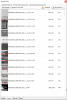
The curious thing is that the Material Editor wants to place the following textures hundreds of times, but they aren't used as much:
magdeburg.JPG
 
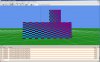
As proof, here is the side of the building in texture mapping display mode. Each of those little rectangles is one of those gray textures (__auto_.jpg). It it repeated hundreds of times.

mcx_repeats.jpg
 
I would suggest that the steps I listed above should be used in Sketchup on the original SKP version of the 3D model ...not on the DAE file packaged inside the OP's Magdeburg_Breiter_Weg.ZIP (attached above). :alert:

http://www.fsdeveloper.com/forum/threads/inefficient-texture-arrangement-in-material-editor.439988/.


When finished, 'Select' 1 of the (originally 'seamless tiling') texture image Faces, then right-click and choose Texture > Position.


You should then see that the texture material mapped to that Face is no longer a 'seamless tiling' texture image. :wizard:

magdeburg_breiter_weg_1__garygb_skp_texpos-jpg.34730


After finishing the above edits, re-export from Sketchup as a Collada DAE (or KMZ) file for import to MCX.

magdeburg_breiter_weg_1__garygb_kmz_export-jpg.34729


You should also then see that the texture material mapped to that Face is no longer a 'seamless tiling' texture image. ;)


PS: I edited my post above for greater clarity:

http://www.fsdeveloper.com/forum/th...gement-in-material-editor.439988/#post-771058


Hope this helps a bit more ! :)

GaryGB
 

Attachments

  • Magdeburg_Breiter_Weg_1__GaryGB_kmz_Export.jpg
    Magdeburg_Breiter_Weg_1__GaryGB_kmz_Export.jpg
    392.5 KB · Views: 721
  • Magdeburg_Breiter_Weg_1__GaryGB_SKP_TexPos.jpg
    Magdeburg_Breiter_Weg_1__GaryGB_SKP_TexPos.jpg
    261.9 KB · Views: 613
Last edited:
As proof, here is the side of the building in texture mapping display mode. Each of those little rectangles is one of those gray textures (__auto_.jpg). It it repeated hundreds of times
I understand and can reproduce it. And I also the see same problem in the other 3 textures (__auto_5.jpg, __auto_6.jpg and __auto9_.jpg). I'll tried to edit the SKP project and scale the texture and it seemed to work! Now I'll try it again for the other textures. I'll tell you if it worked.

Thanks a lot for your help! :)
 
Some of the issue lies with the conversion to DAE format. It would be nice to be able to highlight materials in the MCX material window and mark them as identical and merge them into one, with the coordinates remapped onto that one material. One thing I have found is that if you have a rectangular building or a building with a corner cut off (either diagonally or as a square/rectangular section), and you use the same material with (say) one side common but the other edge lining up with a different set of windows (because it is shorter), then after the conversion into DAE and then into MCX, you get 2 different materials with (essentially) the same texture, that did not exist in Sketchup.

It would be nice to be able to tell MCX manually that certain materials are identical and have it re-map the coords onto one texture instead of have the multiple materials (and textures) be consolidated as one in the minimise drawcall routine.

I suspect the conversion by sketchup to DAE introduces this, but MCX could be a solution to the issue if you could flag the duplicates and tell MCX to merge them.

Just a thought as this seemed a convenient segway into an issue I had a few nights back, I had no intention of hijacking the thread. GaryGB's tops on material cloning above will help too, and I didn't realise you could to that in sketchup.

cheers

Braedon
 
Hi,

If the textures are identical, it should be enough to just change the name in one of the materials so that they use the same file. This will automatically merge it into one material I believe.
 
Back
Top