

Hi Guys,
I have created an airport from scratch (OMLW) thanks to Google Earth and ADE that is a really friendly tool...
Until I had no scenery in the background, it was fine and I used to fly from and to there
I recently invested in a photorealistic scenery and I discovered that my airport is not aligned (311 degrees and 146.5 meters).
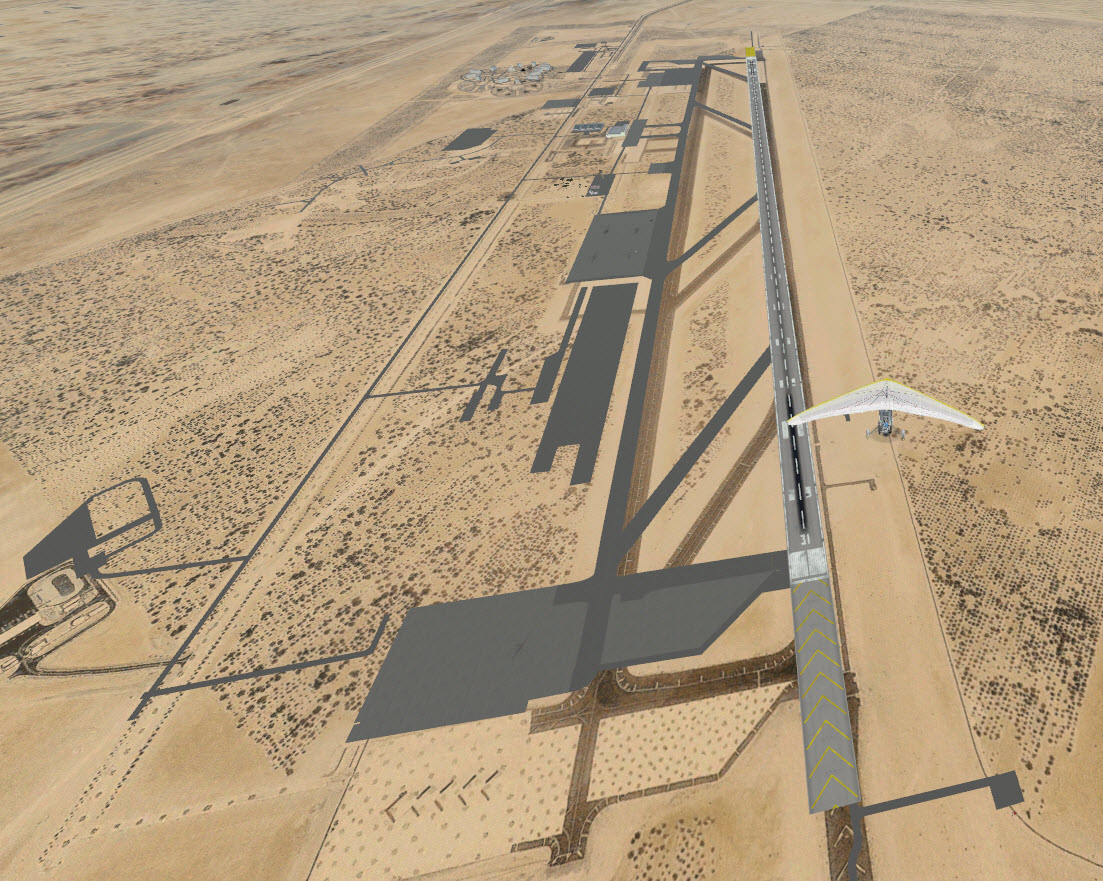
I have modified the Airport center , thinking that all objects will be moved, but there is no change.
How is it possible to proceed easily ?
I also have a slight variation in azimuth and an adjustment of 0.5 degree would give a perfect match.
Finally, I have adjusted the altitude of the airport (+10 meters) to get rid of the sand, but again no change noticed.
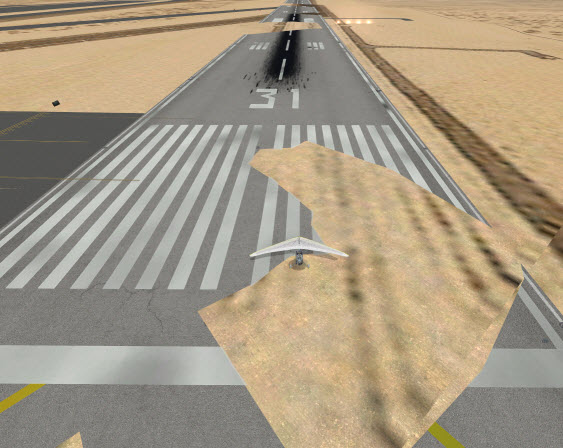
Thanks if someone can help
Cheers
Bruno
I have created an airport from scratch (OMLW) thanks to Google Earth and ADE that is a really friendly tool...
Until I had no scenery in the background, it was fine and I used to fly from and to there
I recently invested in a photorealistic scenery and I discovered that my airport is not aligned (311 degrees and 146.5 meters).
I have modified the Airport center
, thinking that all objects will be moved, but there is no change.How is it possible to proceed easily ?
I also have a slight variation in azimuth and an adjustment of 0.5 degree would give a perfect match.
Finally, I have adjusted the altitude of the airport (+10 meters) to get rid of the sand, but again no change noticed.
Thanks if someone can help
Cheers
Bruno
Last edited:


 ) but you can also just manually realign (move) all the airfield elements to align them. Even using the ADE "Move" will probably not align things like runways, taxiways, and aprons correctly unless the FSX developers got the data and their spatial relationships exactly right... you may still find you'll have to do some tweaking... (and that's all part of the fun!)