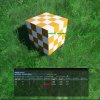
Hi everyone, I started msfs2024 development quite recently and came across some strange things happening.
I’ve been doing some tests with objects LODs and I’m experiencing an odd behavior in sim. When I export an object with it’s associated LOD’s and minsize values I have to cycle a setting in the object properties, in sim, so that the values I entered for minsize works as expected, otherwise the transition of LODs occurs much sooner or even jumps LOD levels altogether. All this with an object that doesn’t go over hardcoded vertex limits.
Another thing that I’ve noticed is that when I’m far away from an object, it disappears before the minsize is reached with an object that respects the hardcoded vertex limits. In the statistics profiler it shows the last LOD with a red warning regarding bitmap count, should that be the issue why that LOD is disappearing even thought is within vertex limits? Also I’ve made sure to not have any texture associated to that last LOD, so I’m not sure why this warning is showing.
I would appreciate very much if someone can guide me in the right direction for a solution to these problems, mainly the second one.
Thanks in advance!
I’ve been doing some tests with objects LODs and I’m experiencing an odd behavior in sim. When I export an object with it’s associated LOD’s and minsize values I have to cycle a setting in the object properties, in sim, so that the values I entered for minsize works as expected, otherwise the transition of LODs occurs much sooner or even jumps LOD levels altogether. All this with an object that doesn’t go over hardcoded vertex limits.
Another thing that I’ve noticed is that when I’m far away from an object, it disappears before the minsize is reached with an object that respects the hardcoded vertex limits. In the statistics profiler it shows the last LOD with a red warning regarding bitmap count, should that be the issue why that LOD is disappearing even thought is within vertex limits? Also I’ve made sure to not have any texture associated to that last LOD, so I’m not sure why this warning is showing.
I would appreciate very much if someone can guide me in the right direction for a solution to these problems, mainly the second one.
Thanks in advance!