
-
Which the release of FS2020 we see an explosition of activity on the forun and of course we are very happy to see this. But having all questions about FS2020 in one forum becomes a bit messy. So therefore we would like to ask you all to use the following guidelines when posting your questions:
- Tag FS2020 specific questions with the MSFS2020 tag.
- Questions about making 3D assets can be posted in the 3D asset design forum. Either post them in the subforum of the modelling tool you use or in the general forum if they are general.
- Questions about aircraft design can be posted in the Aircraft design forum
- Questions about airport design can be posted in the FS2020 airport design forum. Once airport development tools have been updated for FS2020 you can post tool speciifc questions in the subforums of those tools as well of course.
- Questions about terrain design can be posted in the FS2020 terrain design forum.
- Questions about SimConnect can be posted in the SimConnect forum.
Any other question that is not specific to an aspect of development or tool can be posted in the General chat forum.
By following these guidelines we make sure that the forums remain easy to read for everybody and also that the right people can find your post to answer it.
You are using an out of date browser. It may not display this or other websites correctly.
You should upgrade or use an alternative browser.
You should upgrade or use an alternative browser.
Resample.exe not compiling for me (what am I doing wrong)
- Thread starter charlieairspace
- Start date

- Messages
- 32
- Country

It looked like you were doing it right. What makes you seek another tutorial? Nothing has changed since FSX came out. I was part of the beta team, and was succeeding with resample.exe right from the gate.
The way to succeed at design is to follow logical paths. You have been guided toward one, are you following it? Starting over just means you'll have to follow that error message some later time. Why not now?
Whatever did you find out about the bmp?
Wow, Bob, those where great words of inspiration.
I haven't found anything irregular with the bmp's yet. Did checked on Sunday. I saved it like the tutorial ask me to. I'm glad you feel the tutorial is good. One thing I haven't done (since i left my home later on on Sunday) is, going over the BMP process and following up on the BMP proccedures. Watermask and Blendmask.
The thing I found out with this tutorial is that the names on the .INF file are not connected, its not Blendmask_fsx.bmp but it's blendmask fsx.bmp. That means to me that the command will not have a successful connection with the files.
I also replaced the bmp's with other fsx ready files to see what happens and it still didn't compile anything.
I posted an inf file for Blake Island above in the thread. Why not use it and carefully substitute your image files, and paths. Then see what happens! That will tell us if some obscure syntax error was present in the inf file like you suggest above. I don't expect this to be the case, but you seem to think so, so this is one logical way to test your idea.
Of course you'll have to provide the inf with your georeferencing data as I used geotiffs.
Of course you'll have to provide the inf with your georeferencing data as I used geotiffs.
- Messages
- 32
- Country
Ok let me try it.I posted an inf file for Blake Island above in the thread. Why not use it and carefully substitute your image files, and paths. Then see what happens! That will tell us if some obscure syntax error was present in the inf file like you suggest above. I don't expect this to be the case, but you seem to think so, so this is one logical way to test your idea.

- Messages
- 1,510
- Country

From Gimp are you using "Export" rather than "Save" or "Save as"? I'm completely Gimp illiterate but it seems to me I read somewhere that you have to use Export, that may have something to do with the "corrupt .bmp header".
If you just go as far as "add map from background" and then compile that as shown in step 21 of the tutorial does it compile OK?
The tutorial is OK BTW up until you get to the shorelines/Sbuilder part of it. There you should not disable default .bgls but exclude and rebuild instead. Cross that bridge when you get to it though, get your photoreal to compile for now.
If you just go as far as "add map from background" and then compile that as shown in step 21 of the tutorial does it compile OK?
The tutorial is OK BTW up until you get to the shorelines/Sbuilder part of it. There you should not disable default .bgls but exclude and rebuild instead. Cross that bridge when you get to it though, get your photoreal to compile for now.
- Messages
- 32
- Country
From Gimp are you using "Export" rather than "Save" or "Save as"? I'm completely Gimp illiterate but it seems to me I read somewhere that you have to use Export, that may have something to do with the "corrupt .bmp header".
If you just go as far as "add map from background" and then compile that as shown in step 21 of the tutorial does it compile OK?
The tutorial is OK BTW up until you get to the shorelines/Sbuilder part of it. There you should not disable default .bgls but exclude and rebuild instead. Cross that bridge when you get to it though, get your photoreal to compile for now.
On GIMP we use EXPORT rather then SAVE AS. What do you use, J?
As you can see below, this is what I have... It does compile but at the same time, chunks of the island disappear from a distance....

Attachments
- Messages
- 1,510
- Country
What do you use, J?
I use PhotoShop and .tifs, lol
It does compile but at the same time, chunks of the island disappear from a distance....
That usually means you're capturing your imagery at too low a zoom level, try capturing at zoom level 13 or above and see if the disappearing stops.
Jim
- Messages
- 32
- Country
I will resume Tuesday evening with this. Thank you gentlemen for helping me today.
- Messages
- 32
- Country
I posted an inf file for Blake Island above in the thread. Why not use it and carefully substitute your image files, and paths. Then see what happens! That will tell us if some obscure syntax error was present in the inf file like you suggest above. I don't expect this to be the case, but you seem to think so, so this is one logical way to test your idea.
Of course you'll have to provide the inf with your georeferencing data as I used geotiffs.
This did not work. There's got to be something in my photo.inf file preventing me. I'm going to restart the tutorial, entirely from scratch again, at least after loading it on FSX and moving on to the Blendmask and Watermask.
I' don't give up.
- Messages
- 32
- Country
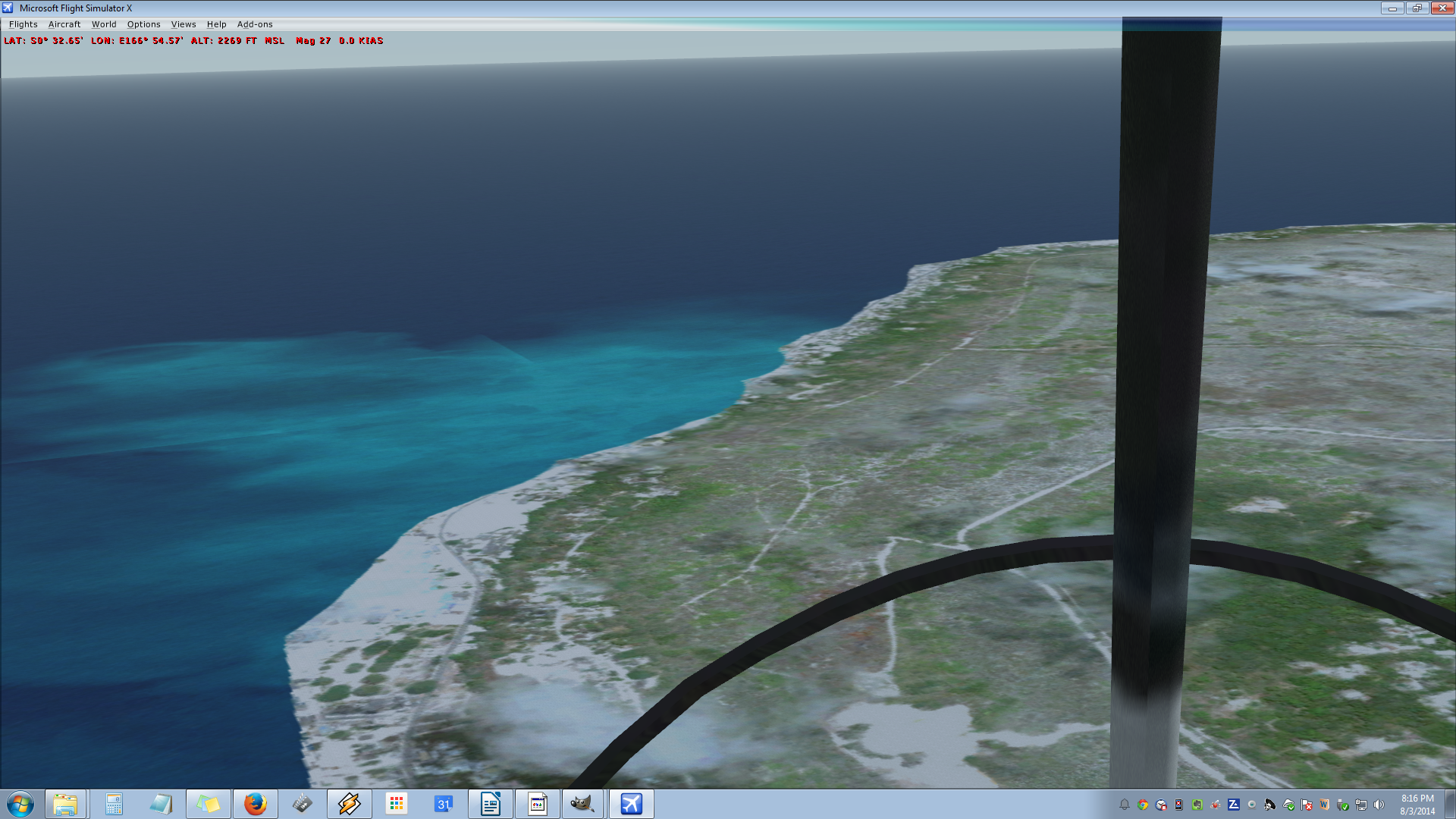
Success! I re-did everything, cautiously, and got over the part where I was stuck. I feel it was the way I was saving the BMP's. I was very cautious about it this time. I hesitated thinking resample wouldn't work like it didn't last week but it did it.
Now I'm going to work with the polygons. That's a Monday job. I'm ready! Thank you all.

Now I'm going to work with the polygons. That's a Monday job. I'm ready! Thank you all.