

- Messages
- 3
- Country

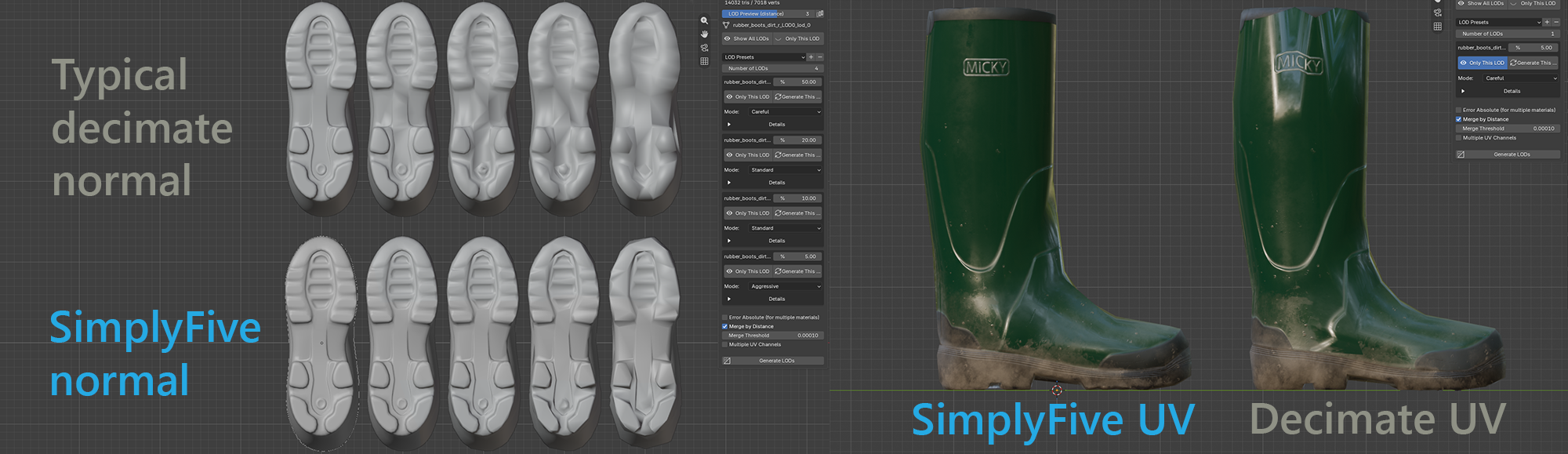
I saw some discussions here about alternatives to Simplygon and thought I’d share my Blender add-on, SimplyFive. It generates LODs while trying to preserve as much of the model’s detail, shading, and UV layout as possible.
The workflow is simple: select your model, click a button, and get up to five levels of detail. For each level, you can set a percentage to keep or specify a target triangle count.
It’s built on meshoptimizer, an open-source mesh optimization library. During simplification, the add-on takes UVs, sharp edges, and material boundaries into account. This helps preserve the model’s appearance and avoid split seams and shading issues. Of course, the result depends on the original geometry and how aggressively you simplify it.
Other features:
Light is free. It includes all the core features: up to five levels, quality modes, multiple material support, previews, and reports.
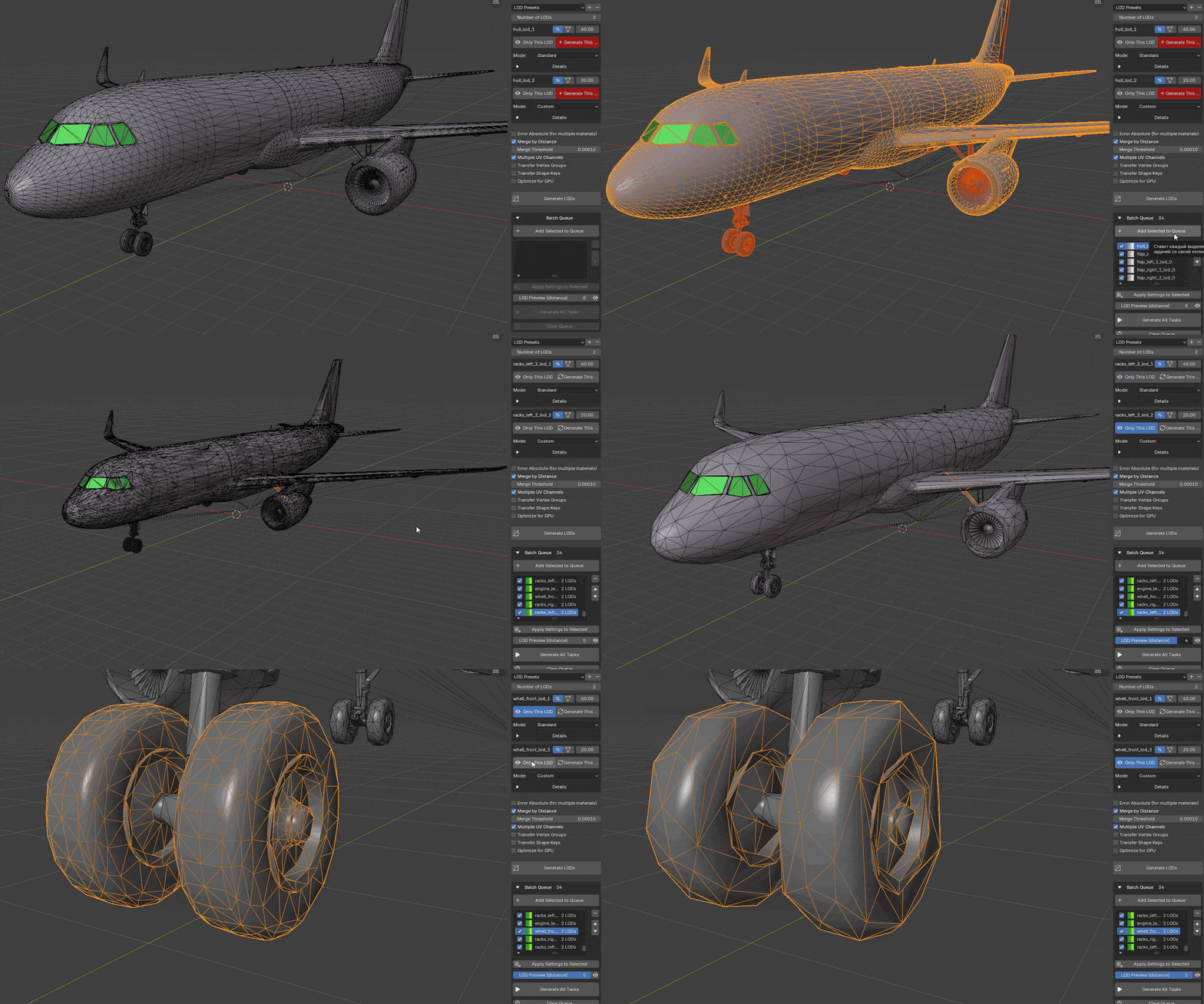
PRO adds batch mesh processing: queue up an entire aircraft or scene, with individual settings for each object. It also includes a remesher, support for characters with skeleton bindings, weights, and shape keys preserved, and a dedicated mode for scans and photogrammetry. Detailed per-level settings give you finer control over each LOD. You can find more about the features and settings in the documentation.
Requires Blender 4.2 or newer. Supports Windows, macOS, and Linux. Installs as a regular addon
Website · Download Light on GitHub · Get PRO on Gumroad
Give it a try on one of your models. If something goes wrong or the result looks off, leave a comment here or message me. I’d also love to hear your ideas for new features. I develop the add-on myself and answer questions personally.
The workflow is simple: select your model, click a button, and get up to five levels of detail. For each level, you can set a percentage to keep or specify a target triangle count.
It’s built on meshoptimizer, an open-source mesh optimization library. During simplification, the add-on takes UVs, sharp edges, and material boundaries into account. This helps preserve the model’s appearance and avoid split seams and shading issues. Of course, the result depends on the original geometry and how aggressively you simplify it.
Other features:
- Names objects using the Model_LOD0, Model_LOD1 convention. You can customize the suffix to match your export workflow.
- Previews LOD switching directly in the viewport. Adjust the preview distance or arrange all levels side by side to compare them.
- Lets you rebuild individual levels. If LOD3 doesn’t look right, you don’t have to regenerate the others.
- Shows a report if it can’t reach your target triangle count: what you requested, what you got, what’s preventing further simplification, and which settings might help.
- Can leave the original model untouched and preserves the object hierarchy, including models made up of multiple parts.
Light is free. It includes all the core features: up to five levels, quality modes, multiple material support, previews, and reports.
PRO adds batch mesh processing: queue up an entire aircraft or scene, with individual settings for each object. It also includes a remesher, support for characters with skeleton bindings, weights, and shape keys preserved, and a dedicated mode for scans and photogrammetry. Detailed per-level settings give you finer control over each LOD. You can find more about the features and settings in the documentation.
Requires Blender 4.2 or newer. Supports Windows, macOS, and Linux. Installs as a regular addon
Website · Download Light on GitHub · Get PRO on Gumroad
Give it a try on one of your models. If something goes wrong or the result looks off, leave a comment here or message me. I’d also love to hear your ideas for new features. I develop the add-on myself and answer questions personally.
Last edited:

