

Kekelekou
Resource contributor
- Messages
- 226
- Country

Help would be much appreciated so that I can figure out what is wrong with my animations.
Please have a look at post number 10 to find out how you can contribute. Thank you
-----------------------------------------
Hello lads!
I am still investigating the issues I am facing while animating my airtanker refill station.
The whole model is animated so that it translates forward with linear interpolation, so that it can accomodate any airplane position.
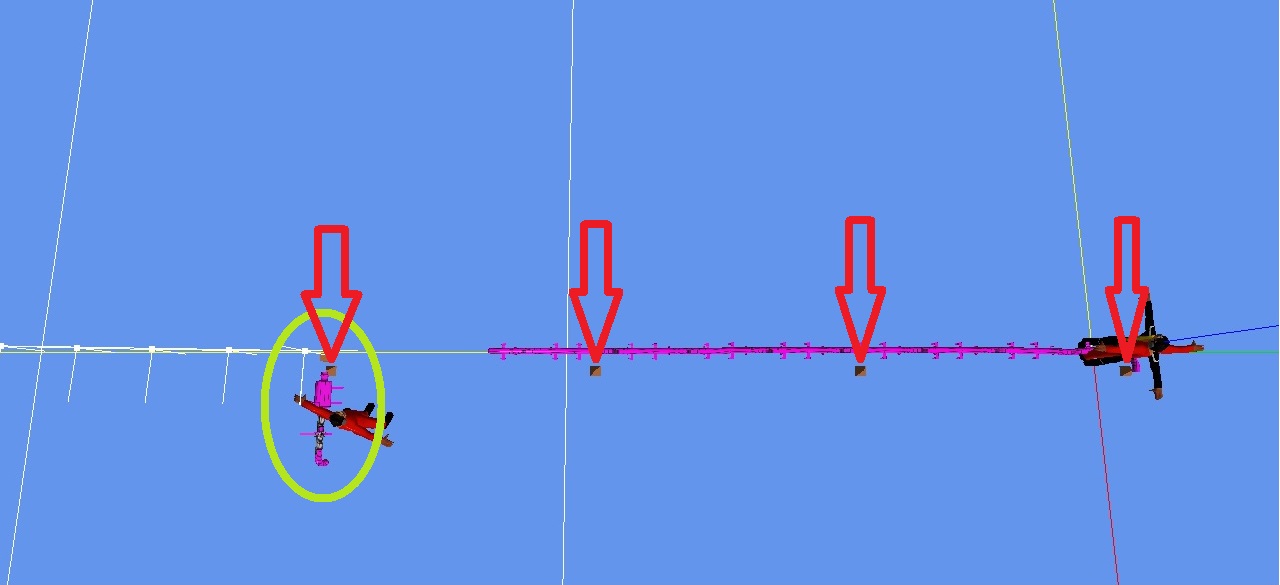
I have added small pyramids to higlight where the hose equipment should be for KF0, KF5, KF10 and so on to KF30 (at the end of red arrows).
In Blender and MCX, all is fine :
Keyframe 0 :
Keyframe 5 (don't pay attention to the distorted skinned meshes, no impact on ingame rendering) :
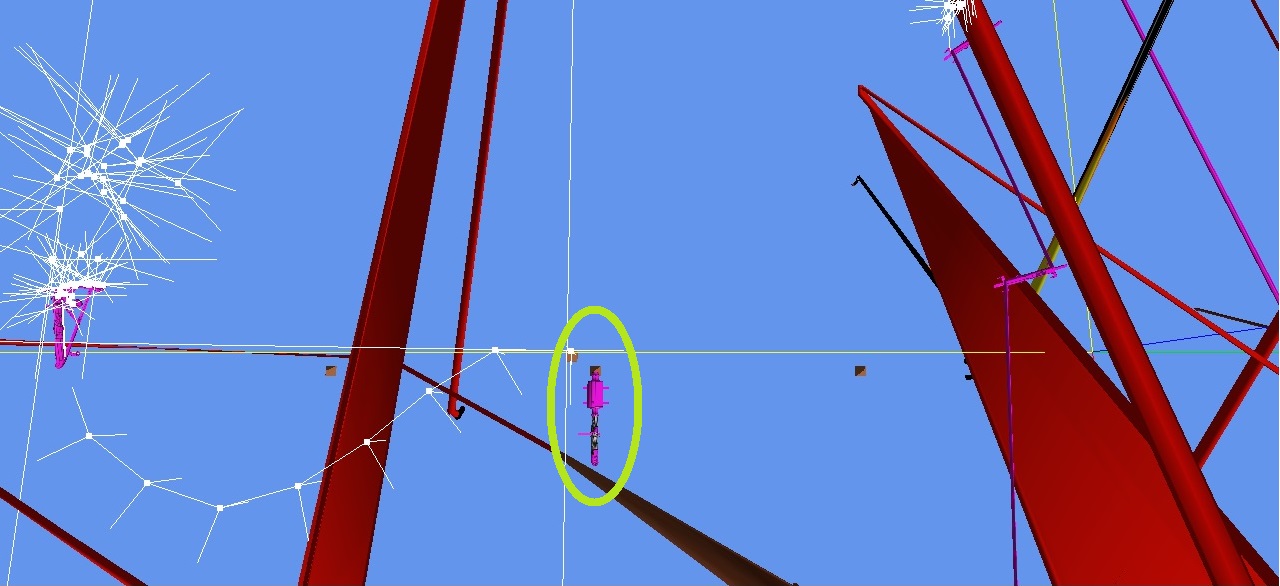
All other key keyframes (10, 15, 20, 25 and 30) are fine : the equipment is located exactly where it is supposed to be : right on top of the right pyramid.
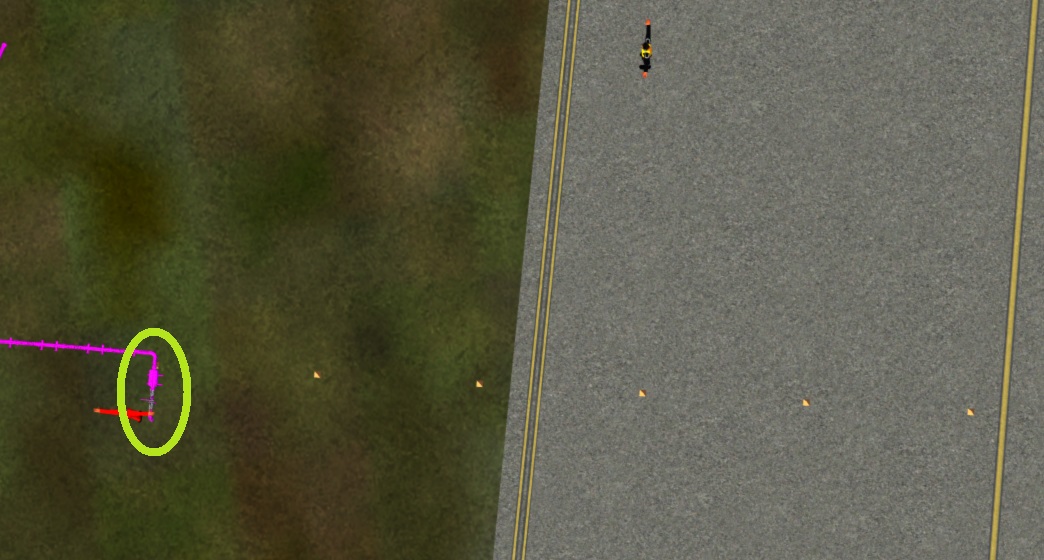
And yet, ingame, the interpolation looks as if it was set as Beziers... :
KF0 :
KF5 (the equipment lags behind) :
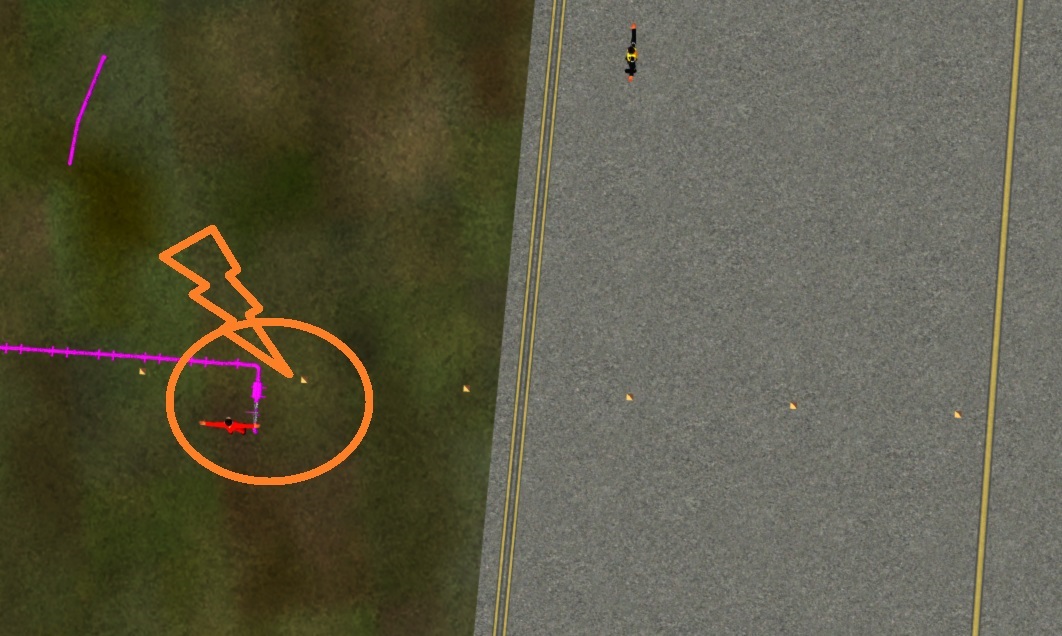
The equipment still lags behind a little bit at KF10, then is as it should at KF15, then runs ahead for KF20 and KF25, slows down and meets the right location at KF30.
So something is wrong, and shows up ONLY INGAME.
I am running out of ideas about what could cause this unwanted interpolation. Any hint on your side?
Thanks anyway!
Please have a look at post number 10 to find out how you can contribute. Thank you
-----------------------------------------
Hello lads!
I am still investigating the issues I am facing while animating my airtanker refill station.
The whole model is animated so that it translates forward with linear interpolation, so that it can accomodate any airplane position.
I have added small pyramids to higlight where the hose equipment should be for KF0, KF5, KF10 and so on to KF30 (at the end of red arrows).
In Blender and MCX, all is fine :
Keyframe 0 :
Keyframe 5 (don't pay attention to the distorted skinned meshes, no impact on ingame rendering) :
All other key keyframes (10, 15, 20, 25 and 30) are fine : the equipment is located exactly where it is supposed to be : right on top of the right pyramid.
And yet, ingame, the interpolation looks as if it was set as Beziers... :
KF0 :
KF5 (the equipment lags behind) :
The equipment still lags behind a little bit at KF10, then is as it should at KF15, then runs ahead for KF20 and KF25, slows down and meets the right location at KF30.
So something is wrong, and shows up ONLY INGAME.
I am running out of ideas about what could cause this unwanted interpolation. Any hint on your side?
Thanks anyway!
Last edited:


 Thanks for pointing that out to me.