• Which the release of FS2020 we see an explosition of activity on the forun and of course we are very happy to see this. But having all questions about FS2020 in one forum becomes a bit messy. So therefore we would like to ask you all to use the following guidelines when posting your questions:

    • Tag FS2020 specific questions with the MSFS2020 tag.
    • Questions about making 3D assets can be posted in the 3D asset design forum. Either post them in the subforum of the modelling tool you use or in the general forum if they are general.
    • Questions about aircraft design can be posted in the Aircraft design forum
    • Questions about airport design can be posted in the FS2020 airport design forum. Once airport development tools have been updated for FS2020 you can post tool speciifc questions in the subforums of those tools as well of course.
    • Questions about terrain design can be posted in the FS2020 terrain design forum.
    • Questions about SimConnect can be posted in the SimConnect forum.

    Any other question that is not specific to an aspect of development or tool can be posted in the General chat forum.

    By following these guidelines we make sure that the forums remain easy to read for everybody and also that the right people can find your post to answer it.

[SOLVED] Help needed with Testing : Ingame animation interpolation doesn't match what MCX shows

Kekelekou

Resource contributor
Messages
226
Country
france
Help would be much appreciated so that I can figure out what is wrong with my animations.
Please have a look at post number 10 to find out how you can contribute. Thank you

-----------------------------------------

Hello lads!

I am still investigating the issues I am facing while animating my airtanker refill station.
The whole model is animated so that it translates forward with linear interpolation, so that it can accomodate any airplane position.
I have added small pyramids to higlight where the hose equipment should be for KF0, KF5, KF10 and so on to KF30 (at the end of red arrows).
In Blender and MCX, all is fine :

Keyframe 0 :
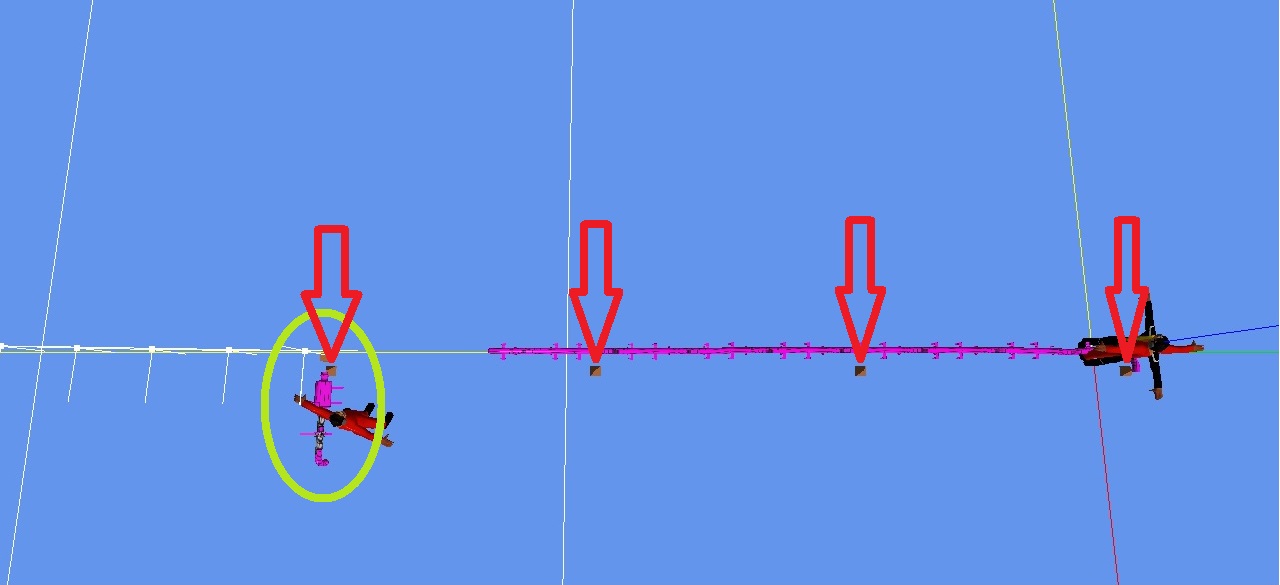
MCX-0.jpg


Keyframe 5 (don't pay attention to the distorted skinned meshes, no impact on ingame rendering) :
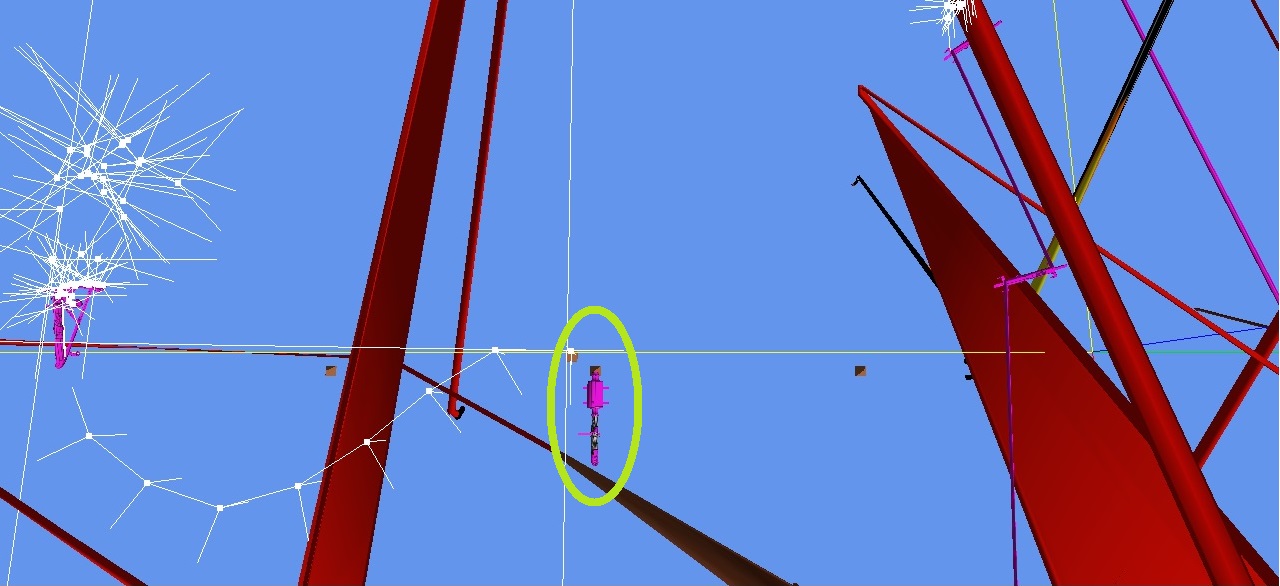
MCX-5.jpg


All other key keyframes (10, 15, 20, 25 and 30) are fine : the equipment is located exactly where it is supposed to be : right on top of the right pyramid.

And yet, ingame, the interpolation looks as if it was set as Beziers... :

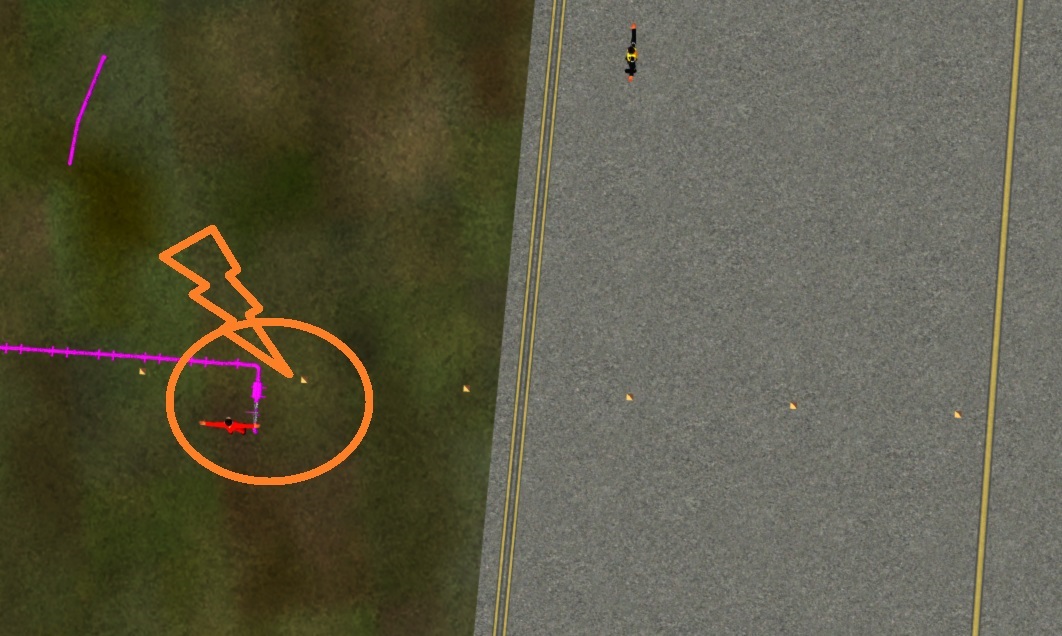
KF0 :
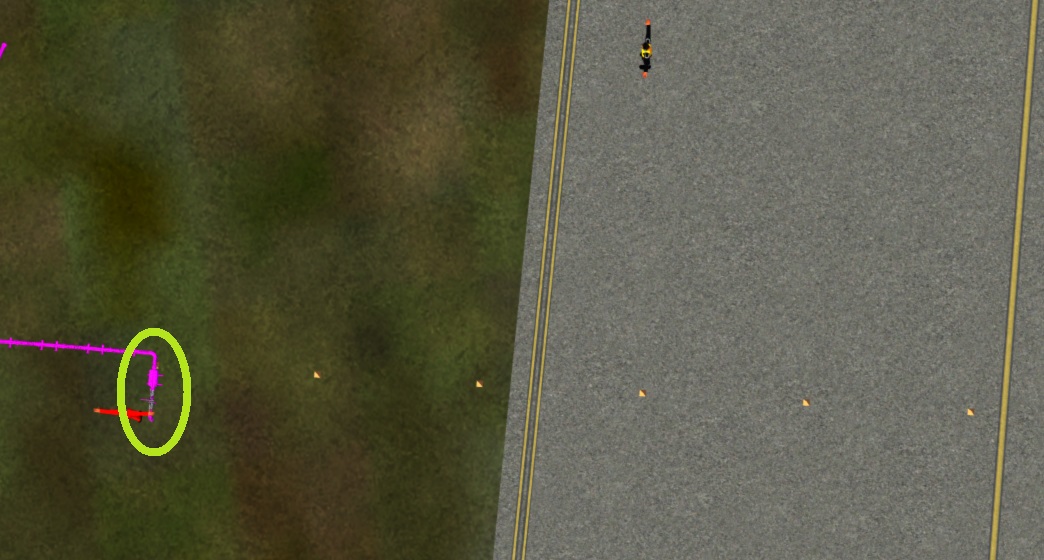
FSX-0.jpg


KF5 (the equipment lags behind) :
FSX-5.jpg


The equipment still lags behind a little bit at KF10, then is as it should at KF15, then runs ahead for KF20 and KF25, slows down and meets the right location at KF30.

So something is wrong, and shows up ONLY INGAME.

I am running out of ideas about what could cause this unwanted interpolation. Any hint on your side?

Thanks anyway!
 
Last edited:
So, just to make sure I didn't do something wrong with the animations, I created yesterday a new one. One pyramid is duplicated, set to the full left position at KF0, full right position at KF30. Interpolation set to "linear". Checked in Blender, it does move nicely in a linear way. The FSX animation is assigned. Nothing but the static pyramids and the moving one are exported.
Test in game : NO JOY, still the same "Bezier-like interpolation" translation.

I am at a loss. What the heck is going on here? :eek:o_O
 
Hello...

What were the steps in full? Was a QUID assigned also?
 
Hello Pyscen,


So, here is how I proceeded (I am doing it again) :
- I open the file called Pelicandrome_2.83_StartSituation with Blender2.83 which was already given a GUID in a previous session
- I duplicate the object "Cone001" (to Cone001.007)
- I translate the duplicated object 1m to the X+ direction
- I make sure the current KF is 0
- I add a KF to Cone001.007 (Keying LocRot). A "Successfully added 6 keyframes for keying set 'LocRot' " message shows up
- I change the current KF to 30
- I grab Cone001.007 and translate it 30m to the Y+ direction
- I add a KF to Cone001.007 (Keying LocRot). A "Successfully added 6 keyframes for keying set 'LocRot' " message shows up
- I select "Animation" workspace
- I select Cone001.007
- In the GraphEditor, I select all points, then select Key/Interpolation Mode/Linear
- I initialise the SDK
- While Cone001.007 is selected, I assign the animation (Peli_ModelLongPos)
- I select all static pyramids and Cone001.007
- I export a MDL file with the following settings : export only current selection, apply all modifiers, export animations and LOD, skinned mesh, export MDL
- the MDL is named Pelicandrome_2.83_EndSituation.MDL

Blender files and MDL enclosed
 

Attachments

If I remember correctly, you will need to have it set to linear in the beginning (before Keyframes are entered). I can't remember if the QUID for the animation is done automatically or not... hopefully @Vitus will confirm this.
 
I'm drawing a blank. I looked in your file and can't find anything. Nifty animations! Would be very sad if you can't get it to work....

I had some trouble getting my passengers to work. They tended to sit 10ft under the aircraft for some reason. The only way I could resolve this by re-doing the entire armature - after resetting the transform for the meshes (Ctrl+A->all transforms).

I don't think there's anything wrong with the GUID, other than you coincedentally using a GUID that's registered somewhere else of course.

Sorry, I wish I could be more useful.
 
Thanks Vitus for having given it a look.
I tried this afternoon to add the moving pyramid to the last 2.77 file I saved before moving on to Blender 2.83. Exact same issue. :(
Well well well, looks like I am at a dead end. I was really ambitious with this one, and I have to admit I have overshot my skills and capabilities...
Anyway, the arms-waving guy works fine, which is the most important.
So I guess I'll just add static firefighters on the side, and maybe several hoses which visibility depends on the refill status. Not as nice as animations, but better than nothing.
Thank you to both of you for your help.
You don’t always get what you want. :rolleyes:
 
Last edited:
I will continue to work on it from time to time... who knows, might get lucky! ;)
 
And it seems I was too hasty. Again. :eek:

I tested the guide model yesterday evening : everything looked good in external view. Then I changed view to go to Virtual Cockpit View. And Shazam! The guide vanished! Came back in external view. Disappeared in VC view. Very consistent. Not as I was expecting it. :banghead:
Hadn't noticed such a glitch before.
 
Hi,

Before scrapping all I have done so far, I would like to be sure that the misalignement issue I am facing is not related to my system.
So could someone use the enclosed MDL as the external model of any aircraft, and change the lvar Peli_ModelLongPosKF, enum to 5 (or 10 or 15 or ...) and check in game if the sliding pyramid faces the static ones?

Thank you VERY MUCH.
 

Attachments

Last edited:
I have just found a walkaround with the mysterious interpolation issue I have had. Adding a "Location" KF to all 5KF before and after the movement's "usual" KFs has done the trick. If the animation starts at KF10 and stops at KF50, I would have to add KF to KF : 5, 6, 7, 8, 9, 10, 11, 12, 13, 14, 15 and 45,46 ...54, 55.
Thanks for your help anyway.

The pélicandrome is now nearing the finishing line. :cool:
 
That is amazing! I'm so happy you found a solution for this! Good thing you've been so stubborn about this issue! :wizard:
 
Well, the issue is not really fixed, because I still don't know what caused it in the first place, but merely walked around.
But I am really glad I can move forward. The idea I had (animating the character for the whole sequence) doesn't fit well with the walkaround, it would mean wayyyyyyyyyyy too many KF to add.
So I have chosen the middle path : IK animating the hose itself, and sliding around static poses for the hose crew (which visibility depends on the time in the sequence).
Not ideal, but works like a charm.

50196522042_c1c14a4486_b.jpg
 
Just a tip, the more common term for your solution is "workaround", not "walkaround". But I like that one too. :)
 
Back
Top