
- Messages
- 63
- Country

Do these pictures trigger anything you already encountered?

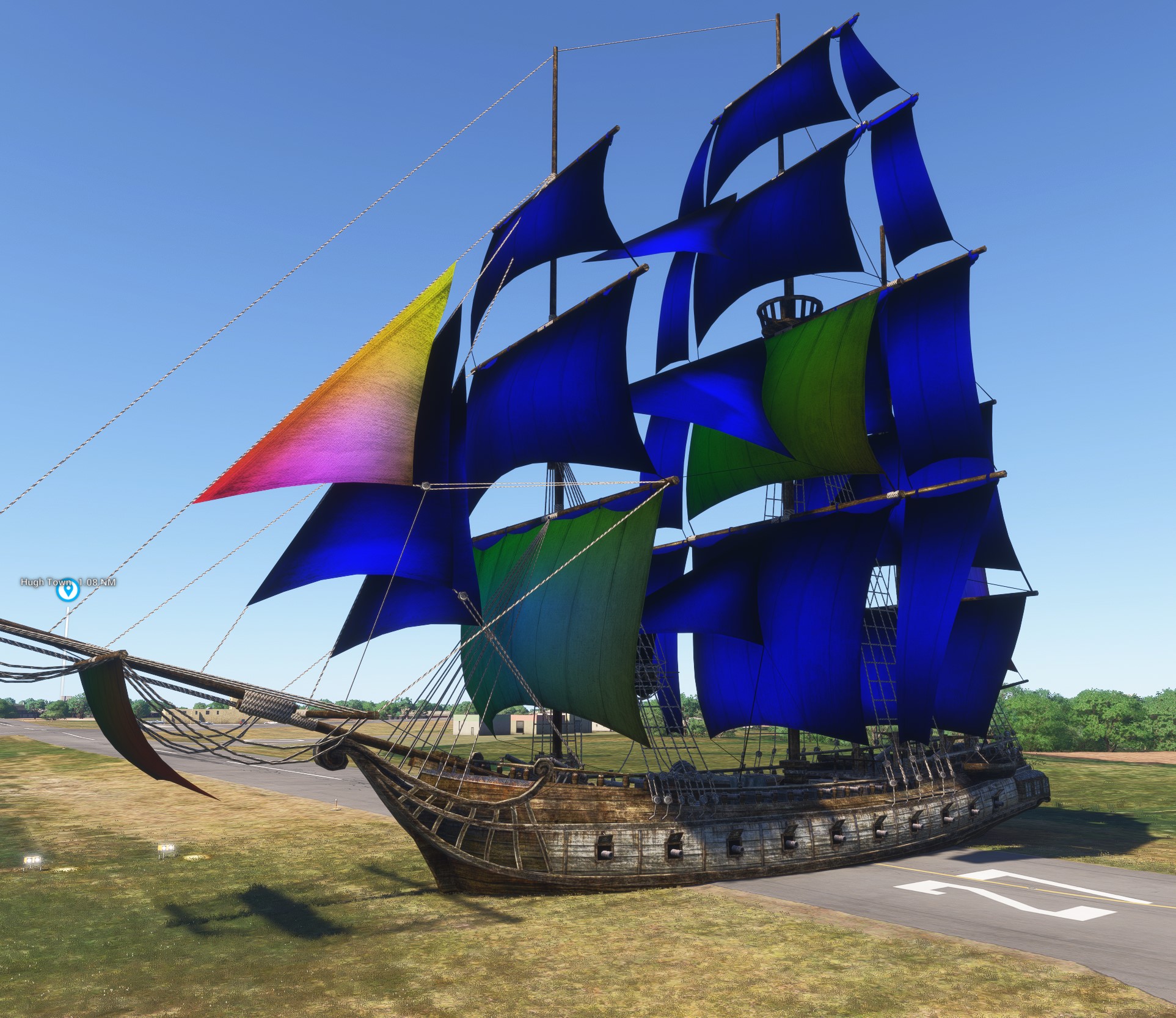
Usually when I create a new material and activate the MSFS extensions by changing the type from 'disabled' to 'standard', the mesh turns to white ─ until I fill the base color texture slot.
But now I have a few meshes that turn to weird colors. And they stay like this, even when I bind a texture (though I may see the texture 'underneath'). And btw, after exporting the colors show up in 3D viewer as well as in MSF2024 SDK.
I must mention all meshes 'affected' are 2-dimensional sails/planes. But I have lots of experience with fabrics (and use them 2-sided). The normals look good, one side blue, the other red.
Using Blender 4.2 with Exporter 4.3.5 (also tried other Blender builds and Exporter 4.3.3).
Any insights appreciated!
Usually when I create a new material and activate the MSFS extensions by changing the type from 'disabled' to 'standard', the mesh turns to white ─ until I fill the base color texture slot.
But now I have a few meshes that turn to weird colors. And they stay like this, even when I bind a texture (though I may see the texture 'underneath'). And btw, after exporting the colors show up in 3D viewer as well as in MSF2024 SDK.
I must mention all meshes 'affected' are 2-dimensional sails/planes. But I have lots of experience with fabrics (and use them 2-sided). The normals look good, one side blue, the other red.
Using Blender 4.2 with Exporter 4.3.5 (also tried other Blender builds and Exporter 4.3.3).
Any insights appreciated!


 I must confess, I hadn't even known that the graph nodes were like Mandelbrots where I could zoom in and open them. Nor had my workflow ever required to go into Paint mode ─ but seems an interesting way of manipulating materials 'on the spot'!