• Which the release of FS2020 we see an explosition of activity on the forun and of course we are very happy to see this. But having all questions about FS2020 in one forum becomes a bit messy. So therefore we would like to ask you all to use the following guidelines when posting your questions:

    • Tag FS2020 specific questions with the MSFS2020 tag.
    • Questions about making 3D assets can be posted in the 3D asset design forum. Either post them in the subforum of the modelling tool you use or in the general forum if they are general.
    • Questions about aircraft design can be posted in the Aircraft design forum
    • Questions about airport design can be posted in the FS2020 airport design forum. Once airport development tools have been updated for FS2020 you can post tool speciifc questions in the subforums of those tools as well of course.
    • Questions about terrain design can be posted in the FS2020 terrain design forum.
    • Questions about SimConnect can be posted in the SimConnect forum.

    Any other question that is not specific to an aspect of development or tool can be posted in the General chat forum.

    By following these guidelines we make sure that the forums remain easy to read for everybody and also that the right people can find your post to answer it.

Water/Blend Masking using shapefile

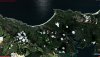
hi guys, me again. Just have one question about adjoining tiles. See my screenshot, any ideas what could be causing this?

settings
[Destination]
DestDir = "F:\dev\working\resamplestaging"
DestBaseFileName = "Area_Lp1_SnapOff_S034232731_S034330088_E172500987_E173022804"
DestFileType = BGL
UseSourceDimensions = 1
CompressionQuality = 85
LOD=Auto

[Source]
Type = MultiSource
NumberOfSources = 3

[Source1]
Type = BMP
Layer = Imagery
SourceDir = "F:\dev\working\resamplestaging"
SourceFile = "Area_Lp1_SnapOff_S034232731_S034330088_E172500987_E173022804.bmp"
Lon = 172.8360700
Lat = -34.3909192
xDim = 1.43006627136388e-005
yDim = 1.07736852737187e-005
PixelIsPoint = 0
SamplingMethod = Point
Channel_BlendMask = 2.0
Channel_LandWaterMask = 3.0

[Source2]
Type = TIFF
Layer = None
SourceDir = "F:\dev\working\resamplestaging"
SourceFile = "_0000_blendmask.tif"
Lon = 172.8360700
Lat = -34.3909192
xDim = 1.07736852737187e-005
yDim = 1.07736852737187e-005
PixelIsPoint = 0
SamplingMethod = Gaussian

[Source3]
Type = TIFF
Layer = None
SourceDir = "F:\dev\working\resamplestaging"
SourceFile = "_0001_watermask.tif"
Lon = 172.8360700
Lat = -34.3909192
xDim = 1.07736852737187e-005
yDim = 1.07736852737187e-005
PixelIsPoint = 0
SamplingMethod = Gaussian
 

Attachments

  • 2018-9-25_20-44-0-18.jpg
    2018-9-25_20-44-0-18.jpg
    824.6 KB · Views: 270
Looks like the georeferencing of the images is not perfect, else the coast would align in both. How did you calculate your lat, lon, xDim and yDim values for them?
 
I entered the lon and lat in the resample file from the fsearthtiles areamask inf file. I wonder if not rounding to 3 decimal places caused this. I'll start the process from scratch and see what stage I can pinpoint the issue.
 
Rounding the values would give offsets normally, more digits is better for the accuracy :)

Never use FSEarthTiles myself, so can't help with that bit. I usually work with GeoTIFF files.
 
Hm OK thanks. I actually convert the bmp aerial image to geotiff and import the coordinates from the fsearthtiles inf file so my mask files align correctly as I need that info to split the raster from shape file.
 
ok, I have sorted all my issues out, it seems that using Proj4 interpretation for the projection causes an offset in the below, by a small margin but big enough to cause an issue with a gap between my tiles.
CellXdimensionDeg = 1.43051147460938E-05
CellYdimensionDeg = 1.07288360595703E-05

So the process is as follows and I have found it must be in this order to avoid messing up the files.

gdal_rasterize -burn 255 -burn 255 -burn 255 -init 0 -ot Byte -ts 14334 14851 -te 172.631020545959 -34.3909192085266 172.836084365845 -34.5502531528473 -l land land.shp temp.tif

gdalwarp -t_srs EPSG:4326 -ts 14335 14851 -co INTERLEAVE=PIXEL -r cubic -of GTiff temp.tif wgs84_gdalwarp.tif

gdal_translate -a_srs EPSG:4326 -of GTiff -co "INTERLEAVE=PIXEL" temp.tif wgs84.tif

listgeo -d wgs84_gdalwarp.tif > wgs84.gtf

Edit wgs84.tif in Photoshop...

gdal_translate -a_srs EPSG:4326 -of GTiff -co "INTERLEAVE=PIXEL" wgs84_gdalwarp_0000_blendmask.tif blendmask.tif
gdal_translate -a_srs EPSG:4326 -of GTiff -co "INTERLEAVE=PIXEL" wgs84_gdalwarp_0000_blendmask.tif watermask.tif

geotifcp -g wgs84.gtf wgs84_gdalwarp_0000_blendmask.tif blendmask_gtf.tif
geotifcp -g wgs84.gtf wgs84_gdalwarp_0001_watermask.tif watermask_gtf.tif
 
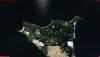
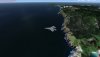
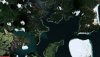
Some latest screenshots with seamless tiles. So far only 2 tiles but the outlook is good! :)
 

Attachments

  • 2018-9-26_20-33-33-122.jpg
    2018-9-26_20-33-33-122.jpg
    804.3 KB · Views: 247
  • 2018-9-26_20-33-38-913.jpg
    2018-9-26_20-33-38-913.jpg
    545 KB · Views: 268
  • 2018-9-26_20-34-32-569.jpg
    2018-9-26_20-34-32-569.jpg
    570.3 KB · Views: 250
  • 2018-9-26_20-35-28-211.jpg
    2018-9-26_20-35-28-211.jpg
    623.4 KB · Views: 241
  • 2018-9-26_20-35-37-29.jpg
    2018-9-26_20-35-37-29.jpg
    668.5 KB · Views: 247
Back
Top