
• Which the release of FS2020 we see an explosition of activity on the forun and of course we are very happy to see this. But having all questions about FS2020 in one forum becomes a bit messy. So therefore we would like to ask you all to use the following guidelines when posting your questions:

    • Tag FS2020 specific questions with the MSFS2020 tag.
    • Questions about making 3D assets can be posted in the 3D asset design forum. Either post them in the subforum of the modelling tool you use or in the general forum if they are general.
    • Questions about aircraft design can be posted in the Aircraft design forum
    • Questions about airport design can be posted in the FS2020 airport design forum. Once airport development tools have been updated for FS2020 you can post tool speciifc questions in the subforums of those tools as well of course.
    • Questions about terrain design can be posted in the FS2020 terrain design forum.
    • Questions about SimConnect can be posted in the SimConnect forum.

    Any other question that is not specific to an aspect of development or tool can be posted in the General chat forum.

    By following these guidelines we make sure that the forums remain easy to read for everybody and also that the right people can find your post to answer it.

FSX 3D grass dissappearing

Messages
27
Country
southafrica
Hello,

I have run into yet another problem during my scenery development. I have been making 3d grass for my airfield and it has been going well but the grass keeps dissappearing when I move my camera or aircraft.

Here is a picture of me on the ground and the grass is visible.


grass.PNG


But here is me in the same position but I have moved my view slightly and the grass has dissappeared.
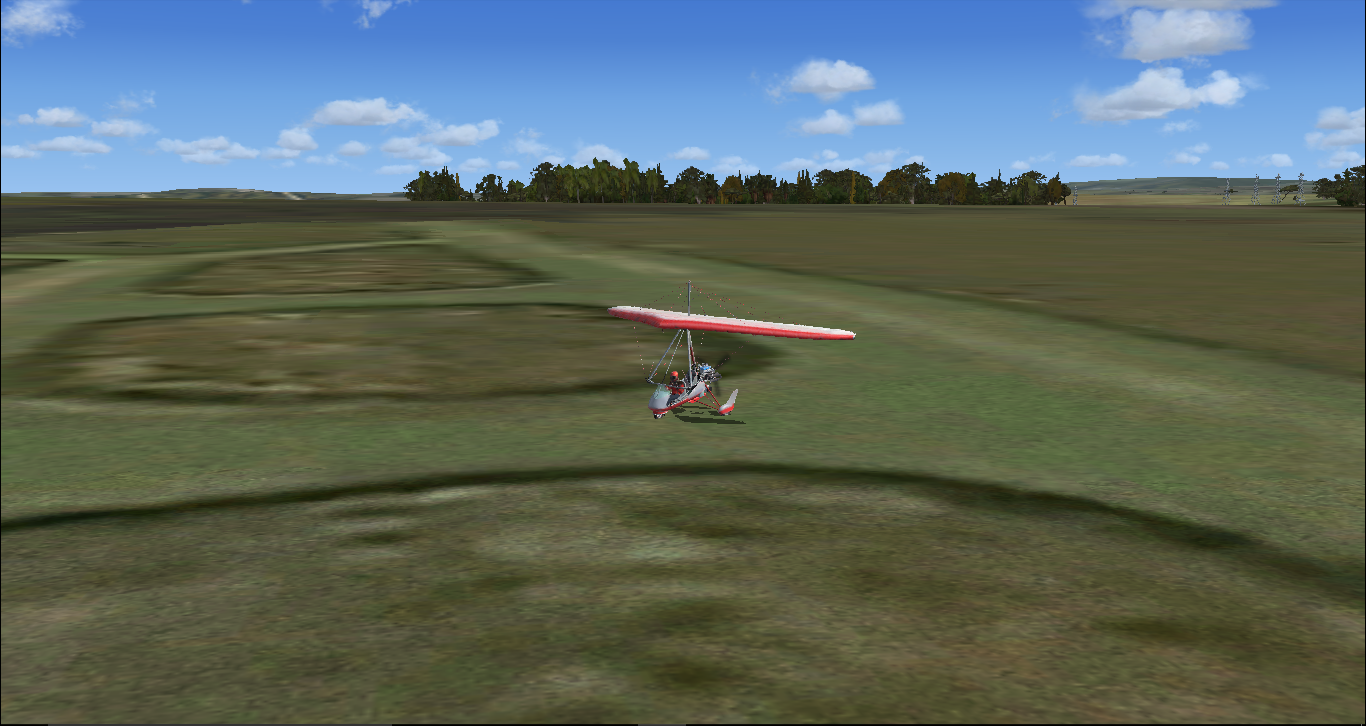

nograss.PNG


I was wondering if anybody knows of a solution to this, any help would be appreciated.

Regards
Bailey
 
Hi Bailey:

Did you use MIPMAPs in your textures ?

To check this, open the texture files in FS SDK ImageTool.


Also, did you create more than (1) LOD in your 3D models when imported into ModelConverterX (aka "MCX") ? :scratchch

This can be checked by re-importing the MDL into MCX. :idea:


GaryGB
 
Hi Bailey:

Did you use MIPMAPs in your textures ?

To check this, open the texture files in FS SDK ImageTool.


Also, did you create more than (1) LOD in your 3D models when imported into ModelConverterX (aka "MCX") ? :scratchch

This can be checked by re-importing the MDL into MCX. :idea:


GaryGB

Hello Gary,

This is what my texture looks like in ImageTool:

ImageTool.PNG


And Here is what it looks like in MCX:


MCX.PNG


It is still disappearing though.

Regards
Bailey
 
Hi Bailey:

Notice in the ImageTool screenie the # MIP levels = 1. :alert:

IMHO, you should create at least 7 and perhaps as many as 9 MIPMAPS for each texture image file using ImageTool. :pushpin:

Alternatively these can be created for you in MCX when you utilize the "Material Editor" texture utility functions prior to exporting any MDLs for your grass objects. :idea:


Hope this helps a bit more ! :)

GaryGB
 
Hi,

to me it looks like an incorrect material setting and/or format, causing that "edge" along the border of the alpha.

See these threads:

http://www.fsdeveloper.com/forum/threads/strange-tree-edges.74534/

http://fsdeveloper.com/forum/threads/problem-with-custom-trees.430107/#post-671152

Perhaps the default Normal vector rendering in MCX via OpenGL is simply revealing planar edges within its work-space (to better allow discerning individual translucent 3D planes in the object ?) :scratchch

But I agree, one may only need to use DXT1 ...rather than DXT5 for ones transparent textures of Grass (or trees).

http://www.fsdeveloper.com/forum/threads/strange-tree-edges.74534/#post-220632


And perhaps if Bailey were to attach his objects to this thread for examination, we could see if they actually display correctly in FS at run time. :idea:

GaryGB
 
Last edited:
Hi,

to me it looks like an incorrect material setting and/or format, causing that "edge" along the border of the alpha.

See these threads:

http://www.fsdeveloper.com/forum/threads/strange-tree-edges.74534/

http://fsdeveloper.com/forum/threads/problem-with-custom-trees.430107/#post-671152
Hello Splitz,

That definitely was a problem so I have converted it to DXT1 and it has fixed that problem now so thank you very much for helping with that however sadly it is still disappearing in fsx. Thank you for that solution though it is really appreciated.

Regards
Bailey
 
Hi Bailey:

Notice in the ImageTool screenie the # MIP levels = 1. :alert:

IMHO, you should create at least 7 and perhaps as many as 9 MIPMAPS for each texture image file using ImageTool. :pushpin:

Alternatively these can be created for you in MCX when you utilize the "Material Editor" texture utility functions prior to exporting any MDLs for your grass objects. :idea:


Hope this helps a bit more ! :)

GaryGB
Hello Gary,

I have managed to correct that and have now got 7 MIP Levels however it is still disappearing in fsx, if you don't know of any other solutions I might just try and create a new model with a different texture. I really appreciate all the help you have been giving me.

Regards
Bailey:)
 
How did you place the grass?

And perhaps if Bailey were to attach his objects to this thread for examination, we could see if they actually display correctly in FS at run time. :idea:

Agreed, maybe we can have a look?
 
Bounding box problem? Make the model bigger by adding something below ground away from the grass.
 

Attachments

Perhaps the default Normal vector rendering in MCX via OpenGL is simply revealing planar edges within its work-space (to better allow discerning individual translucent 3D planes in the object ?) :scratchch

But I agree, one may only need to use DXT1 ...rather than DXT5 for ones transparent textures of Grass (or trees).

http://www.fsdeveloper.com/forum/threads/strange-tree-edges.74534/#post-220632


And perhaps if Bailey were to attach his objects to this thread for examination, we could see if they actually display correctly in FS at run time. :idea:

GaryGB
Hello Gary, have uploaded the model and texture in a reply to Splitz in one of the earlier posts.
 
Bounding box problem? Make the model bigger by adding something below ground away from the grass.
Hello Shaun, for some reason I am unable to get it any bigger, whenever I re-export it and then place it into MCX nothing changes:(.

Regards Bailey
 
Hi Bailey:

You may also include the FOLIAGE_GRASS01_DIFFUSEMASK.DDS texture file with your grass_patch.MDL ...inside a ZIP file, and attach the ZIP to this thread. ;)

GaryGB
 
Last edited:
Hi Bailey:

I have tested your grass_patch.MDL with the mapped FOLIAGE_GRASS01_DIFFUSEMASK.DDS texture file by importing it into MCX, and then exporting as "FSX Scenery" (not as a MDL object) to place it into a scenery object library BGL.

I did not alter your original "FOLIAGE_GRASS01_DIFFUSEMASK.DDS texture file in any way.

I used Instant Scenery version 3 (aka "IS3") to place the grass_patch object on the RWY-5 start position at KSHN via a placement BGL in a \Scenery sub-folder set 'active' in the FS scenery library GUI.

After re-starting FSX, I was still able to view it from a opposite RWY-23 start position at KSHN at 1,435 Meters (1.435 Kilometers) away; that object visibility did not change when I altered:

* user aircraft camera Angle of View (Hat_Switch_Left or Hat_Switch_Right)
...or:
* user aircraft camera Zoom Level (- or +)
...or:
* user aircraft camera Chase Distance (Ctrl- or Ctrl+)

It is significant to note that increasing the Chase Distance (Ctrl+) away from the user aircraft (default AirCreations Trike) eventually triggers non-display of the pilot object via LOD-switching, but the grass still is displayed ...because Arno's DrawCall Monitor utility indicxates that your Grass_Patch.MDL has DrawCall Batching enabled.

http://www.scenerydesign.org/latest-release/drawcallmonitor_latest_development_release.zip


This suggests that there may be some settings in the MCX configuration 'Options' which you might wish change for purposes of visibility distance when you export the MDL.


Please review the MCX Manual wiki page:

http://www.fsdeveloper.com/wiki/index.php?title=ModelConverterX


Hope this helps a bit more with the learning process. :)


GaryGB
 
Last edited:
Hi Bailey:

I have tested your grass_patch.MDL with the mapped FOLIAGE_GRASS01_DIFFUSEMASK.DDS texture file by importing it into MCX, and then exporting as "FSX Scenery" (not as a MDL object) to place it into a scenery object library BGL.

I did not alter your original "FOLIAGE_GRASS01_DIFFUSEMASK.DDS texture file in any way.

I placed the grass_patch object on the RWY-5 start position at KSHN and was able to view it from the opposite RWY-23 start position at KSHN at 1.435 Meters away; that object visibility did not change when I altered:

* user aircraft camera Angle of View (Hat_Switch_Left or Hat_Switch_Right)
...or:
* user aircraft camera Zoom Level (- or +)
...or:
* user aircraft camera Chase Distance (Ctrl- or Ctrl+)


This suggests that there may be some settings in the MCX configuration options which you might wish change for purposes of visibility distance when you export the MDL.


Please review the MCX Manual wiki page:

http://www.fsdeveloper.com/wiki/index.php?title=ModelConverterX


Hope this helps a bit more with the learning process. :)


GaryGB
Hello Gary,

I decided to remodel the grass and it is working perfectly fine now. :)

Thank you for all you help and as always I really appreciate it.

Regards
Bailey
 
Bailey, what caused the problem....that's the benefit from these kind of threads.
Hello Bob,

As I mentioned in the previous post there was a problem with the model ( I am not sure what the problem was) but after I completely remodeled the grass from scratch and applied the texture to the new model then exported it overwriting the previous MDL file the grass no longer disappeared. So for me it was a problem with the model not the texture. :)

Regards
Bailey
 
Back
Top