
-
Which the release of FS2020 we see an explosition of activity on the forun and of course we are very happy to see this. But having all questions about FS2020 in one forum becomes a bit messy. So therefore we would like to ask you all to use the following guidelines when posting your questions:
- Tag FS2020 specific questions with the MSFS2020 tag.
- Questions about making 3D assets can be posted in the 3D asset design forum. Either post them in the subforum of the modelling tool you use or in the general forum if they are general.
- Questions about aircraft design can be posted in the Aircraft design forum
- Questions about airport design can be posted in the FS2020 airport design forum. Once airport development tools have been updated for FS2020 you can post tool speciifc questions in the subforums of those tools as well of course.
- Questions about terrain design can be posted in the FS2020 terrain design forum.
- Questions about SimConnect can be posted in the SimConnect forum.
Any other question that is not specific to an aspect of development or tool can be posted in the General chat forum.
By following these guidelines we make sure that the forums remain easy to read for everybody and also that the right people can find your post to answer it.
You are using an out of date browser. It may not display this or other websites correctly.
You should upgrade or use an alternative browser.
You should upgrade or use an alternative browser.
FSX FSEarth Tiles not showing satellite Image
- Thread starter SAPPY
- Start date


- Messages
- 482
- Country

V=817 is no longer working for me in Chrome. There are a few website admins complaining that both MS and Google just raised the prices on the use of the imagery APIs . LiveATC.net is one and their feed map is no longer available as a consequence, according to their official forum.
EDIT: Tried a reinstall of FSET and now it's working for me again. But that still doesn't solve how anyone can find the next version number.
EDIT: Tried a reinstall of FSET and now it's working for me again. But that still doesn't solve how anyone can find the next version number.
Last edited:
- Messages
- 482
- Country
v=820 now, at least according to Google Earth


I found a solution to work my FSEarthtiles but its SO SLOW!
The only way to obtain tiles from Google Earth its click that botton " www" now show the tiles but one by one and its so slow!
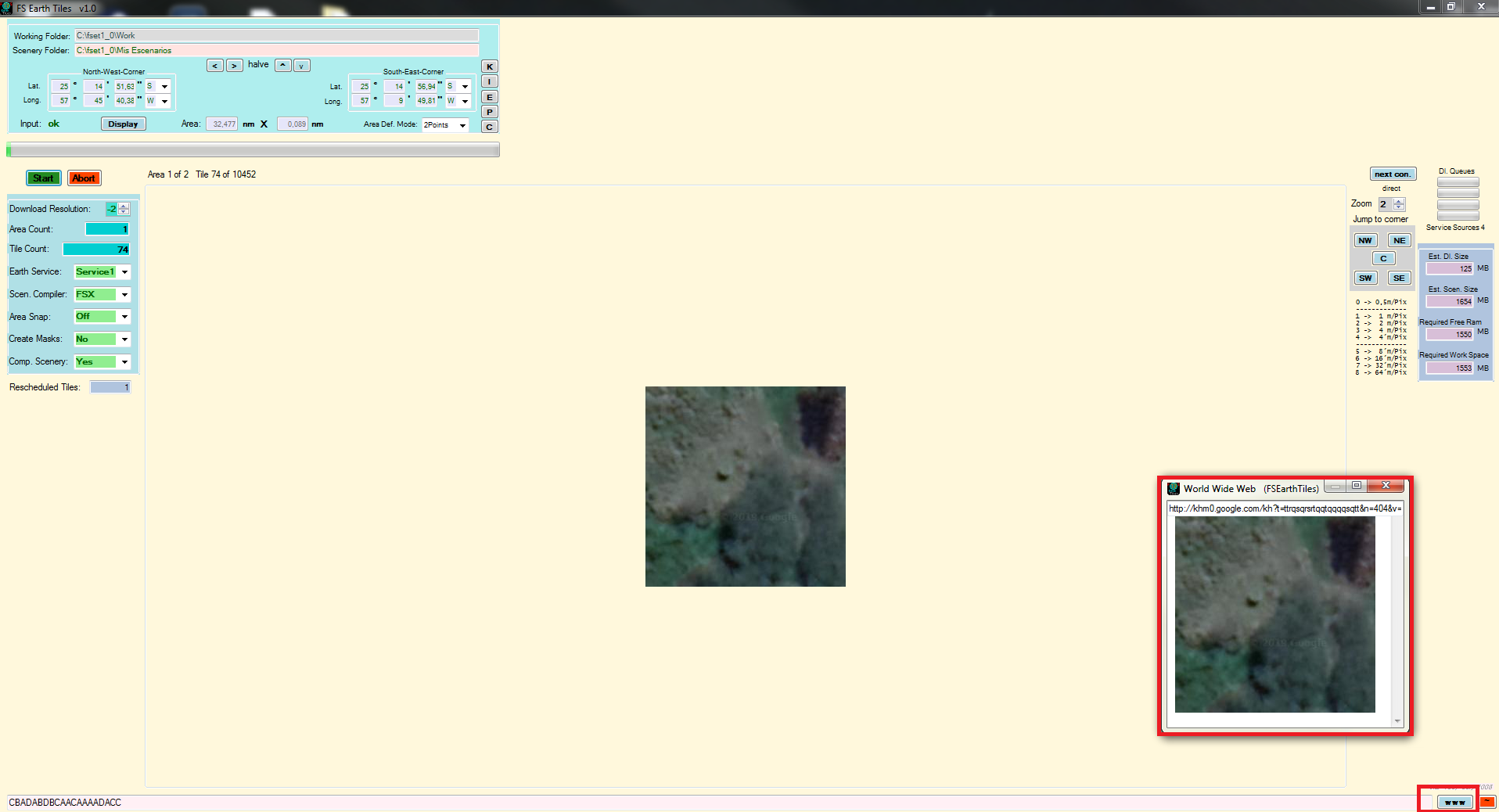 Its uploading the tiles but a 20x more slow, this is useless.. With Bing its more faster, like always..
The only way to obtain tiles from Google Earth its click that botton " www" now show the tiles but one by one and its so slow!
Hi josefpy,
I'm using FS Earth Tiles v1.03 and it is working fine for me. I've attached it here for you and set it up with the location in your original post, but you'll have to change your 'Working Folder' and 'Scenery Folder' in FSEarthTiles.ini to match yours.
I didn't need to click on the 'www' button and Bing and/or VirtualEarth are working too.
Hope it works.
I'm using FS Earth Tiles v1.03 and it is working fine for me. I've attached it here for you and set it up with the location in your original post, but you'll have to change your 'Working Folder' and 'Scenery Folder' in FSEarthTiles.ini to match yours.
I didn't need to click on the 'www' button and Bing and/or VirtualEarth are working too.
Hope it works.
Attachments
Last edited:
Hi josefpy,
I'm using FS Earth Tiles v1.03 and it is working fine for me. I've attached it here for you and set it up with the location in your original post, but you'll have to change your 'Working Folder' and 'Scenery Folder' in FSEarthTiles.ini to match yours.
I didn't need to click on the 'www' button and Bing and/or VirtualEarth are working too.
Hope it works.
Thanks man, its working very well. You're from Chile?
Thanks man, its working very well. You're from Chile?
No, I'm from England.
I don't use Flight Simulators, I use FS Earth Tiles for other things. I had problems, like you, with FS Earth Tiles and came here to find a solution.
I found a solution elsewhere, so I posted it here. I hope it lasts.


It works for me. I'm using FS Earth Tiles v1.03 (Download link in a previous post above)Hello
i found that google earth has updated maps and FSET with 845 doesn't, any thoughts ?
- Messages
- 482
- Country
v=865 now for Google Maps.
Does anyone use Google Earth to make coastline kml files ?
Years ago with earlier GE versions I simply made a kml file with Coast and Deepwater lines, renamed the KML file to AreaKML.kml and put it in the working folder.
Perfect water transitions.
Now when the watermasking from FSET has to start I am getting an error message. See pic.
Has GE changed the way it used coordinates ?
Anyone has the solution ?
thanks,
Years ago with earlier GE versions I simply made a kml file with Coast and Deepwater lines, renamed the KML file to AreaKML.kml and put it in the working folder.
Perfect water transitions.
Now when the watermasking from FSET has to start I am getting an error message. See pic.
Has GE changed the way it used coordinates ?
Anyone has the solution ?
thanks,
Attachments


- Messages
- 482
- Country
I hadn't used it in a while but I just checked it and it works okay with the GM version that I listed previously.
- Messages
- 482
- Country
Yes, that works also for me.