
• Which the release of FS2020 we see an explosition of activity on the forun and of course we are very happy to see this. But having all questions about FS2020 in one forum becomes a bit messy. So therefore we would like to ask you all to use the following guidelines when posting your questions:

    • Tag FS2020 specific questions with the MSFS2020 tag.
    • Questions about making 3D assets can be posted in the 3D asset design forum. Either post them in the subforum of the modelling tool you use or in the general forum if they are general.
    • Questions about aircraft design can be posted in the Aircraft design forum
    • Questions about airport design can be posted in the FS2020 airport design forum. Once airport development tools have been updated for FS2020 you can post tool speciifc questions in the subforums of those tools as well of course.
    • Questions about terrain design can be posted in the FS2020 terrain design forum.
    • Questions about SimConnect can be posted in the SimConnect forum.

    Any other question that is not specific to an aspect of development or tool can be posted in the General chat forum.

    By following these guidelines we make sure that the forums remain easy to read for everybody and also that the right people can find your post to answer it.

P3D v4 PBR Update Muelheim Ruhr X - Released!

Hello!

There have recently been some changes to the freeware scenery Muelheim Ruhr X. It has been modernized and it has been polished up with the current technical possibilities of modern scenery design.

First, long-planned texture optimizations were made. Then a new airport layout was created, which has differentiated material properties. In addition, a newly developed and animated Zeppelin was integrated into the scenery. The term zeppelin is actually not correct, because this type of airship is called Blimp. The software package includes seasonal objects such as umbrellas, blimp and hay bales. The scenery is rounded off by the new Avatar Steven. With it you can explore the many details of the airport very well.

The scenery can be downloaded as usual without registration from the Bahrometrix download page. Barrier-free download: P3DV4 Mülheim Ruhr X V1.15

New features / changes
- seasonally controlled objects (in-game)
WDL Blimp
parasols
Bale / Heuquader
Plants / Planters

- Color correction of the airport orthophoto
- Layout with differentiated material properties
- current ground markings
- Texture optimizations
- New Avatar Steven

All features according to P3DV4 SDK specifications, the seasonal objects are based on the in-game possibilities of the P3DV4.


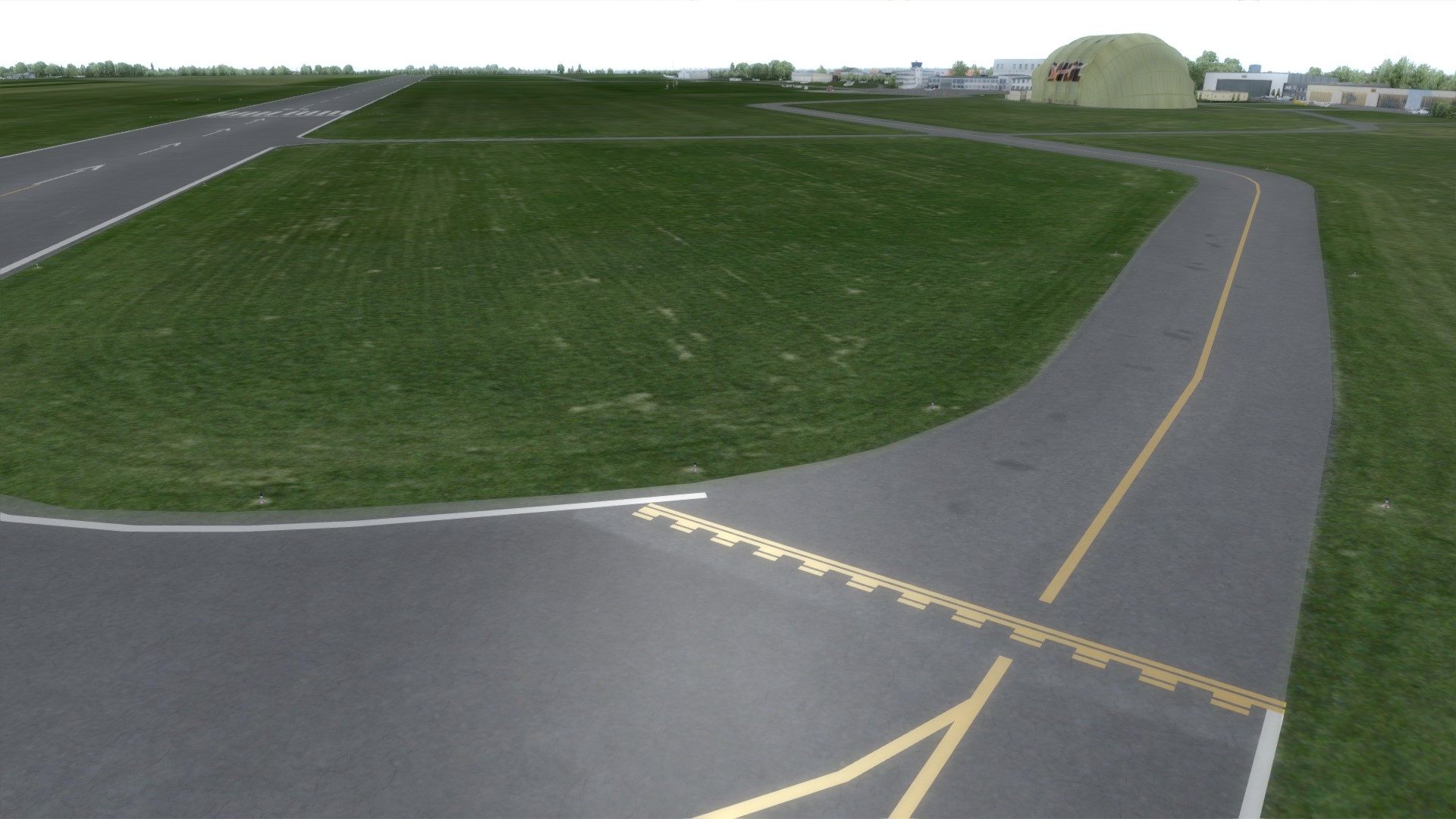
3_muelheim_ruhr_layout_1.jpg

The new airport layout contains current ground markings

4_muelheim_ruhr_layout_2.jpg

All surfaces have different material properties, the markings and the asphalt surface reflect differentiated solar radiation.
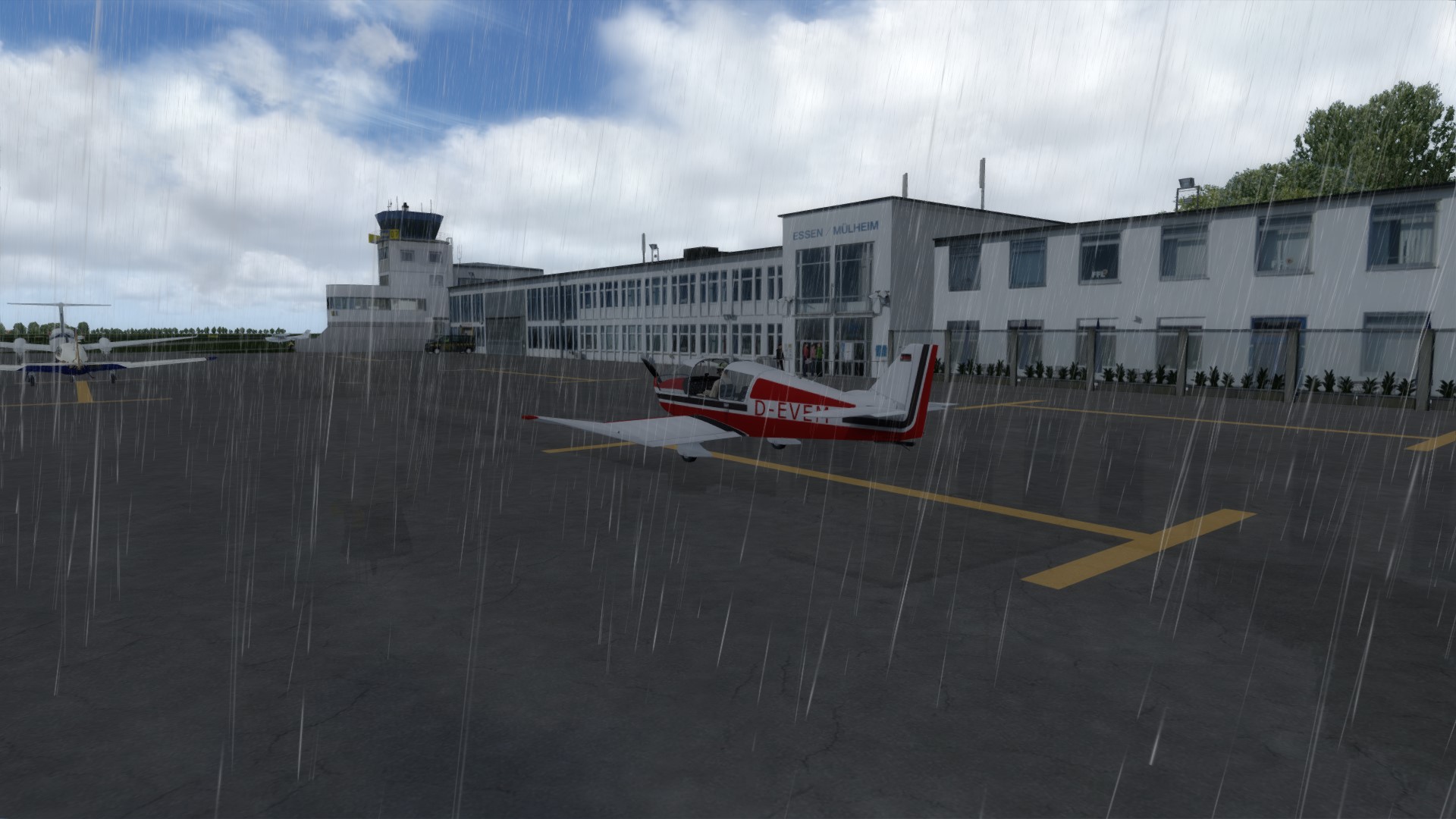

5_muelheim_ruhr_layout_3.jpg

In addition, the asphalt surface was created with a rain-mirroring effect. the stronger the rain, the stronger the effect


edle_avatar_steven.jpg

The new avatar. His name is Steven


7_muelheim_ruhr_season_1.jpg

The hay bales, as well as the umbrellas on the terrace, the blimp and plants are seasonally controlled
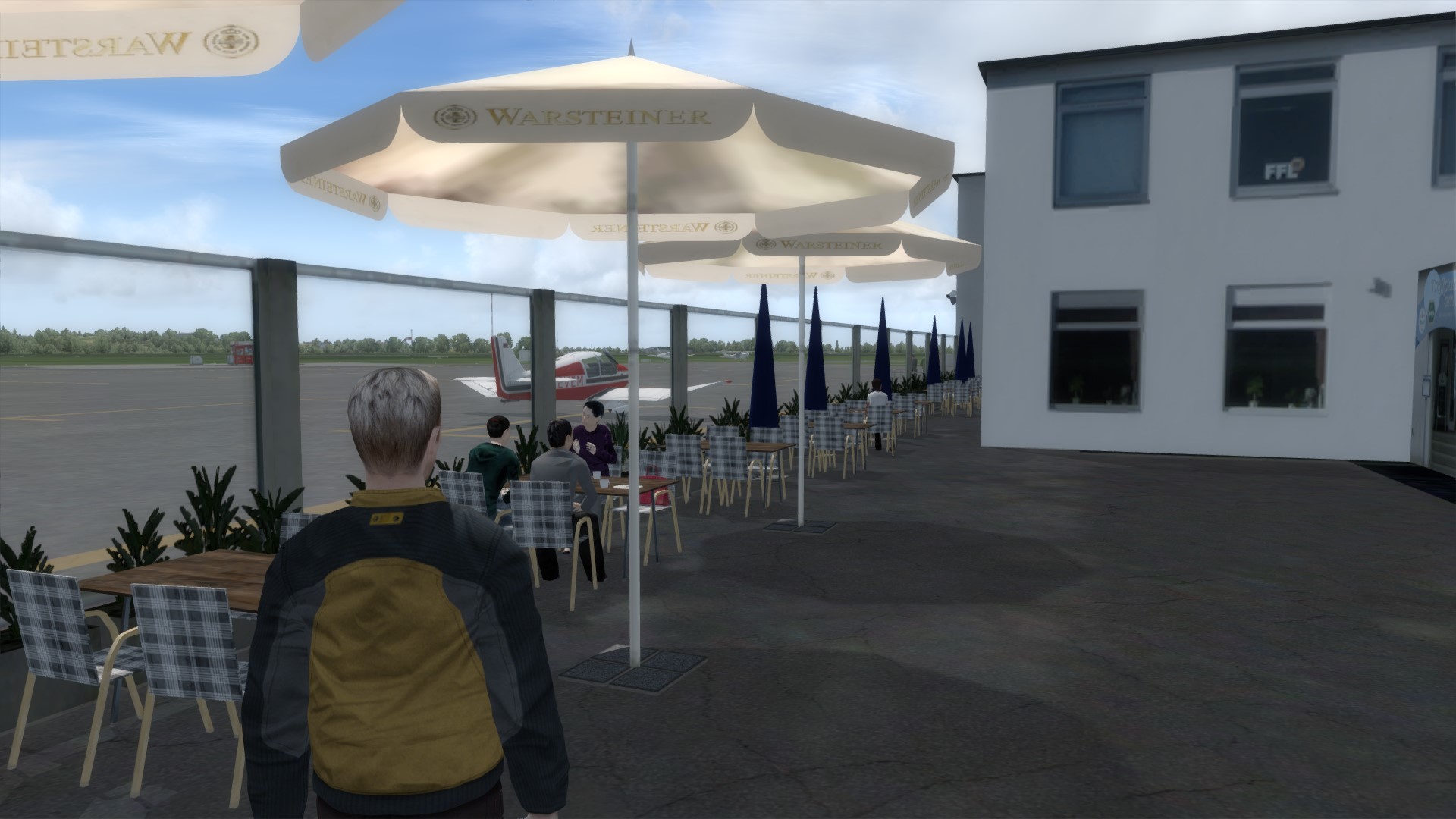

6_muelheim_ruhr_season_2.jpg

The plants and parasols are only available in the summer months
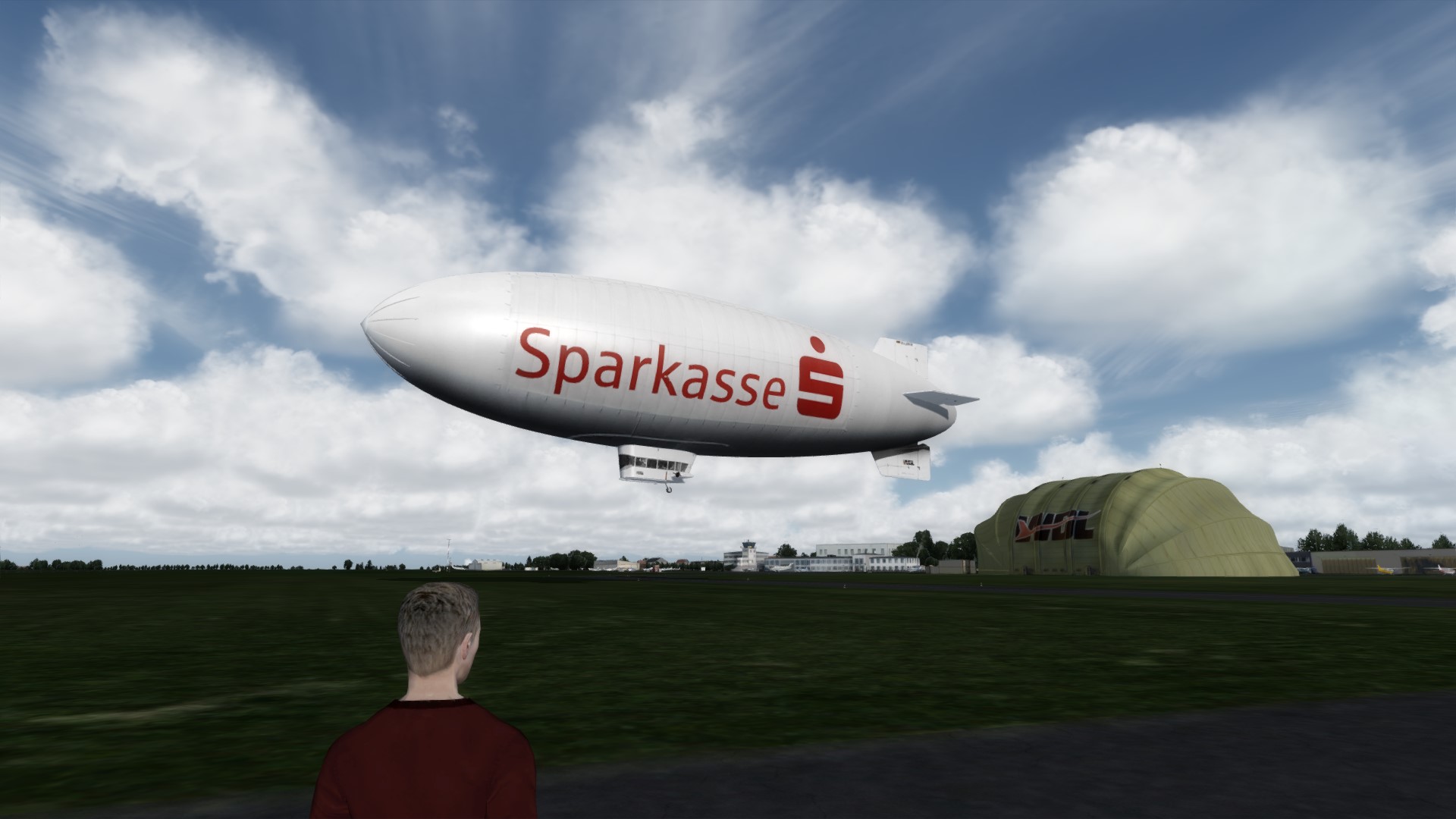

1_muelheim_ruhr_blimp_1.jpg

The Blimp is animated and flies a 45-minute flight over the Essen and Mülheim - it's a new development at Bahrometrix :)
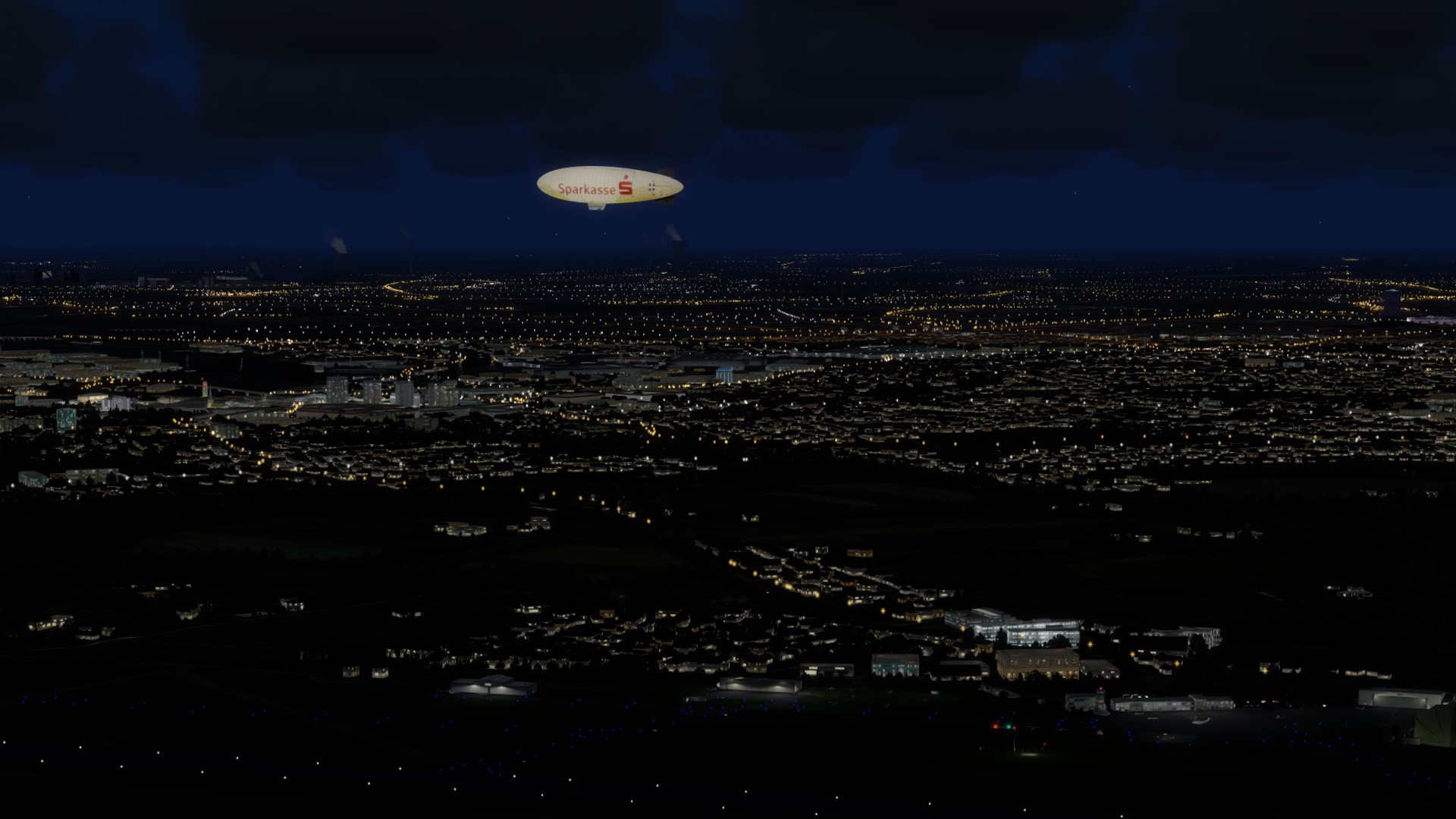

2_muelheim_ruhr_blimp_2.jpg

The sightseeing flight of Blimp also takes place in the evening
 
Hi!

There is a new update for the Freeware "Muelheim Ruhr X", you can download it directly from the Bahrometrrix download page:

Bahrometrix Muelheim Ruhr X v1.16

Some have been redone, others have been updated.

The update 1.16 had become necessary, because due to the "wandering" magnetic pole the runway assignments were changed from 07/25 to 06/24. Changing runway names is more common around the world than you might imagine. As a rule, ground markings, wind direction indicators and signs at the airport must then be revised. On this occasion, the new animation controller by Oliver Binder was integrated into the update. In addition to the wind objects, the Controller now controls the Follow-Me vehicle. It will stop when it hits the user plane, before it went through one ...

p3dv4_muelheim_ruhr_x_follow_me_v116.jpg


The Bahrometrix proprietary development of the 3-D lights has now been adapted to the technical possibilities of the P3Dv4. They are not only reacting to the day/night aperture, but also to rain and fog (visibility less than 10km). In addition, they were visually embellished and now have a higher visibility. Before they were visible to a distance of 5nm, now they are visible to a visibility of 10nm ...

p3dv4_muelheim_ruhr_x_lights_v116.jpg


A small milestone is the functional analog clock on the tower in Essen-Muelheim. So far, it had not been able to bring a working clock in the P3Dv4 as static bgl, and although dozens of attempts have been made. It is a small detail, certainly. But just in Essen-Muelheim a not insignificant detail. I am very happy about that anyway ...

p3dv4_muelheim_ruhr_x_tower_v116.jpg


Changes / innovations
- New Follow-Me vehicle, selectable via Vehicle menu
- New animation controller for Follow-Me vehicle
- Novel 3-D lights, both visually and technically revised
- New lighting concept for natural-looking dynamic lights
- Functional analog clock on the tower (local time display)
- Tower with new beacon flash
- New airport ground layout with depth representation of cracks
- Updated allocations for runways 06/24
- revised ground markings for runways
- Updated airport signage
- Volumetric light on light poles
- New assignment for vegetation type for bushes
- New AI air traffic


Some more pictures ...

p3dv4_mülheim_natürlich_wirkende_beleuchtung.jpg

The new lighting concept with natural colors ...


p4dv4_mülheim_lichtschein.jpg

New light on the light pole


p3d4v_mülheim_neuer_spiegeleffekt.jpg

Depth representation of cracks in the asphalt
 
Last edited:
This looks great Christian! The first time I ever went up in a GA plane was from Essen-Mülheim. I must have been around 11 years old at the time, so over 35 years ago...

Some interesting memories rekindled when using your scenery...

A


Andrew Entwistle
Germany
 
Hi!

In the past few months I have tried to familiarize myself with the subject of PBR. I read a lot but didn't understand much. That seems to be a very special world in the teaching of physics. Physics can be a very stressful subject. So there wasn't much left for me and the old "Try & Error" procedure had to be followed. And so little by little came the understanding of Physicaly Based Rendering :)

A few of these findings have been incorporated into the PBR update for Mülheim Ruhr X. This scenery update is now ready and can be downloaded from my download page:

Downloadlink: Bahrometrix - Mülheim Ruhr X v1.19 (P3Dv5)


Here are a few pictures ...

p3dv5_muelheim_beleuchtung.jpg

The Bahrometrix Living People with PBR material


1_bodenlayout_regen.jpg

Originally, individual puddles of rain were planned. They looked good up close, but not a little further away. Therefore, the entire rain layer was redesigned


2_avatar_steve_2k.jpg

The avatar Steve included in the package got new 2K textures in addition to PBR textures. So its individual characteristics come into their own better


3_wintertexturen_pbr_material.jpg

The roofs of the airport buildings have winter textures. These textures had to be reworked a little so that they did not appear too bright in the sunlight and the dynamic lights


4_neues_icht_konzekt.jpg

The new airport lighting concept. The concept had to be redesigned because there were changes to the FX files in P3Dv5. Now the airport shines in new splendor


5_stadtgebaeude_pbr.jpg

One of 50 city buildings in Mülheim: a factory building. The roofs and facades of the buildings have a different visual effect depending on the sunlight


2020-5-9_19-8-0-393.jpg

The new rain layer in winter when there is snow, the layer is automatically switched on


bahrometrix_muelheim_citation_525.jpg

The new 2K ground textures in combination with a custom-made detail map (detail1.bmp). The cracks in the asphalt and the sun reflections can be seen very nicely


PBR Update Mülheim - The description of the changes

- All airport buildings and all city buildings with PBR material
- All airport buildings with PBR winter textures
- The airport's rain layer automatically switches on when it rains
- New floor textures with 2K PBR material
- Own 2K detail map to improve the ground display
- Avatar Steve with 2K PBR material
- New version of the animation controller, based on P3Dv5 SimConnect
- Follow-Me vehicle with new dynamic lights and with PBR material
- Dynamic lights adapted to P3Dv5
- New lighting concept for the airport
- Bahrometrix Living People with PBR material
- Installer and manual updated medially
- License text added

and much more ...

All features according to P3DV5 SDK specifications.
 
Back
Top