- Messages
- 560
- Country

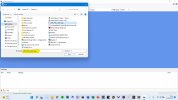
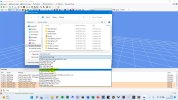
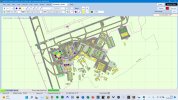
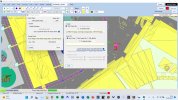
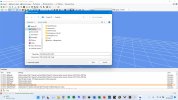
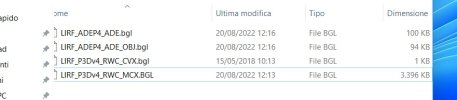
To add: I have followed exactly the procedure I outlined above. I modified the airfield simply by adjusting the runway Land-TO priorities, and saved the resulting .ad4 and compiled the .bgls. This results in an airfield bgl of 112kb, and an OBJ bgl of 94kb, which only includes object placements. I extracted Ray's objects from his airfield file in MCX and saved them as a scenery bgl (3396kb). I included the following four files in the scenery folder: LIRF_ADEP5_TJC.bgl (my modified airfield file), LIRF_ADEP5_TJC_OBJ.bgl (object placement file), LIRF_P3Dv4_Obj_RWC.bgl (the extracted model files) and LIRF_P3Dv4_RWC_CVX.bgl (the airfield background/flatten file). There was no need to re-place the stock airfield buildings. I have not needed to modify any Orbx scenery folders.
Note that, as far as I can tell, Ray has used only objects available within the stock Microsoft FSX scenery libraries (except for the JFK jetways, which he mentions in the ReadMe) and so no Texture folder is needed. I haven't checked each of the 25 models, but I don't think any are his original work - which leads me to idly wonder quite why he constructed it as he did, but it's not important.
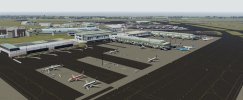
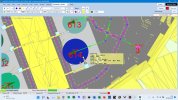
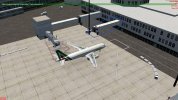
The net result of all that is that the airfield displays as intended by Ray, and as I expected. Had I wanted to, I could have introduced more objects of my own which would have also displayed within the scenery.
Note that, as far as I can tell, Ray has used only objects available within the stock Microsoft FSX scenery libraries (except for the JFK jetways, which he mentions in the ReadMe) and so no Texture folder is needed. I haven't checked each of the 25 models, but I don't think any are his original work - which leads me to idly wonder quite why he constructed it as he did, but it's not important.
The net result of all that is that the airfield displays as intended by Ray, and as I expected. Had I wanted to, I could have introduced more objects of my own which would have also displayed within the scenery.