

Rotornut44
Resource contributor
- Messages
- 671
- Country

Hello.
I'm throwing this thread into the 3D Objects General forum board because quite frankly I'm not sure exactly where it fits..
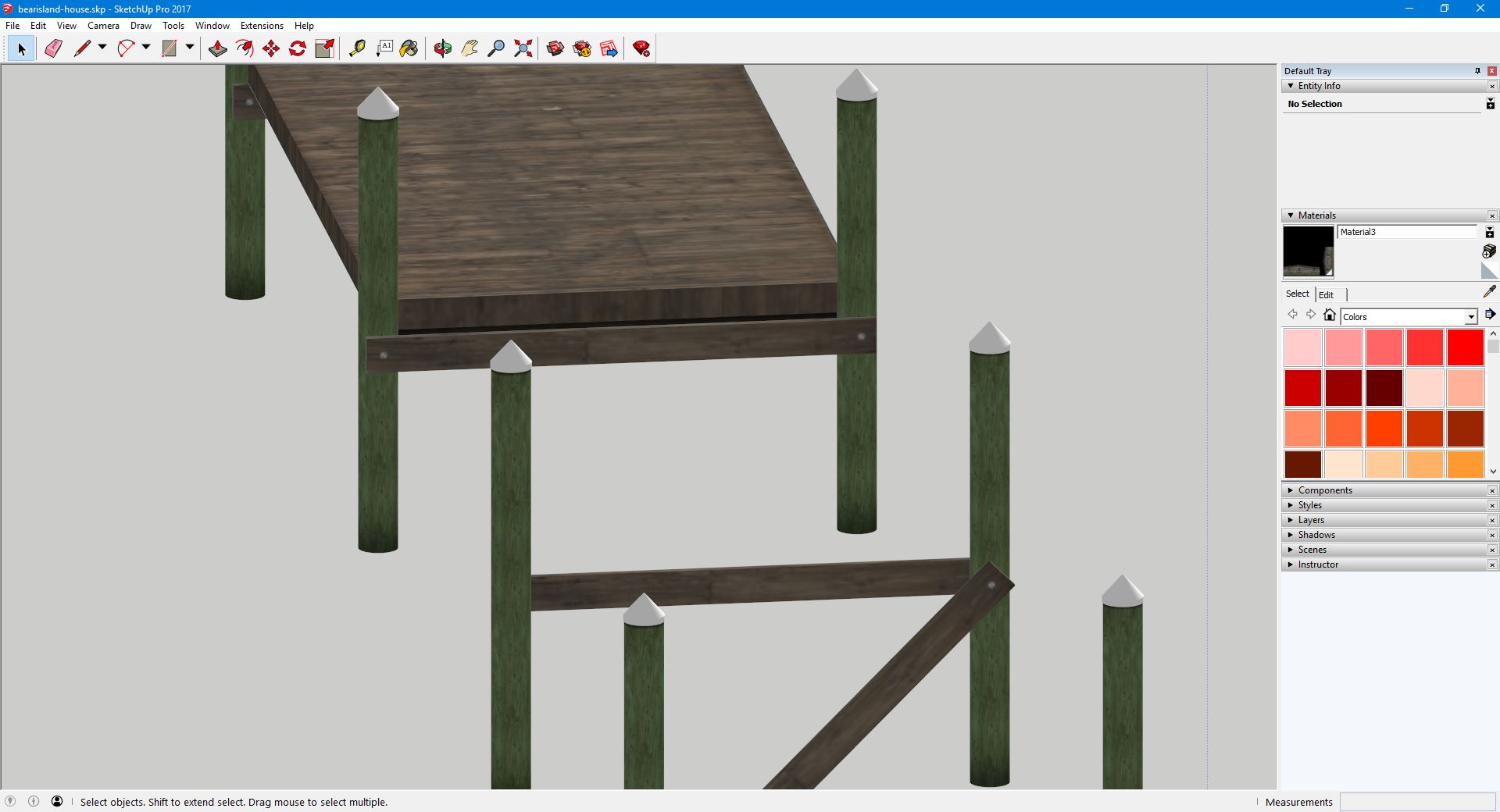
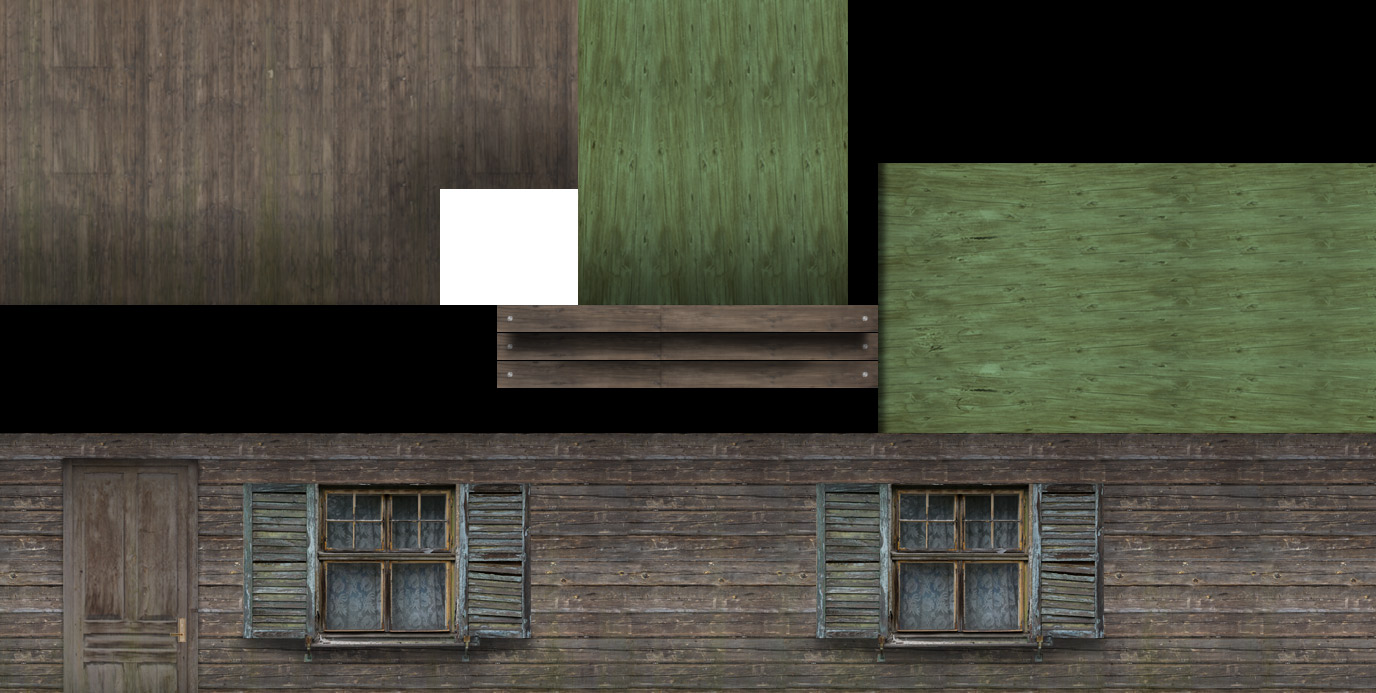
I've had this issue for a while and have ignored it until now since it has just been a minor texture issue. However, I would like to fix it. When viewing my model inside of Sketchup, you can see that the braces between the dock poles seem to be textured correctly. However if you export this model as a DAE file and import it into Model Converter X, you will notice that the wrong textures now show on these braces. The plain wood is now replaced with another variation that I have applied some AO to. On the texture sheet, these are stacked on top of each other.
Any idea what would cause this?
(Model as seen in Sketchup.)
(Model as seen in Model Converter X.)

(Snippet of Texture Sheet centered on Wood Brace textures.)
I'm throwing this thread into the 3D Objects General forum board because quite frankly I'm not sure exactly where it fits..
I've had this issue for a while and have ignored it until now since it has just been a minor texture issue. However, I would like to fix it. When viewing my model inside of Sketchup, you can see that the braces between the dock poles seem to be textured correctly. However if you export this model as a DAE file and import it into Model Converter X, you will notice that the wrong textures now show on these braces. The plain wood is now replaced with another variation that I have applied some AO to. On the texture sheet, these are stacked on top of each other.
Any idea what would cause this?
(Model as seen in Sketchup.)
(Model as seen in Model Converter X.)
(Snippet of Texture Sheet centered on Wood Brace textures.)

